Who can approve, comment and move templates?
Workspace roles set what people can do in every approval flow. Access in a flow adds approvers, reviewers and groups on top, per flow or per stage.
Published ·Updated
Two things set what someone can do in an approval flow: their workspace role, and the access you give them in that flow. Access only adds to a role. It never takes away what the role already allows.
Workspace roles#
What each role can do in every flow before you add any access:
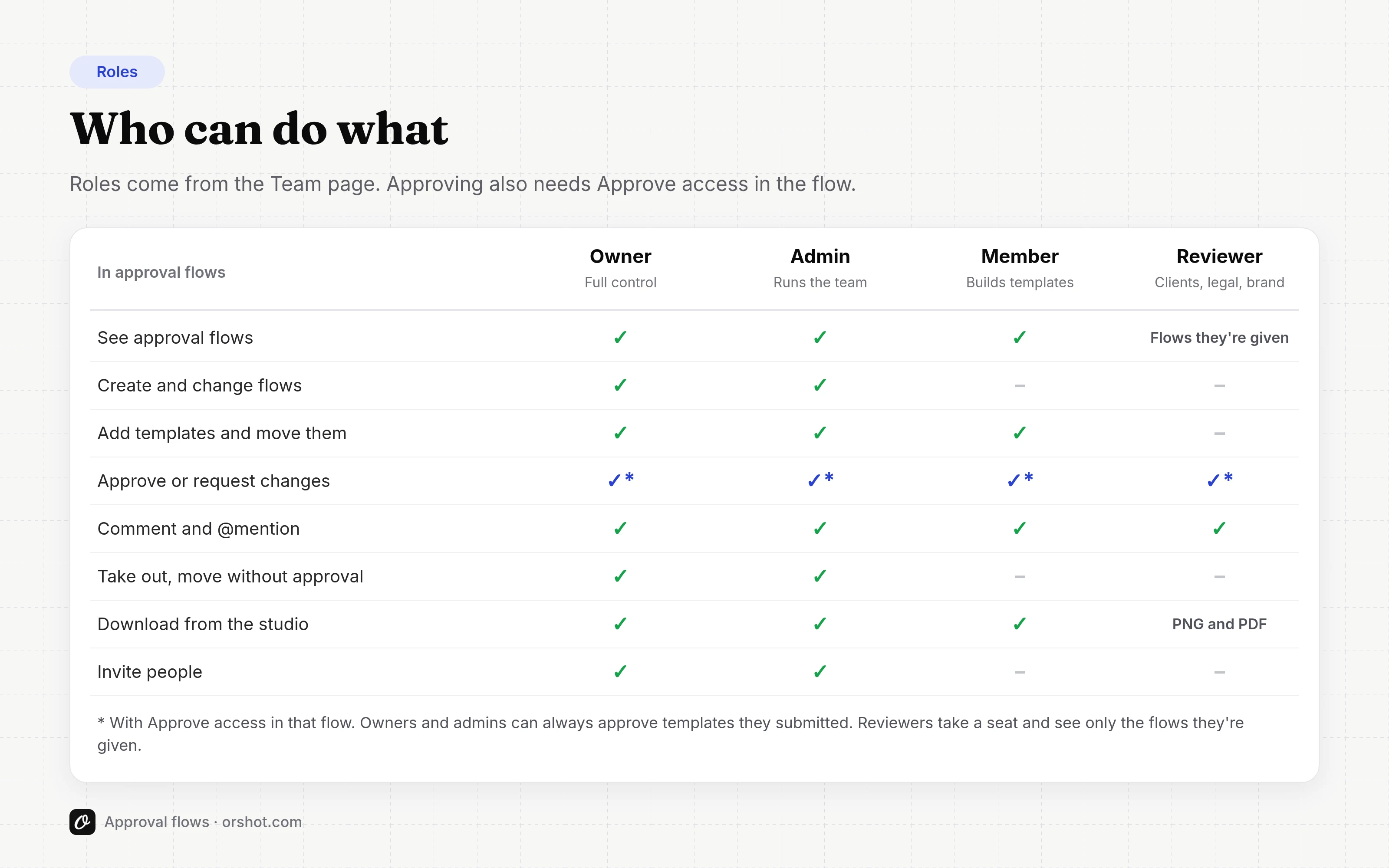
| Can | Owner | Admin | Member | Reviewer |
|---|---|---|---|---|
| See approval flows and where templates are | Yes | Yes | Yes | Flows they can see |
| Comment and resolve comments | Yes | Yes | Yes | Yes |
| Add templates, Submit for review, move templates | Yes | Yes | Yes | No |
| Approve or request changes | With Approve access | With Approve access | With Approve access | With Approve access |
| Take a template out of a flow | Yes | Yes | No | No |
| Move without approval | Yes | Yes | No | No |
| Create and change flows, stages and access | Yes | Yes | No | No |
| Create groups | Yes | Yes | No | No |
| Hide other people's comments | Yes | Yes | No | No |
| Edit templates in the studio | Yes | Yes | Yes | No (View only) |
| Download from the studio | Yes | Yes | Yes | PNG and PDF |
Nobody approves by role alone. Owners and admins need Approve access to approve, like everyone else.
Stage rules come on top of this. In the presets, only approvers can move templates into approved stages, so members can submit a template for review but can't approve it by dragging it.
Access in a flow#
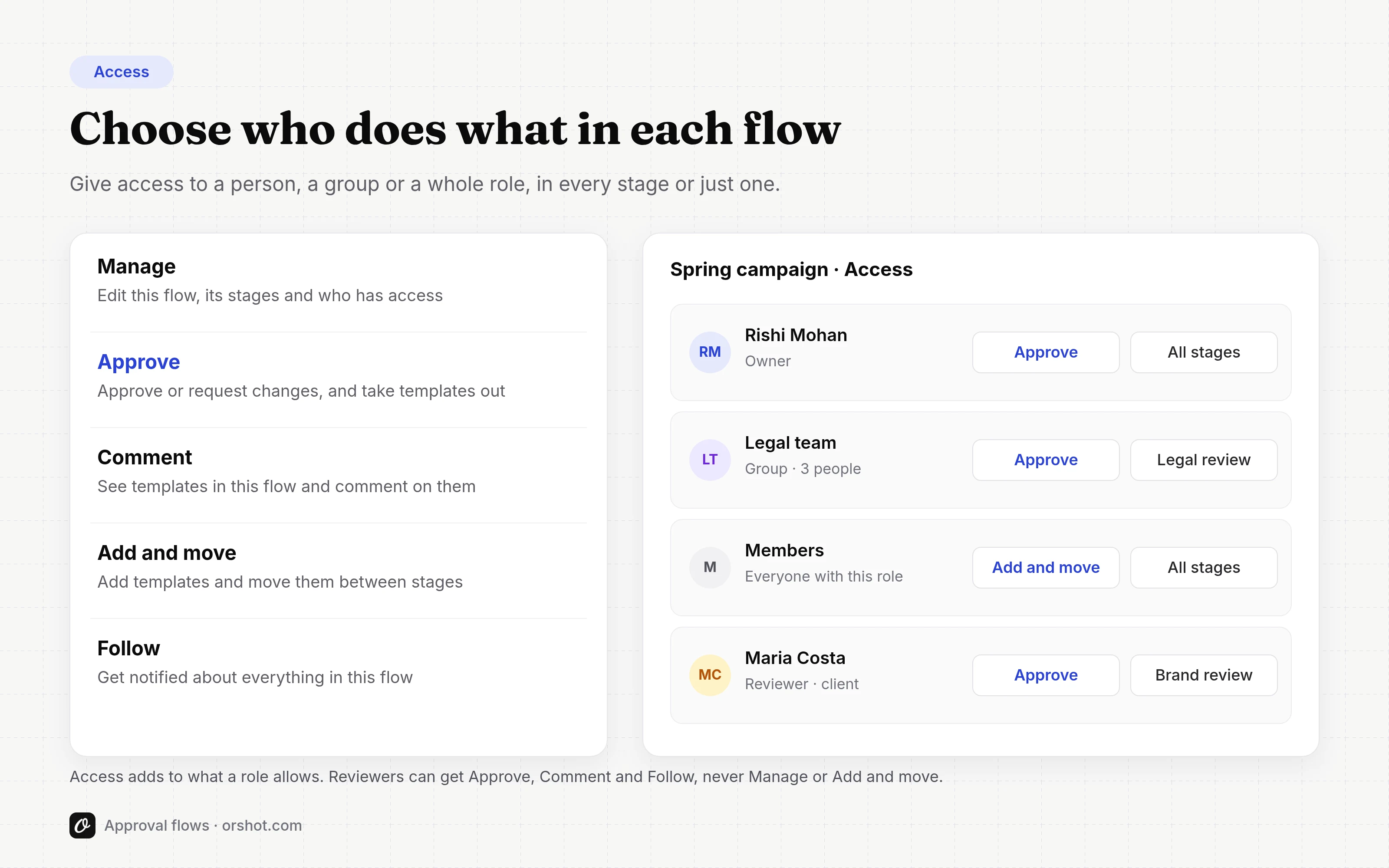
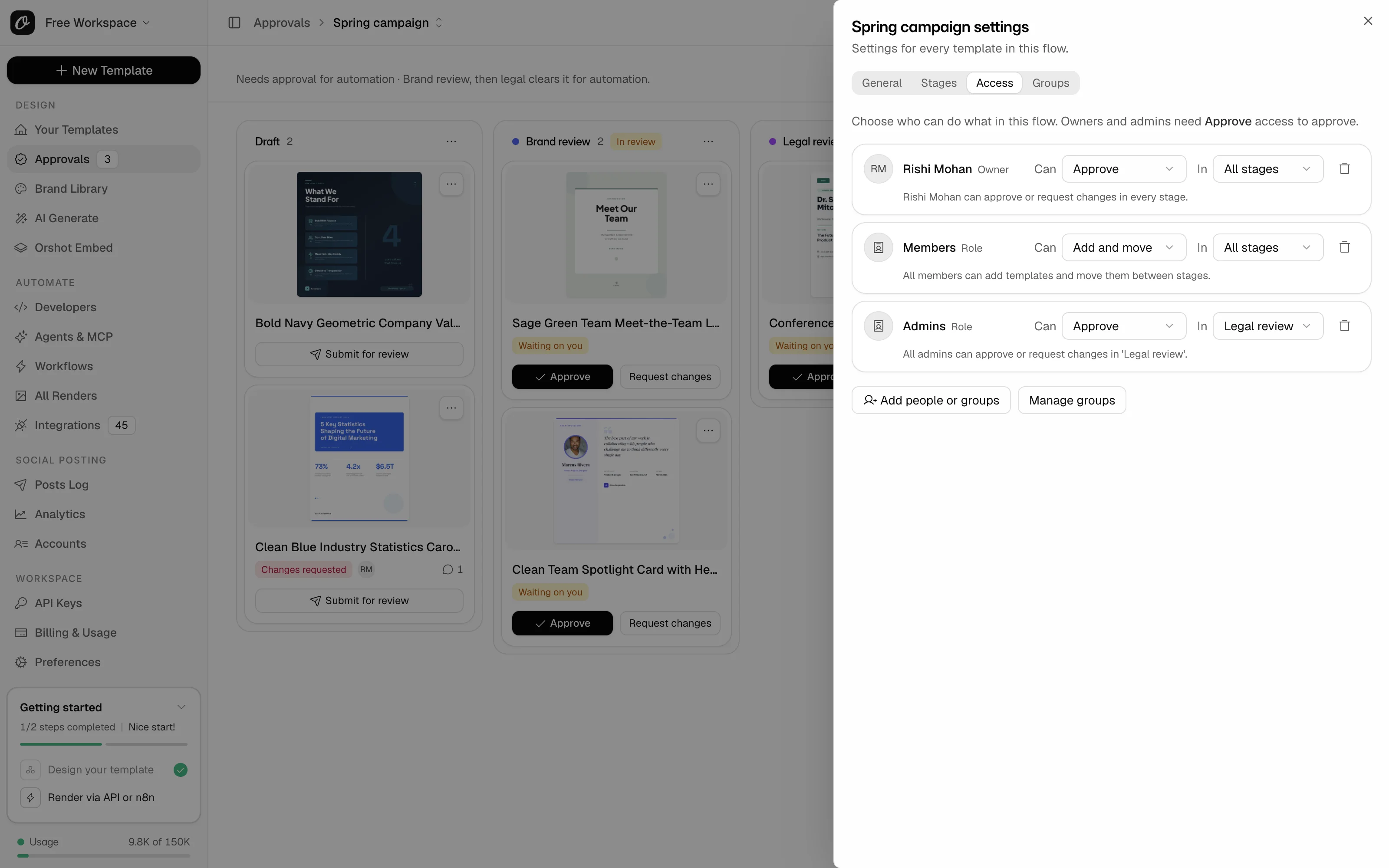
Give access on the Access tab of the flow settings. Each row reads as a sentence, like "Maya can approve or request changes in 'Legal review'".
| Access | What it adds in this flow |
|---|---|
| Manage | Edit this flow, its stages and who has access |
| Approve | Approve or request changes, move templates and take them out |
| Comment | See templates in this flow and comment on them |
| Add and move | Add templates and move them between stages |
| Follow | Get notified about everything in this flow |
Reviewers only comment, approve and request changes, whatever access they have:
- They never add, move or take out templates, or change, archive or copy a flow, its stages or its access.
- On a reviewer's row, Manage and Add and move are greyed out, and Approve doesn't include taking templates out.
- With Approve access they approve or request changes, from the buttons or by dragging a card out of a review. The flow moves the template on from there.
You can give access to:
- a person, by name or email
- a group, like everyone in Legal
- everyone with a role, like all members
- someone you've invited who hasn't joined yet
Approvers per stage#
Access applies to All stages of the flow, or to one stage. Give Brand Approve access in 'Brand review' and Legal Approve access in 'Legal review', and each team approves only its own step.
Every review stage needs someone who can approve in it. The Access tab warns you when a stage has nobody, and won't save a change that leaves a review stage without an approver. Step by step: how to choose who can approve each stage.
Groups#
A group is a named set of people in your workspace, like Legal or Brand team. Create groups on the Groups tab of any flow's settings, then give the group access on the Access tab. Everyone in the group gets that access, and people you add to the group later get it too.
Groups are shared by every flow in the workspace. They're included from the Scale 150k tier: see Plans and limits. A reviewer limited to some flows sees only the groups they're in and the groups with access to those flows.
Reviewers#
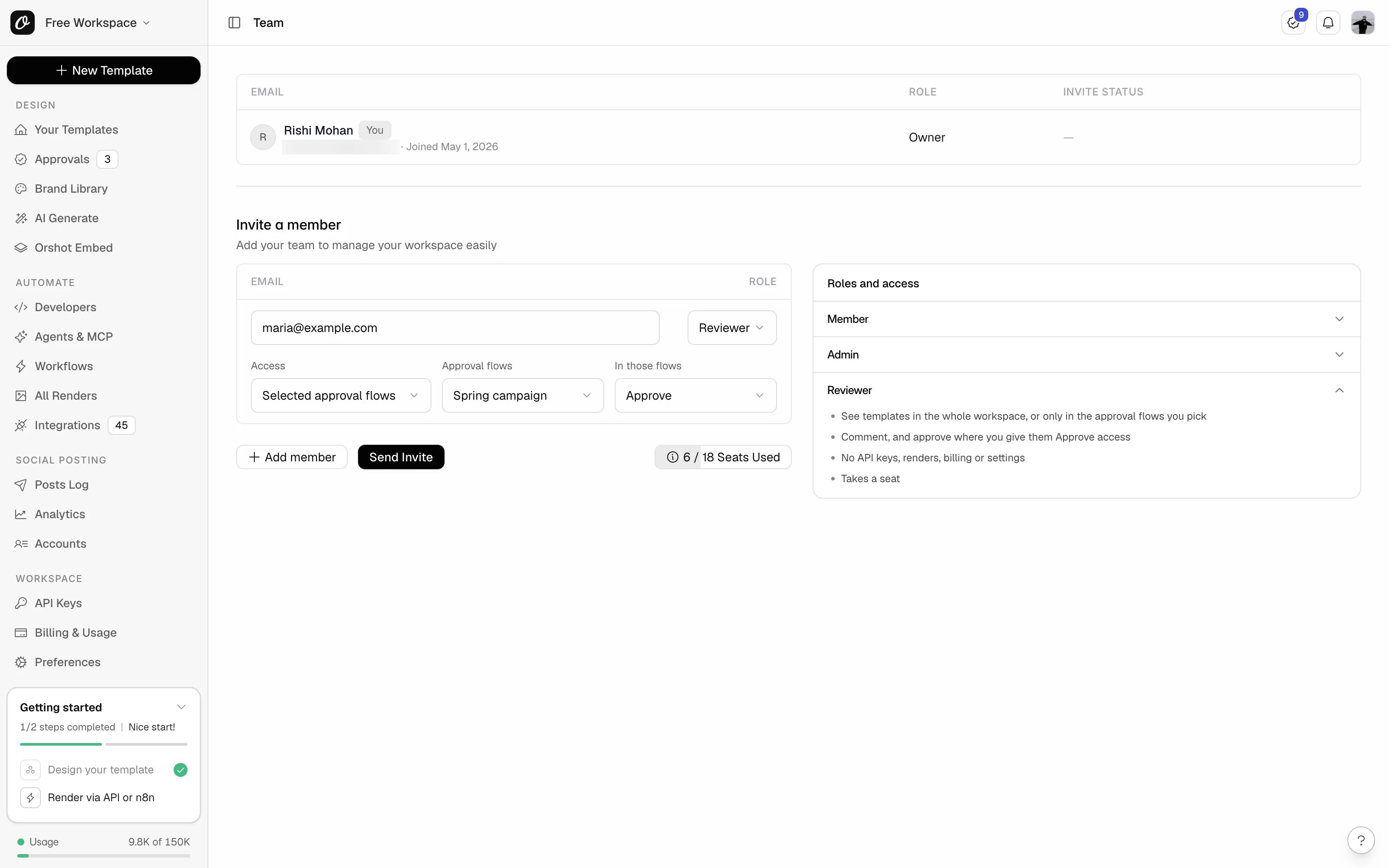
Reviewer is a workspace role for people outside your team who look, comment and approve, often clients. Invite them from Preferences, Team Members, and pick Reviewer as the role (step by step: how to invite a client to approve). Then choose:
- Access: Whole workspace to let them view every template, or Selected approval flows to let them view only templates in the flows you pick.
- In those flows: Approve to let them approve or request changes, or Comment to let them comment only.
What reviewers can do:
- View templates and comment on them, with @mentions. In the studio they see View only.
- Approve or request changes where they have Approve access.
- Follow or mute templates.
- Download a design as PNG or PDF from the studio.
- Use the Approvals page, the templates they can view and their Approvals inbox.
Reviewers never see API keys, renders, logs, billing, brand assets, integrations or settings. They can't edit, render or move templates, or search and add stock media, even through an app or AI agent they connect.
They see your team by name, never by email address. A reviewer can't become the workspace owner: change their role to Member or Admin first.
A reviewer limited to selected flows sees nothing outside those flows, not even that other templates exist. Opening one shows Template not found.
Seats#
Reviewers take a seat, like members. Pending reviewer invites hold a seat too, until they're accepted or cancelled. See your plan's team members on the pricing page.
Moving without approval#
In an emergency, owners and admins can move a template past its approvals with Move without approval. It asks for a reason. Admins get notified, and the name and reason stay in the flow's history.
Ready to automate?
Start rendering images, PDFs and videos from your templates in under 2 minutes. Free plan, no credit card.
Get your API key- Image, PDF and video generation via API
- Visual editor with AI and smart layouts
- Zapier, Make, MCP and 50+ integrations
- White-label embed for your own app
- 100 free credits a month, no credit card required