Today we're introducing Variant Generation, a powerful new AI feature in Orshot Studio that helps you repurpose your designs for multiple platforms instantly.
Instead of manually resizing your canvas and rearranging elements for every different social media format, let Orshot's AI do the heavy lifting.
Here's a quick demo:
How it works
Open the Variant Generator panel in the studio.
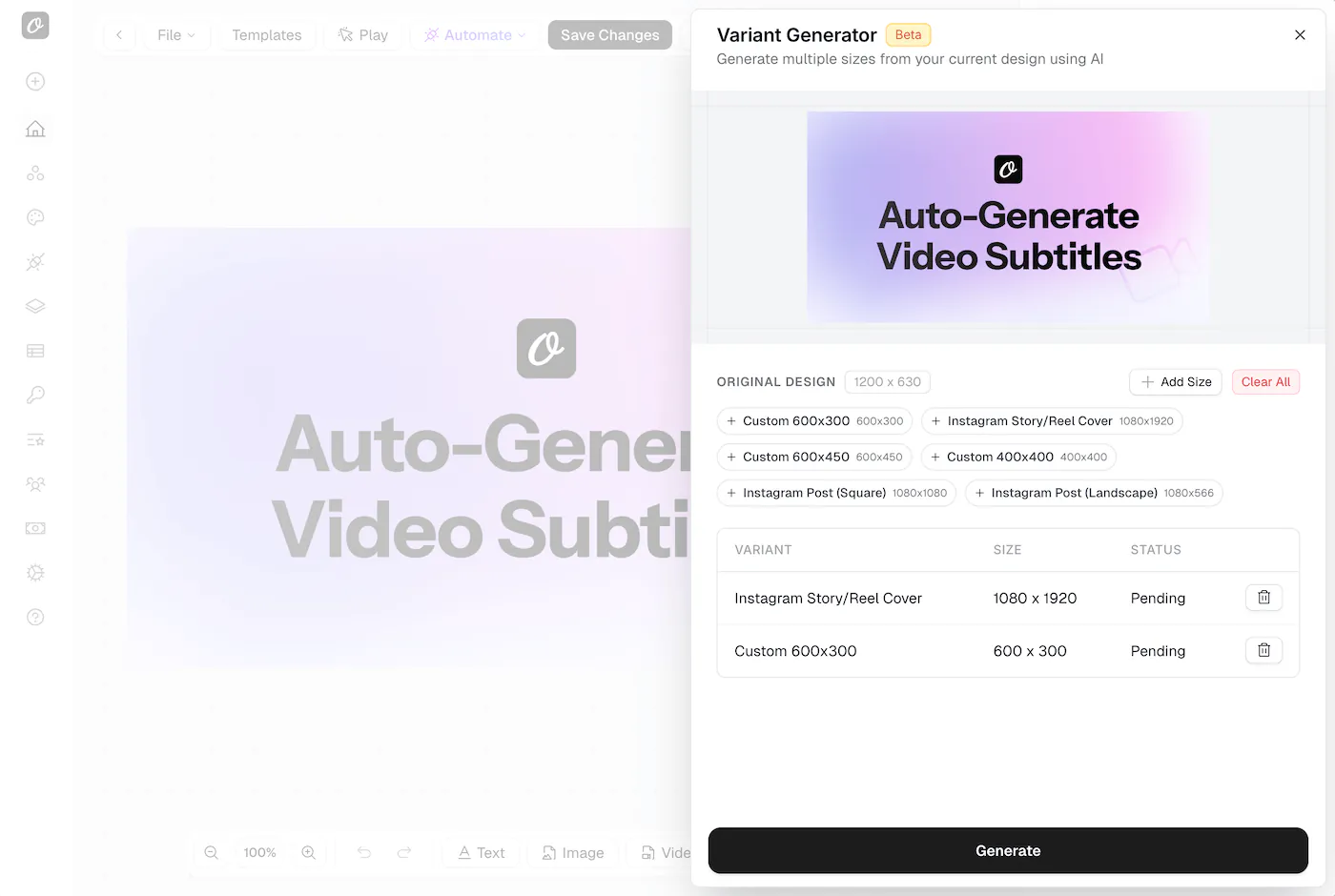
- Select Sizes: Choose from presets like Instagram Story, Twitter Post, LinkedIn Banner, or enter custom dimensions.
- Generate: Click "Generate". Orshot analyzes your current layout, identifying key elements like headlines, images, and branding.
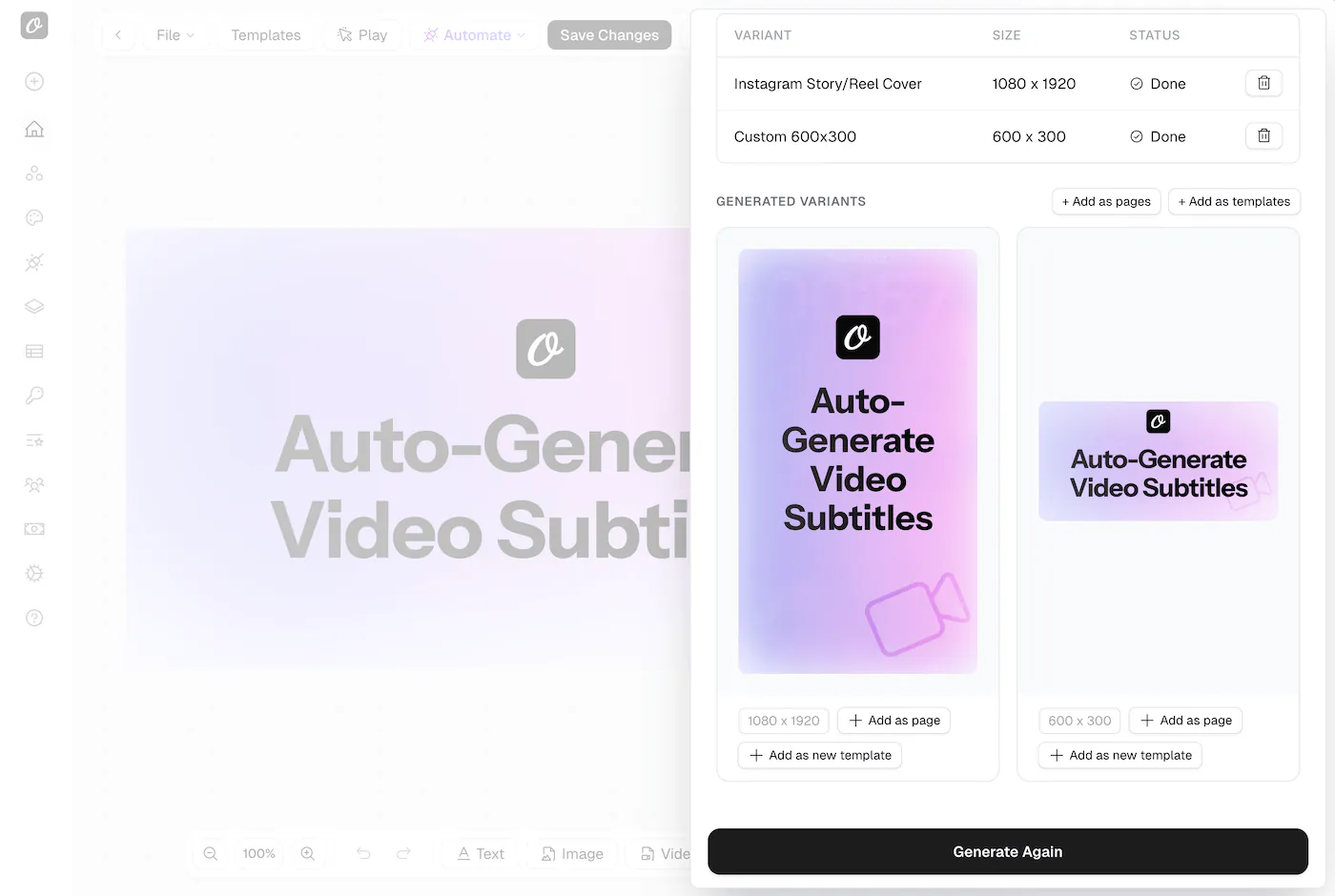
- Reflow: The AI intelligently rearranges and resizes these elements to fit the new dimensions while maintaining your design's aesthetic and hierarchy.
Why use it?
- Save Time: Create a full campaign content set in minutes instead of hours.
- Consistency: Ensure your branding looks consistent across all platforms, from vertical stories to horizontal banners.
- Multiply Content: Turn one design into assets for Instagram, LinkedIn, Twitter, and more.
Features & Details
- Add as Pages: Once generated, you can add any variant as a new page within your current project to make further manual tweaks.
- Save as Templates: Like a variant? Save it immediately as a new reusable template.
- Custom Sizes: Need a specific ad banner size? Just enter the custom width and height.
- Usage: Generating variants uses AI Credits. Each successful variant generation consumes credits based on your plan.
We are continuously refining the layout models to handle more complex compositions. Try it out in the studio by clicking the "Variants" button!