We built Orshot to make generating images and PDFs at scale dead simple. But once you've generated the perfect visual, posting it somewhere meant stitching together another service — Buffer, SocialBee, or some other third-party API — just to get the image out. That's extra cost, extra setup, and one more thing to maintain.
So we built Orshot Publish — a way to post directly to your social media accounts from your Orshot dashboard or via the API. Generate and publish in the same place. No more juggling between tools.
How It Works
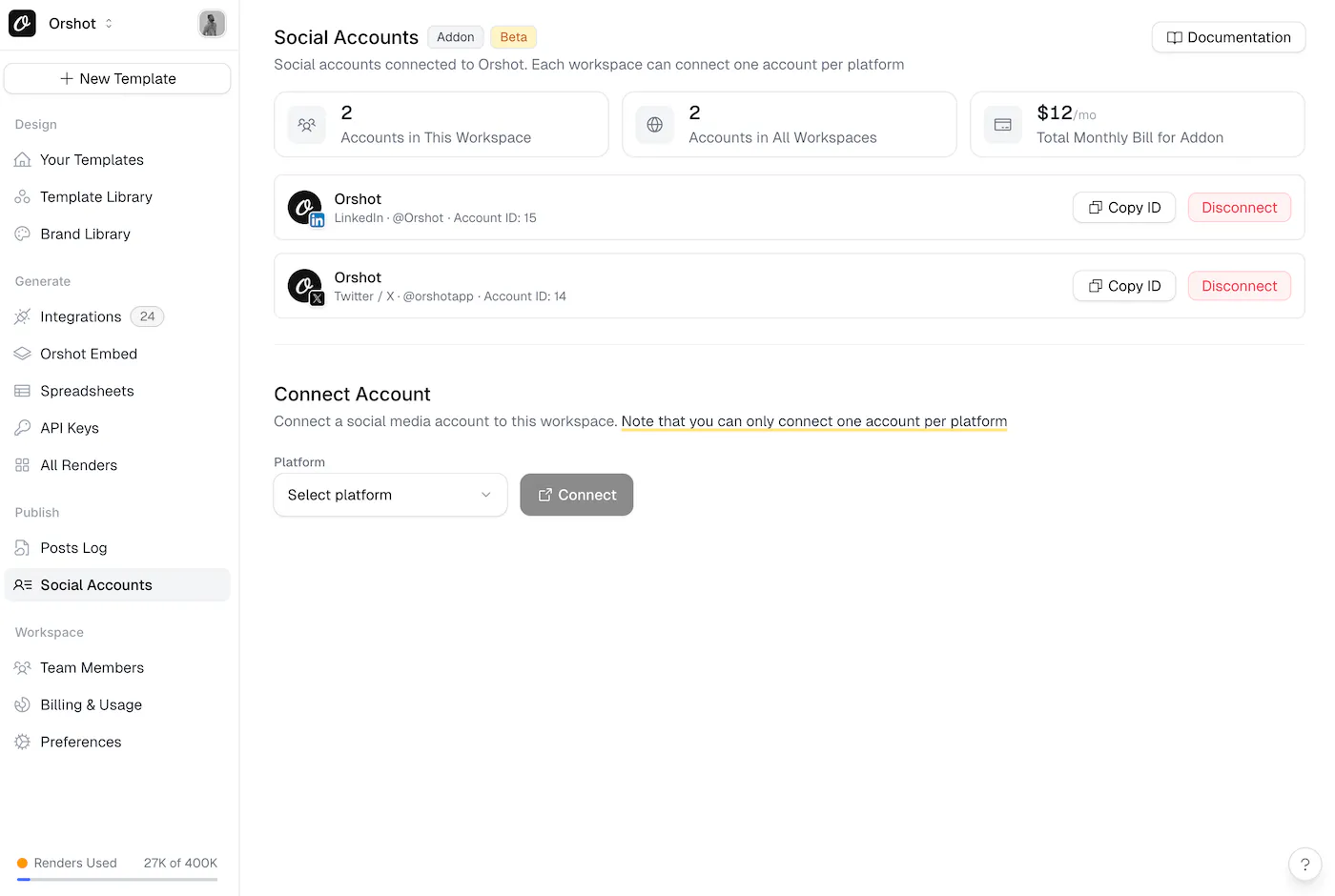
- Head to the Publish > Social Accounts section in your workspace.
- Connect any of your social accounts — Twitter/X, Instagram, LinkedIn, Facebook, TikTok, YouTube, Pinterest, Reddit, Bluesky, Threads, Telegram, Snapchat, or Google Business.
- Generate renders and publish to your socials — right from the template playground.
That's it. Your generated images go straight to your audience.
Publish, Draft, or Schedule
You don't have to post everything immediately. Orshot Publish gives you three options:
- Publish now — send it out immediately.
- Save as draft — come back to it later.
- Schedule — pick a date and time, and Orshot handles the rest.
Post from Template Playground
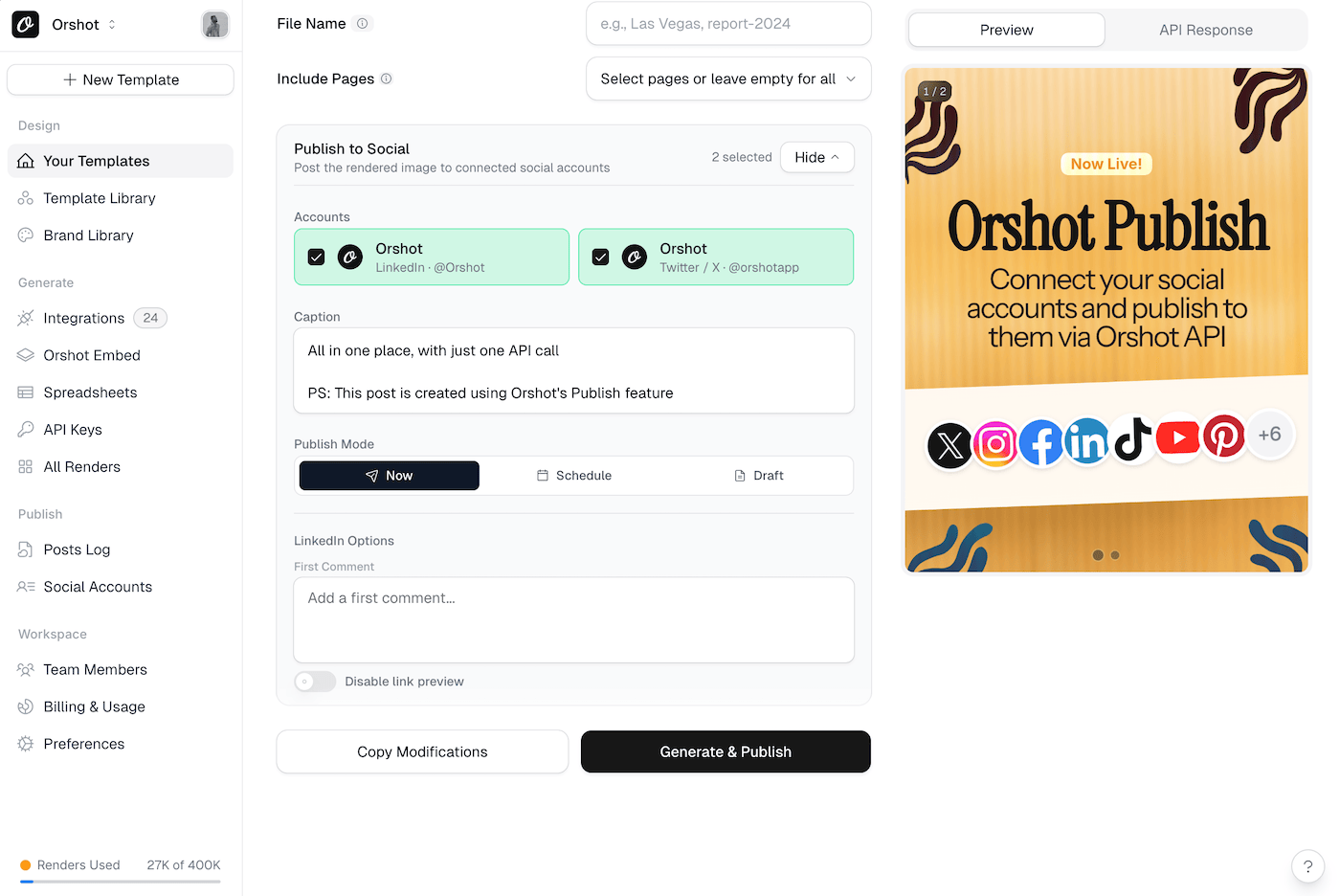
Here's where it gets really useful. When you're generaring a render, the renders be it Images, PDF or Videos are directly pulled from the template and attached to your post automatically.
You can customize the caption and specific platform settings too.
Automate with the API
If you're already using Orshot's API to generate renders programmatically, you can now publish them too. The Orshot API now lets you send a publish object in your request, where you can configure which socials to post, the caption(we support per platform captions), and other settings. Orshot API will automatically process the render, and publish it on all the selected socials. You can also draft or schedule these posts on your socials
This means you can build end-to-end pipelines: generate a product banner, a certificate, or an OG image, and post it directly to your social channels without any manual steps.
Supported Platforms
Orshot Publish supports 15 platforms out of the box:
- Twitter/X
- TikTok
- YouTube
- Bluesky
- Threads
- Telegram
- Snapchat
- Discord
- Google Business
You can connect multiple accounts from the same platform in one workspace and target each account by its unique account ID.
Pricing
Orshot Publish is available as an add-on to any paid plan. Each connected social account costs $12/month, and you get unlimited posts. No per-post fees, no hidden limits.
Get Started
If you're on a paid plan, head to Publish > Social Accounts in your workspace and connect your first account. Check out the Publish documentation for a full walkthrough of the dashboard and the API.