We're rolling out three powerful updates to text layers in Orshot Studio that give you more control over typography and dynamic content.
Multi-line Text Support
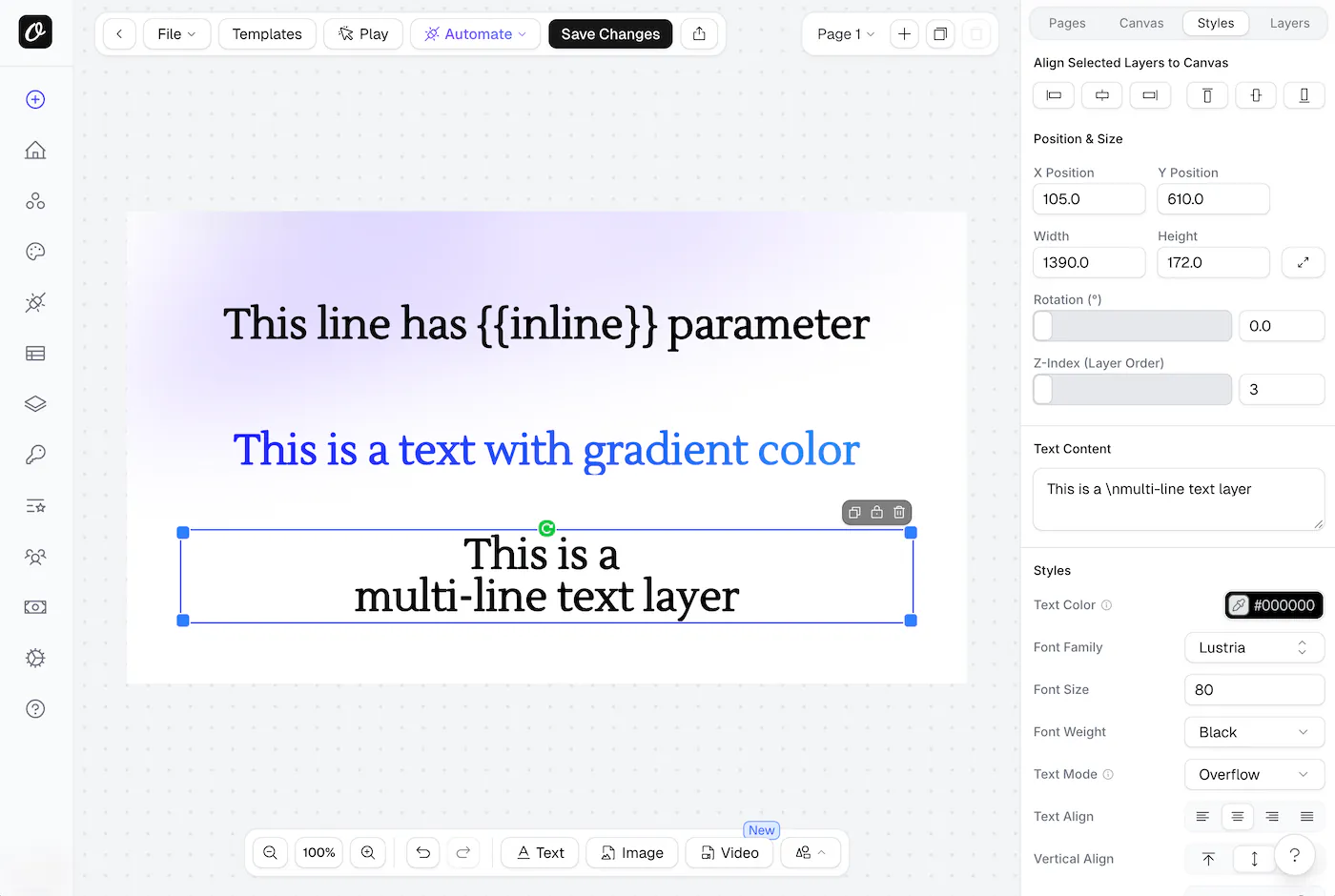
Text layers now support multi-line content for creating structured text layouts.
In Studio
Press Shift+Enter while editing text to insert a line break. The text content field will show \n where line breaks are placed.
In API
Use \n in your text content for line breaks:
{
  "modifications": {
    "headline": "Welcome to Orshot\n\nThe best image generation API"
  }
}
Multi-line text works seamlessly with all text modes - Overflow, Truncate, and Fit. In Fit mode, the font size automatically adjusts to accommodate all lines within the container.
Gradient Text Colors
Text layers now support gradient colors, letting you create eye-catching typography.
In Studio
Click the color picker for Text Color and switch to the gradient tab. Choose from linear or radial gradients with custom color stops.
In API
Use standard CSS gradient syntax:
{
  "modifications": {
    "title.color": "linear-gradient(90deg, #FF6B6B, #4ECDC4)",
    "subtitle.color": "linear-gradient(to bottom, #667eea, #764ba2)"
  }
}
Note: Gradient colors don't work with text stroke or text background color.
Inline Parameters
Inline parameters let you replace specific placeholders within text content using the {{paramName}} syntax.
In Studio
Type {{paramName}} directly in your text content. When you parameterize the layer, the detected inline parameters will appear in the API examples panel.
In API
Use the colon (:) separator to target inline parameters:
Template text:
Hi {{name}}, welcome to {{company}}!API request:
{
  "modifications": {
    "greeting:name": "Sarah",
    "greeting:company": "Acme Inc"
  }
}
Result:
Hi Sarah, welcome to Acme Inc!The colon (:) separator distinguishes inline parameters from regular ones. This is perfect for personalized content where you want to maintain consistent formatting while swapping specific values.
Combining Features
All three features work together. Here's an example using multi-line text with inline parameters:
{
  "modifications": {
    "message": "Dear {{recipient}},\n\nYour order #{{orderId}} has shipped!\n\nThank you for shopping with us.",
    "message:recipient": "John",
    "message:orderId": "12345",
    "message.color": "linear-gradient(135deg, #1a1a2e, #16213e)"
  }
}
Getting Started
These features are available now in Orshot Studio. When you parameterize a text layer, you'll see API usage examples showing exactly how to use each feature.