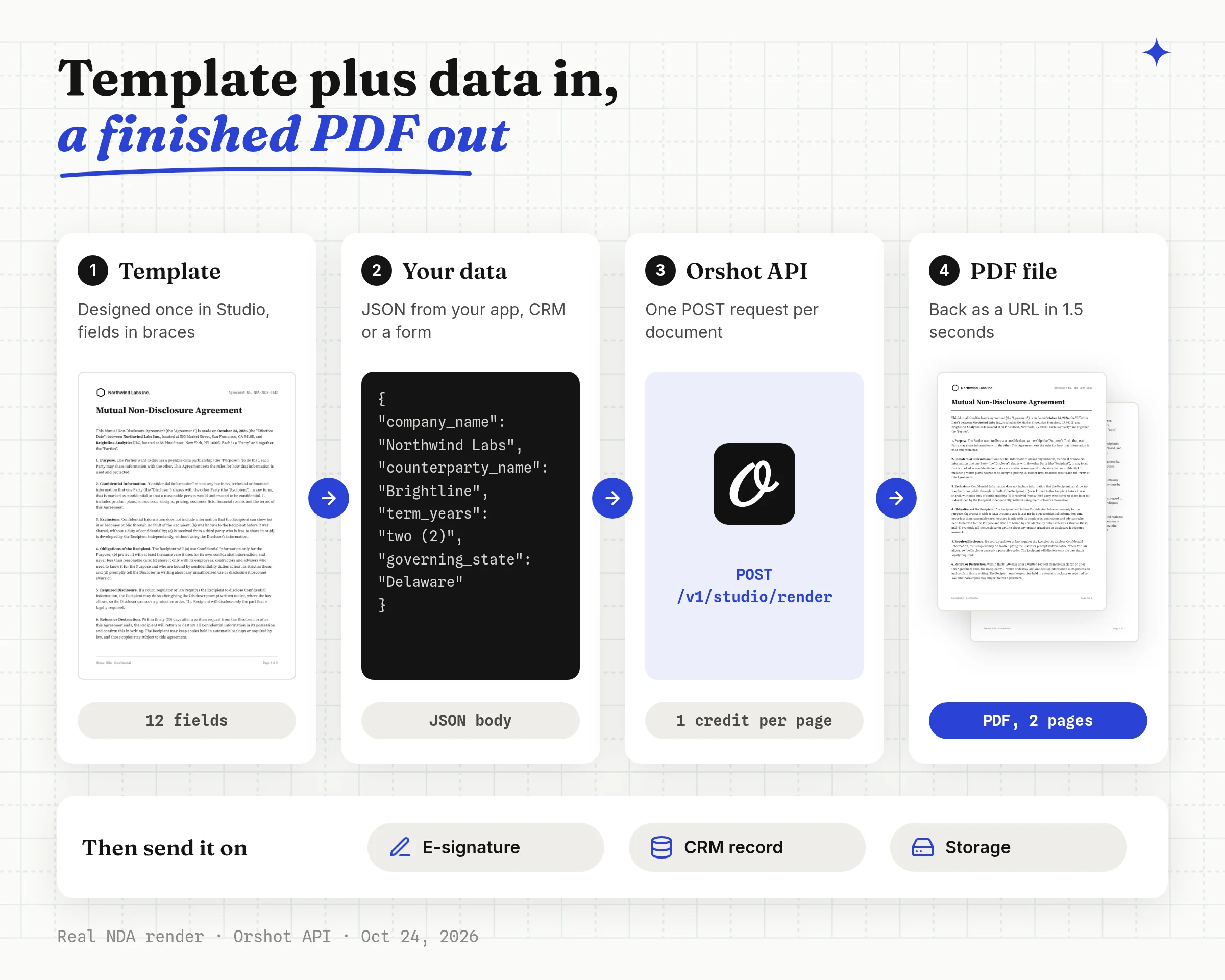
To automate document generation via API, design a template once and send only the changing data in each request. A document generation API merges the two and returns a finished PDF, like a contract or an invoice.
Below I build a two-page mutual NDA in Orshot and generate it from code, HubSpot or n8n, with a real screen for each step. The same steps work for invoices, offer letters and certificates.
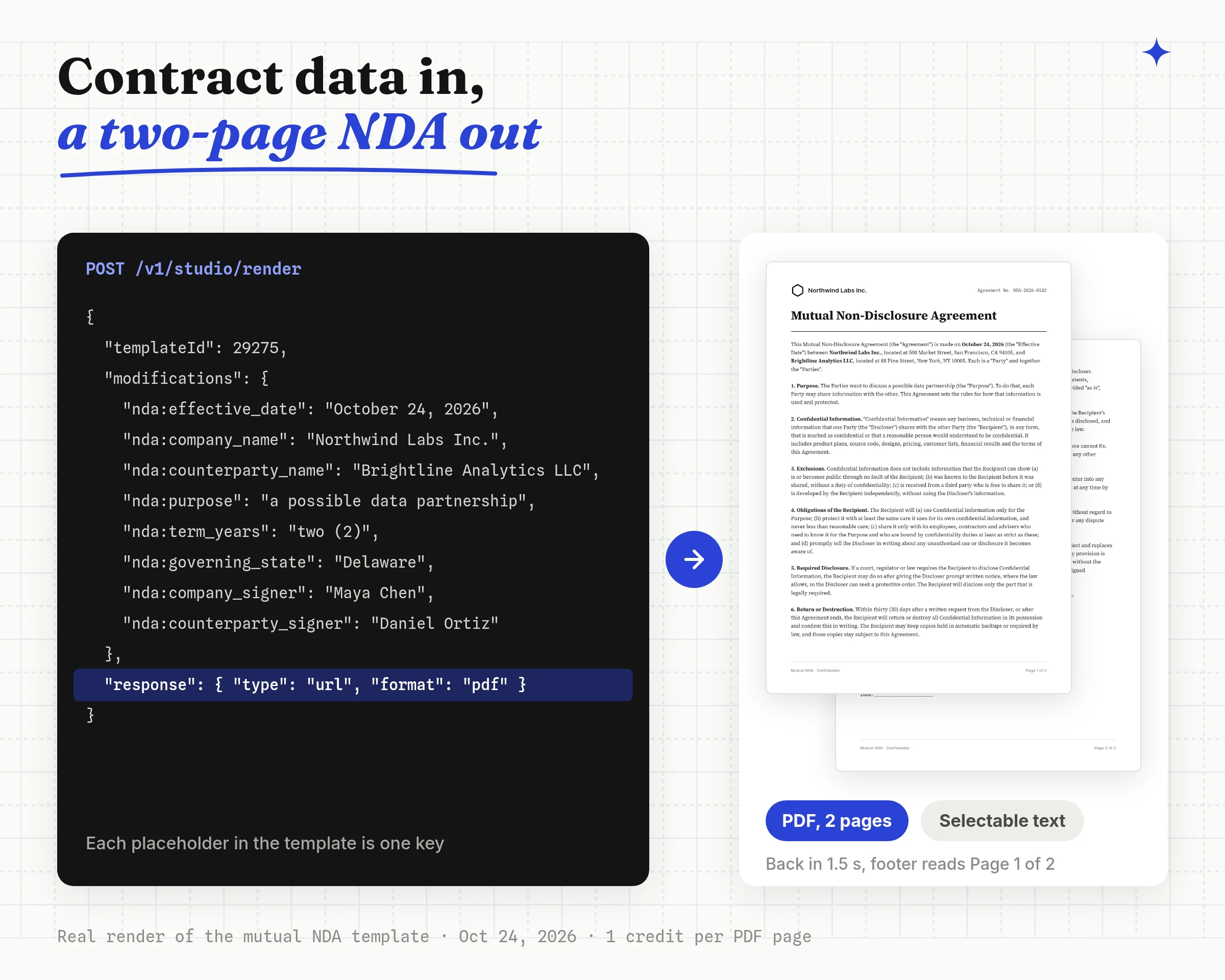
The finished NDA came back in 1.5 seconds as a two-page PDF. It has selectable text, a "Page 1 of 2" footer and the signature block on page 2.
| Step | Where you do it | What you get |
|---|---|---|
| 1. Design the template | Orshot Studio | A template with flowing pages |
| 2. Mark the fields | Studio API tab | One key per placeholder |
| 3. Test it | Template page, Connect | A real PDF in the dashboard |
| 4 to 6. Automate it | Your code, HubSpot, n8n | A PDF URL, ready to sign |
What Is Document Generation
Document generation is the automatic creation of documents like contracts, invoices and letters from a template plus data. Template-based document generation keeps the layout and wording fixed and fills only the dynamic fields.
A document generation API does this over HTTP. Your app, CRM or workflow tool sends names, dates and terms, and gets a finished file back. That is what makes it automated document generation instead of copy and paste.
Because each document is one request, the same template handles one NDA a week or a high-volume run. Bulk document generation is a loop over your rows in code, n8n, Make or Zapier.
Contract software is a different tool. It handles drafting, redlines and approvals. A document generation API only makes the file, so it fits when your wording is settled and the data already lives in your app or CRM.
1. Design the Document Template in Orshot Studio
Orshot Studio is the template editor. Every document in it, from an NDA to an invoice, is a template with a fixed layout and fields that change per file.
Disclosure: I built Orshot. Every step below was run on October 24, 2026.
I made four templates for this post: an NDA, an invoice, an offer letter and a certificate. The steps below use the NDA, and the same steps work for the other three.
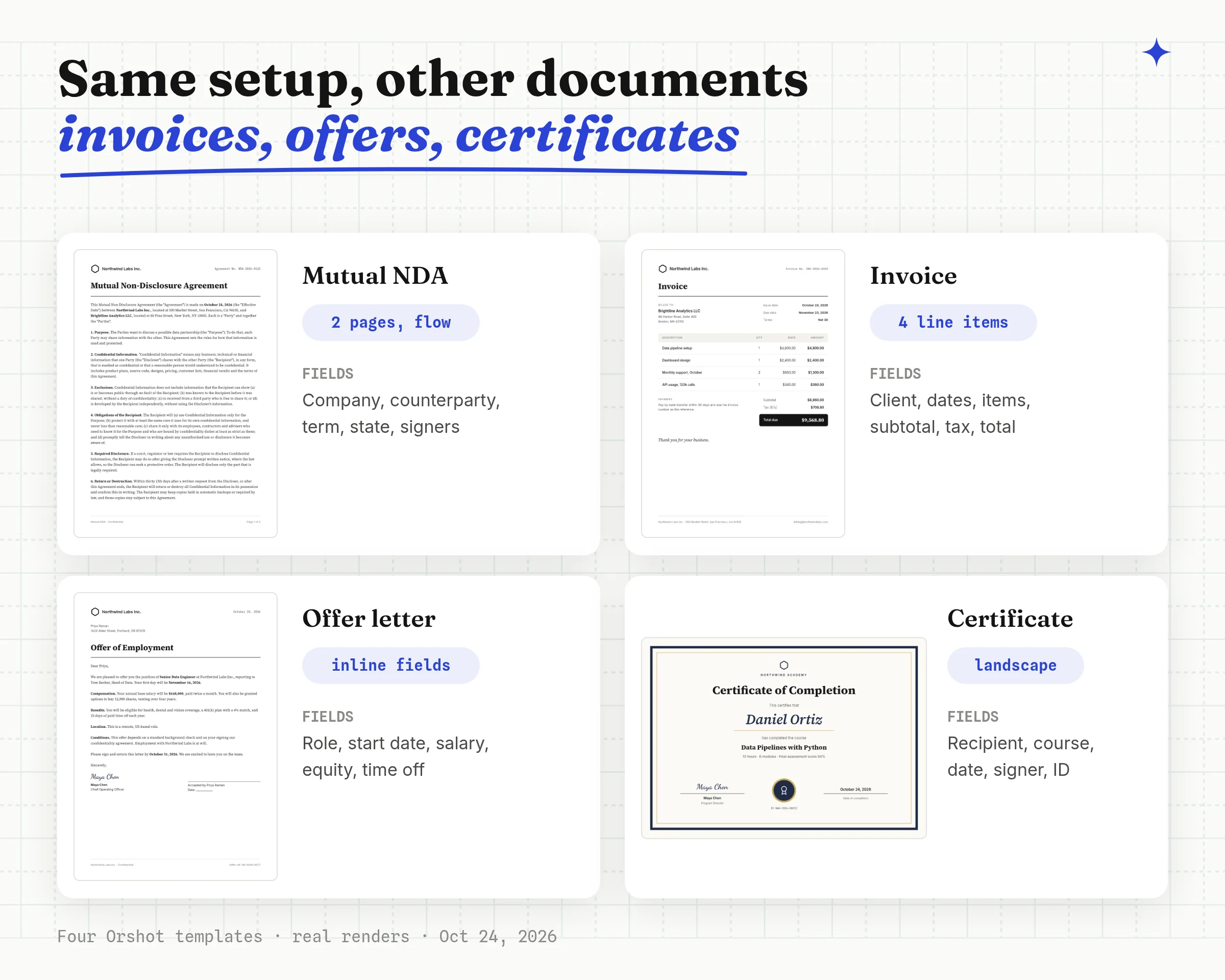
| Document | What changes per file | Template |
|---|---|---|
| Invoice | Client, dates, line items, totals | Copy the invoice |
| Offer letter | Role, start date, salary, equity | Copy the offer letter |
| Certificate | Recipient, course, date, signer | Copy the certificate |
The offer letter uses inline fields like the NDA, so the letter text stays in one layer. The invoice has four fixed rows with one field per cell. Add rows in Studio if your invoices run longer.
Step 1: Lay Out the First Page
I used a 1000 by 1414 pixel canvas, the A4 ratio. The NDA header has a logo, the company name and an agreement number. Under the title sits one text box with every clause and the signature lines.
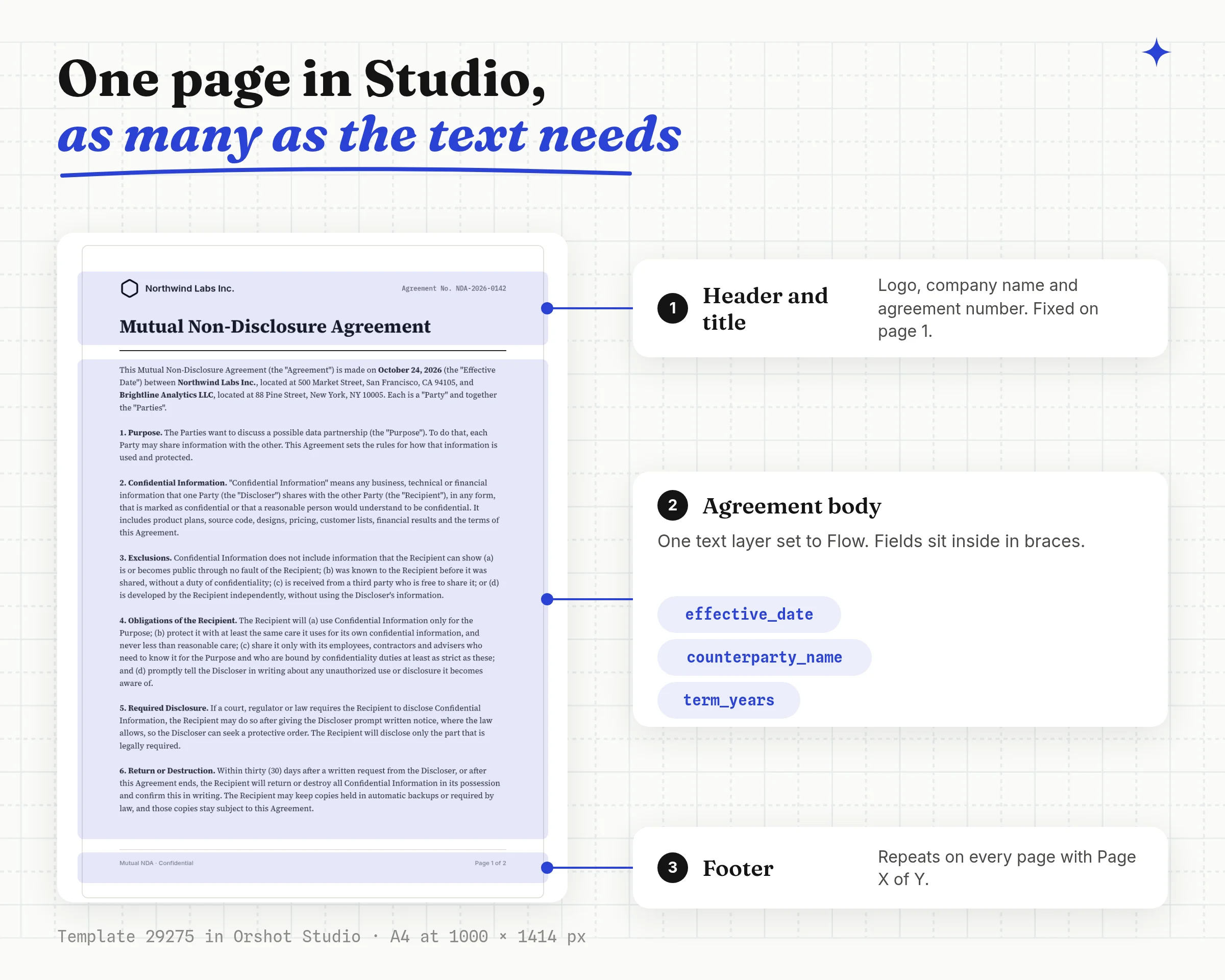
Step 2: Set the Agreement Body to Flow
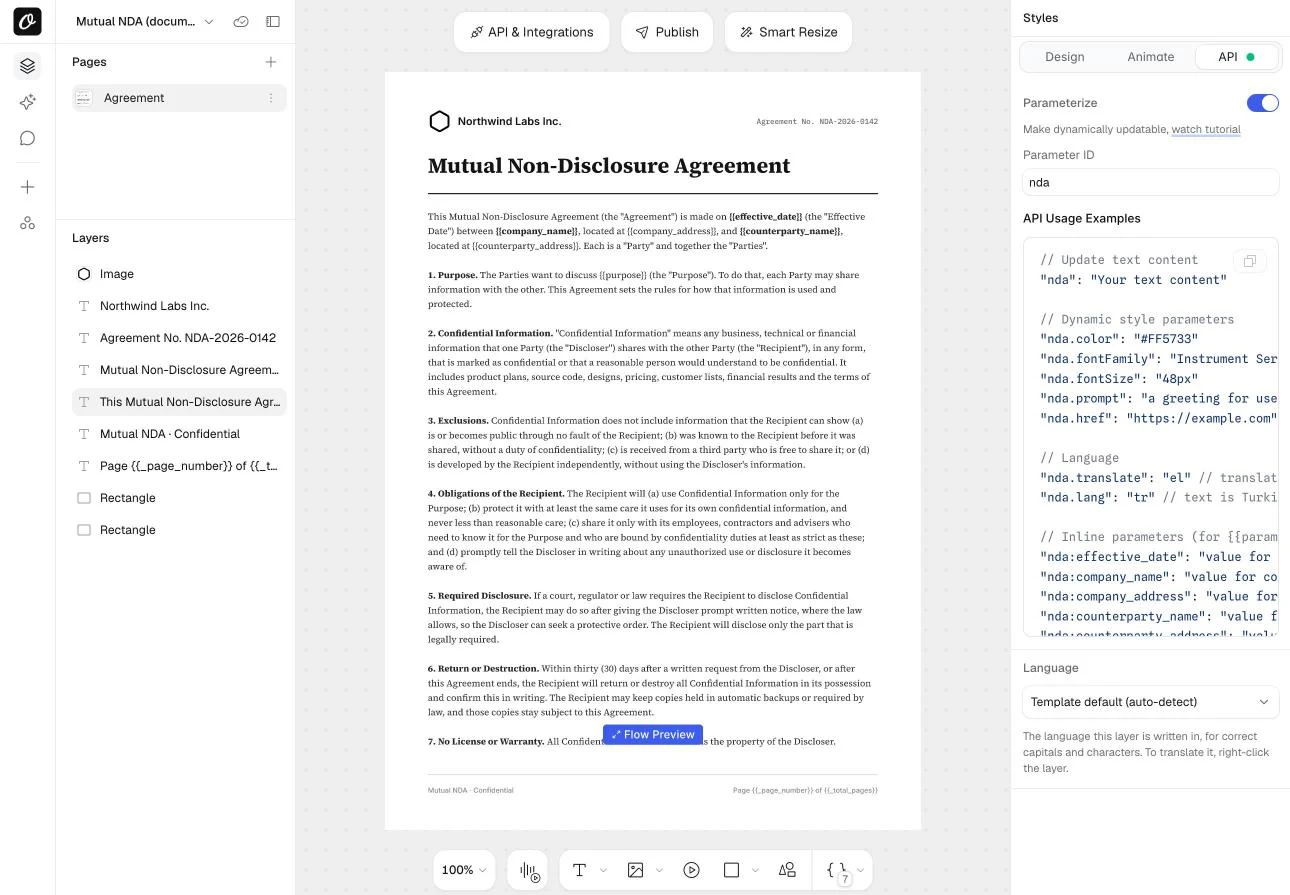
Select the agreement text and set Text Autofit to Flow in the Styles panel.
Flow mode moves text that doesn't fit onto new pages. A short NDA stays at one page and a long one gets as many pages as it needs.
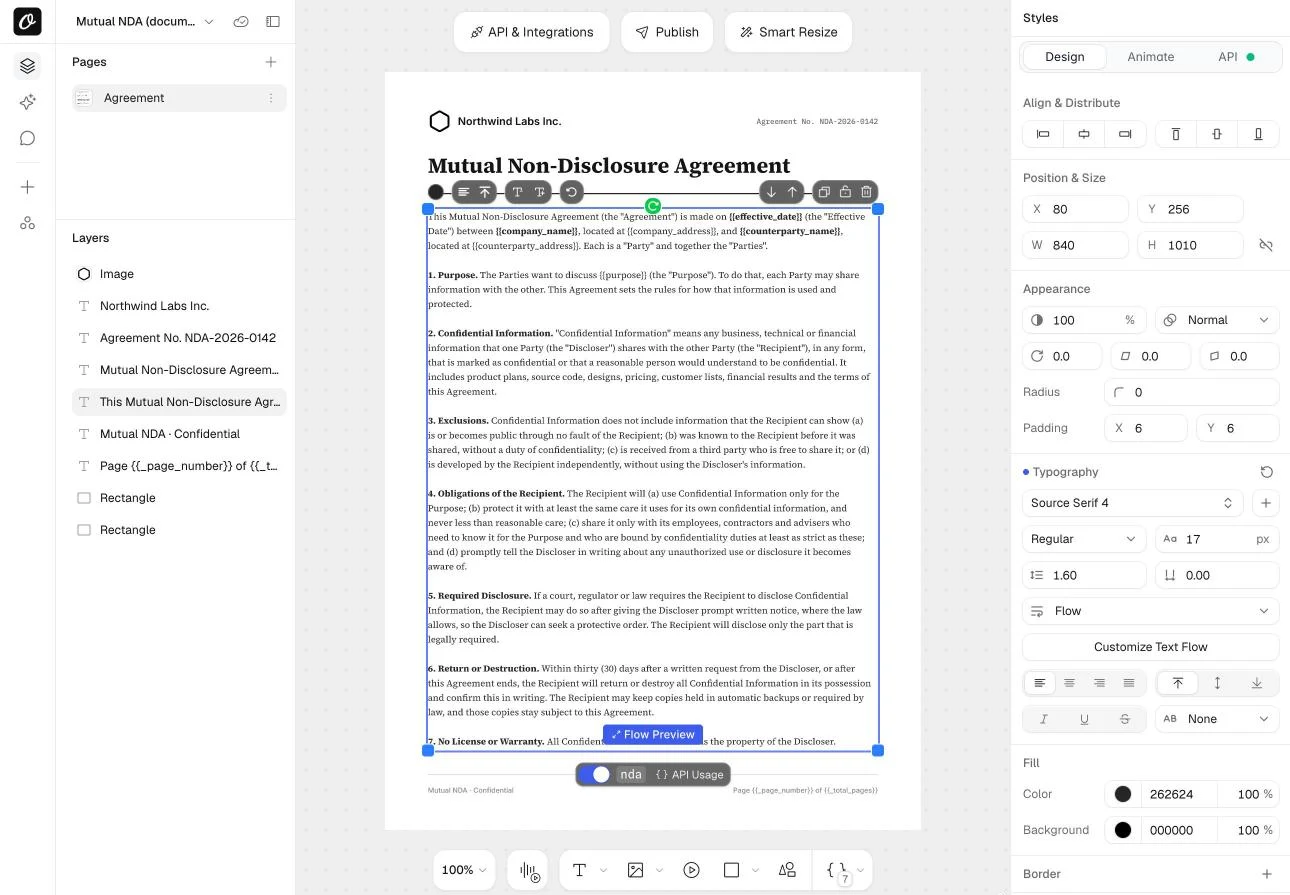
Step 3: Repeat the Footer and Number the Pages
Turn on Repeat on extra pages for the footer layers. Then write Page {{_page_number}} of {{_total_pages}} in the footer text, and Orshot fills in the numbers on every page.
The Flow Preview button shows the pages before you render. Its settings set the top margin on extra pages and keep at least two lines together at a page break.
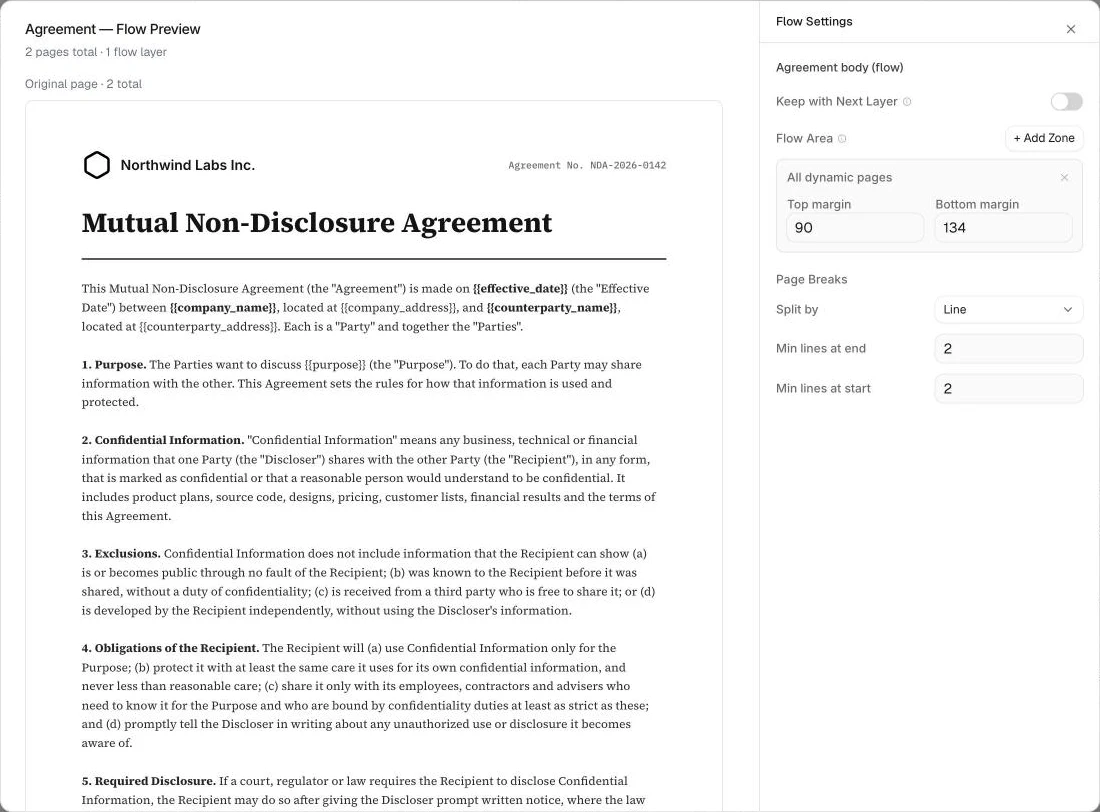
The flowing content docs cover flow zones and break rules in more detail.
2. Mark the Fields That Change per Contract
Type each changing value as a placeholder in double braces inside the clause text, like {{effective_date}} or {{counterparty_name}}. Then open the API tab, switch on Parameterize and give the layer an ID. I used nda.
Orshot then lists every placeholder as its own key: nda:effective_date, nda:company_name and so on. Your API call sends only those values, never the wording around them.

3. Test the Contract from the Dashboard
Open the template's page and click Connect. The API tab holds a request you can edit and run, so you see the real PDF before writing any code.
I pasted my NDA values, picked PDF and ran it. Both pages showed up in the preview, and the API's own timer read 1.5 seconds.
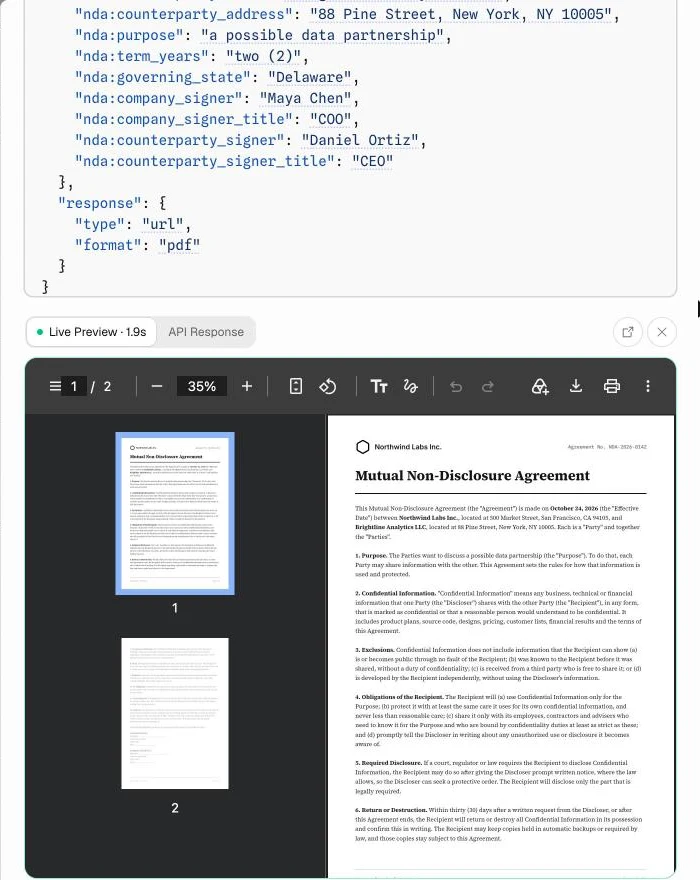
Each run uses credits, 1 per PDF page. This test used 2.
4. Generate the PDF from Your App
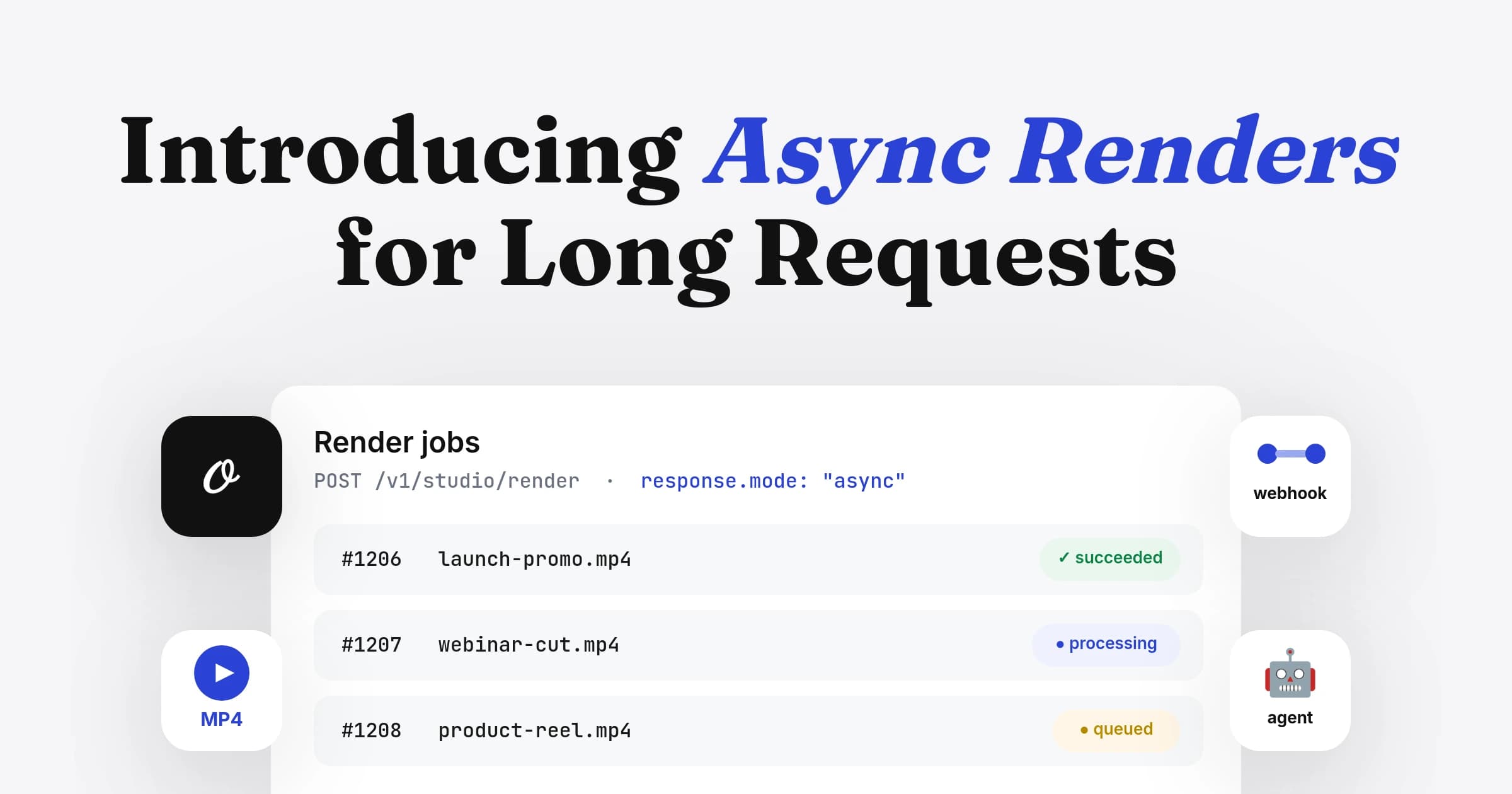
Your app sends the same request to POST /v1/studio/render with the template ID and the contract fields. Keep the API key on your server.
const res = await fetch("https://api.orshot.com/v1/studio/render", {
  method: "POST",
  headers: {
    "Content-Type": "application/json",
    Authorization: `Bearer ${process.env.ORSHOT_API_KEY}`,
  },
  body: JSON.stringify({
    templateId: 29275, // your copy of the NDA template
    modifications: {
      "nda:effective_date": deal.signedOn, // "October 24, 2026"
      "nda:company_name": "Northwind Labs Inc.",
      "nda:company_address": "500 Market Street, San Francisco, CA 94105",
      "nda:counterparty_name": deal.company,
      "nda:counterparty_address": deal.address,
      "nda:purpose": "a possible data partnership",
      "nda:term_years": "two (2)",
      "nda:governing_state": "Delaware",
      "nda:company_signer": "Maya Chen",
      "nda:company_signer_title": "COO",
      "nda:counterparty_signer": deal.contactName,
      "nda:counterparty_signer_title": deal.contactTitle,
    },
    response: { type: "url", format: "pdf" },
  }),
});
const { data } = await res.json();
The response is short. data.content is the PDF's URL, which you save on the contract record or hand to the signing step.
{
  "data": {
    "content": "https://storage.orshot.com/cloud/w-11/renders/images/jkRJIARKkBq.pdf",
    "type": "url",
    "format": "pdf",
    "responseTime": 1493.86
  }
}
Paid plans can also push each file to your own storage bucket.
5. Generate Contracts from HubSpot, n8n, Make or Zapier
If the contract data sits in HubSpot, the Orshot workflow action makes the same call without code. Trigger it when a deal reaches a stage like "Contract sent", then map deal properties to the nda: fields.
The action can save the PDF to HubSpot's File Manager and write its URL onto a deal property. The HubSpot integration docs show the setup.
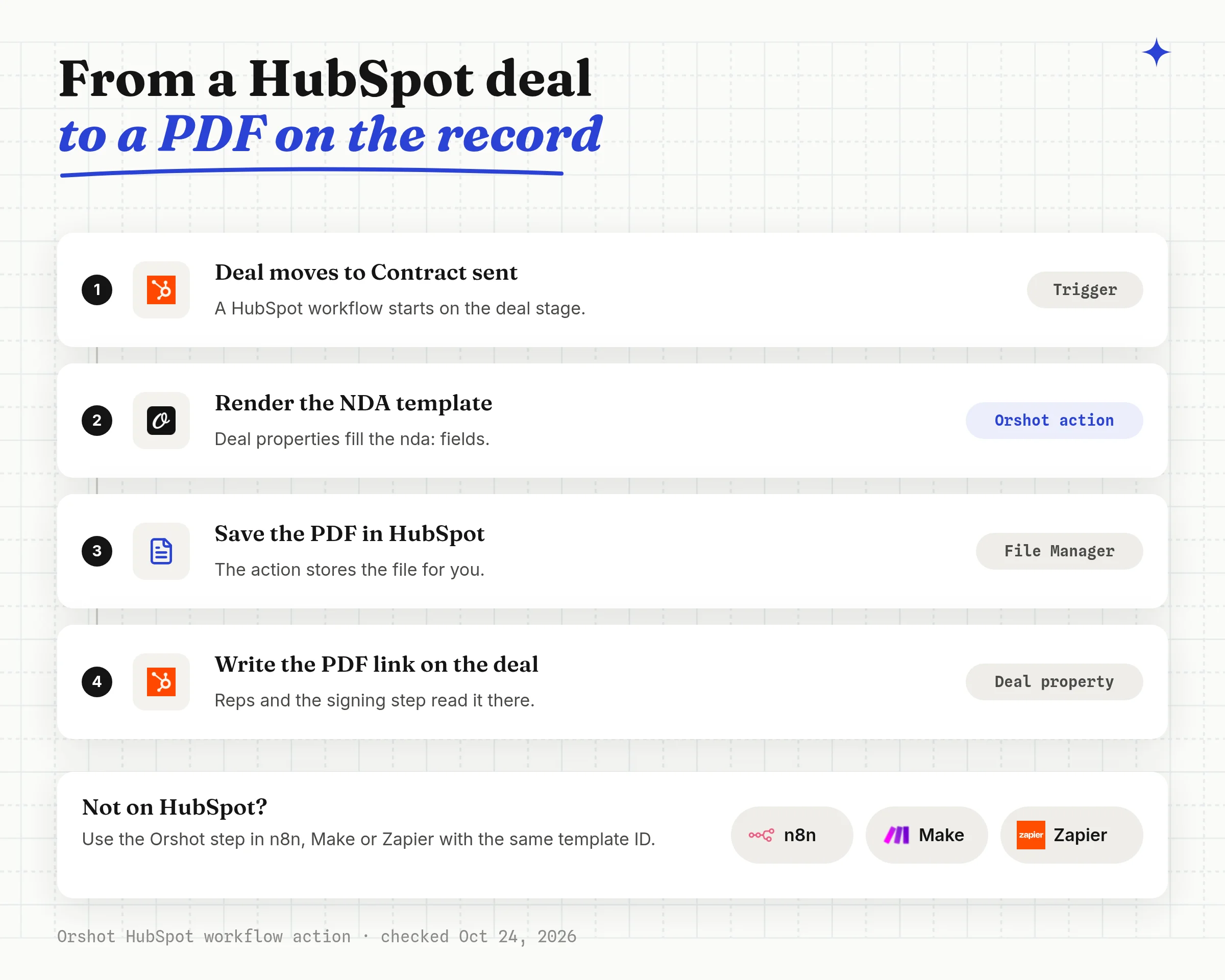
In n8n, Make and Zapier, the Orshot step takes the same template ID and fields. The trigger can be a form, a new database row or a signed-up customer.
6. Send the PDF for Signature
Orshot makes the contract but doesn't collect signatures. Pass the PDF to your e-signature tool in the next step of the same workflow.
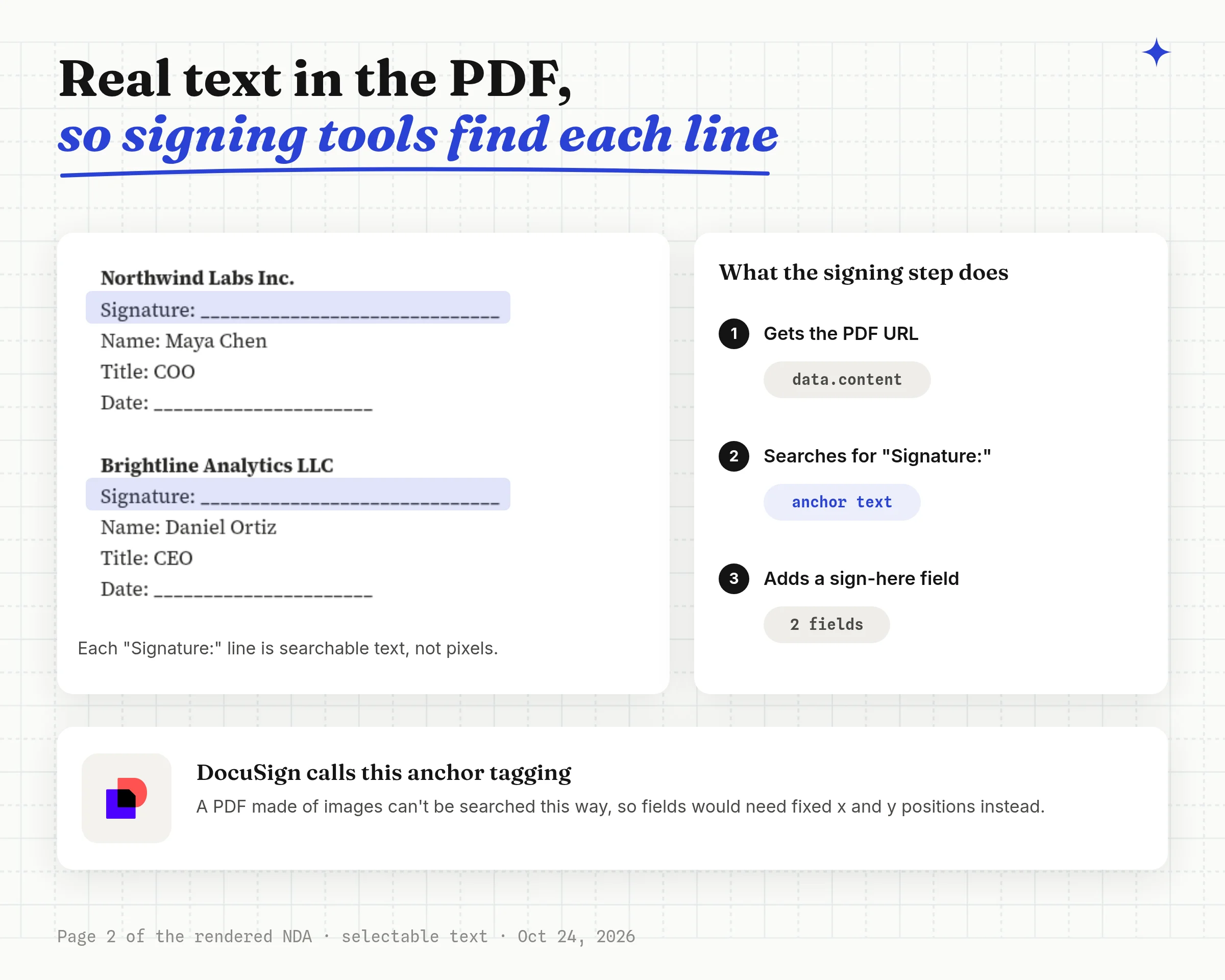
The PDF has real text, not a picture of text. E-signature tools that place fields by searching the document can find each "Signature:" line. DocuSign calls this anchor tagging.
Where Orshot Falls Short for Contracts
Orshot is built for contracts with settled wording and changing data. It isn't a contract editor, and it has gaps you should know before you start.
- Designers edit the contract look in Studio, no HTML
- Long clauses flow onto new pages with footers and page numbers
- Selectable text that e-signature tools can search
- Same template from the API, HubSpot, n8n, Make, Zapier or an AI agent
- PDF only, no Word or DOCX output
- No e-signature, you pass the PDF to another tool
- No if/else clause rules inside the template
- No table element, so line items are fixed rows
For clauses that change per contract, build the clause text in your code and send the whole body as nda. You can also hide a separate layer by sending "layer.opacity": 0.
Verdict: Orshot fits teams that send the same few contracts again and again from app or CRM data. It doesn't fit legal teams that negotiate every clause.
What Document Generation Costs on Orshot
Orshot charges 1 credit per PDF page, so a two-page NDA costs 2 credits. The free plan includes 100 credits a month with API access, enough for 50 two-page NDAs (checked October 24, 2026).
Document Generation API FAQ
What is a document generation API?
How do I generate documents in bulk?
Can Orshot generate Word or DOCX files?
Can the clauses change for each contract?
Is a PDF contract made by an API legally binding?
How many pages can a generated contract have?
What is Orshot?
Generate Your First NDA
Your first contract takes about ten minutes:
- Sign up free. 100 credits a month, no credit card.
- Copy the NDA template and swap in your logo, clauses and fields.
- Run it once from the Connect panel with real values.
- Connect it to your app with the code in step 4, or to HubSpot as in step 5.
If something doesn't work the way you expect, hit the chat button. I'm usually the one on the other end.