You can now share any Orshot Studio template as a live form through Template Forms.
Share a link or embed it on your site for any of your Orshot templates — anyone can tweak parameters, pick a format be it image, PDF or any video format, and download the result from the Template Form. No Orshot account required.
How it works
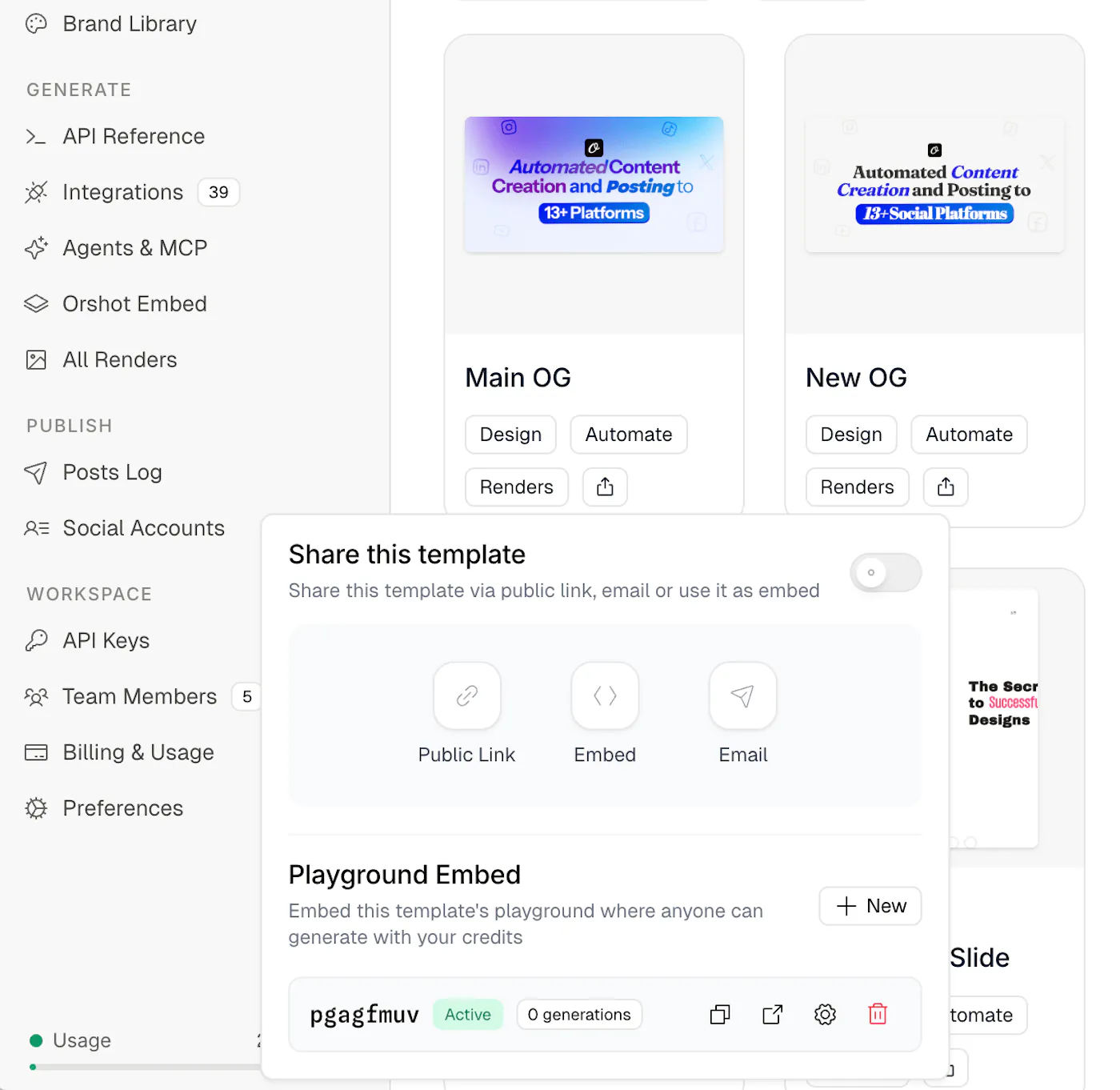
Open a template in Studio, click Share, and create a new Template Form. You get a unique link and an embed snippet you can paste anywhere.
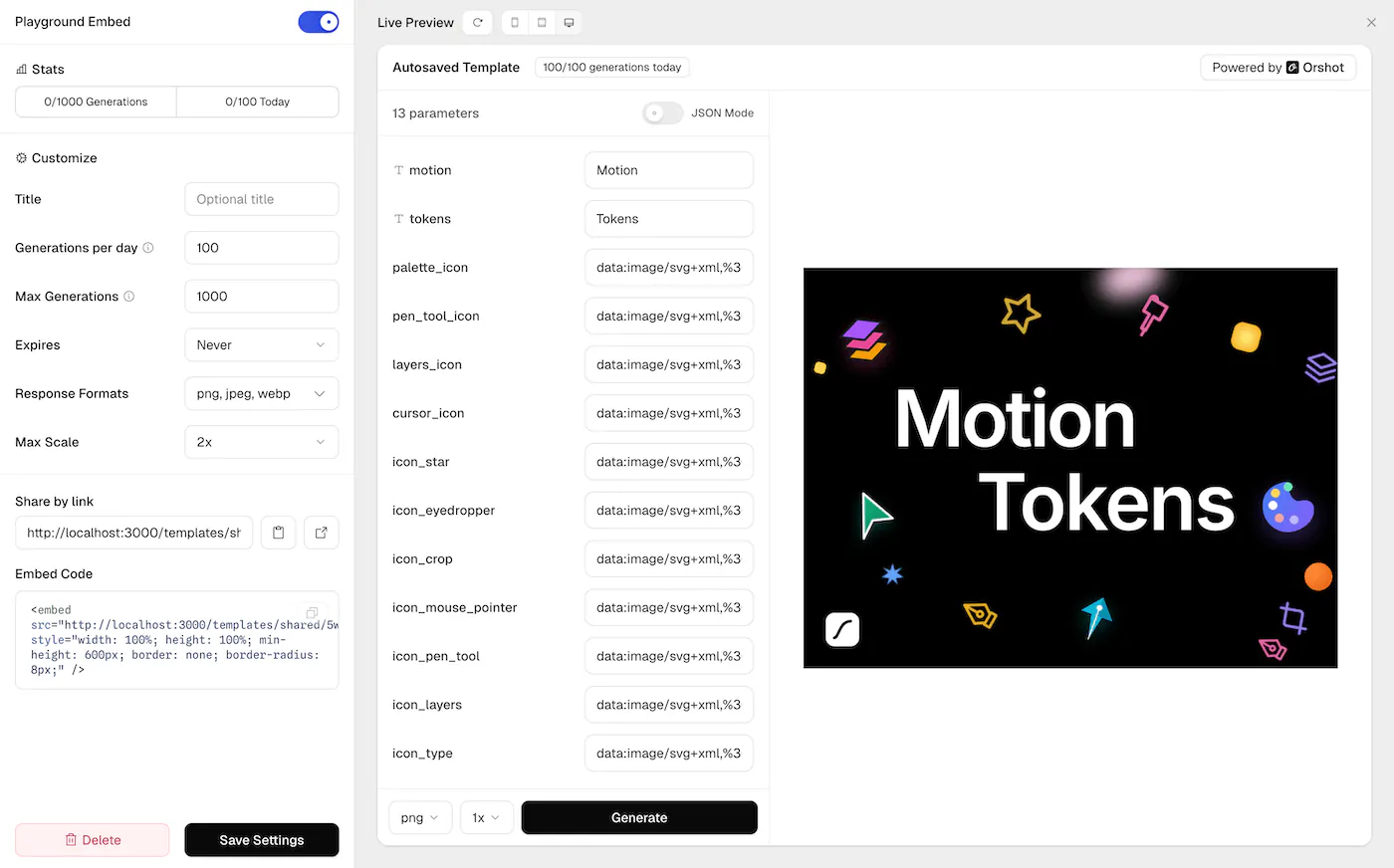
Each form has its own controls:
- Formats — choose which outputs are available (PNG, JPEG, WebP, AVIF, PDF, MP4, WebM, GIF)
- Daily and lifetime limits — cap how many times the Generate button can be clicked
- Expiration — auto-disable after a set period
- Scale — limit resolution up to 4x
- Enable / Disable — toggle anytime without losing the URL
You can create multiple forms per template with different settings — one for a client with tight limits, another for your team with more room.
Demo
Here's a demo of the Template Form in real-time:
Who it's for
- Agencies — send clients a link to generate their own assets from approved templates, instead of going back and forth over email
- SaaS teams — embed a Template Form inside your app or internal tool so your team or users can produce visuals on demand
- Course creators — let students generate and download their own certificates
- Event organizers — share a badge form link with attendees
Secure by default
Your API key is never exposed. Generations are proxied through Orshot's servers, every request uses a single-use token, and IP-based rate limiting runs automatically.
Get started
Open any template in Orshot Studio, click Share, and create your first Template Form. Full docs at Template Forms.