Creating beautiful screenshots of tweets has never been easier. The Orshot Chrome Extension lets you capture stunning X/Twitter screenshots with just one click, directly from your browser
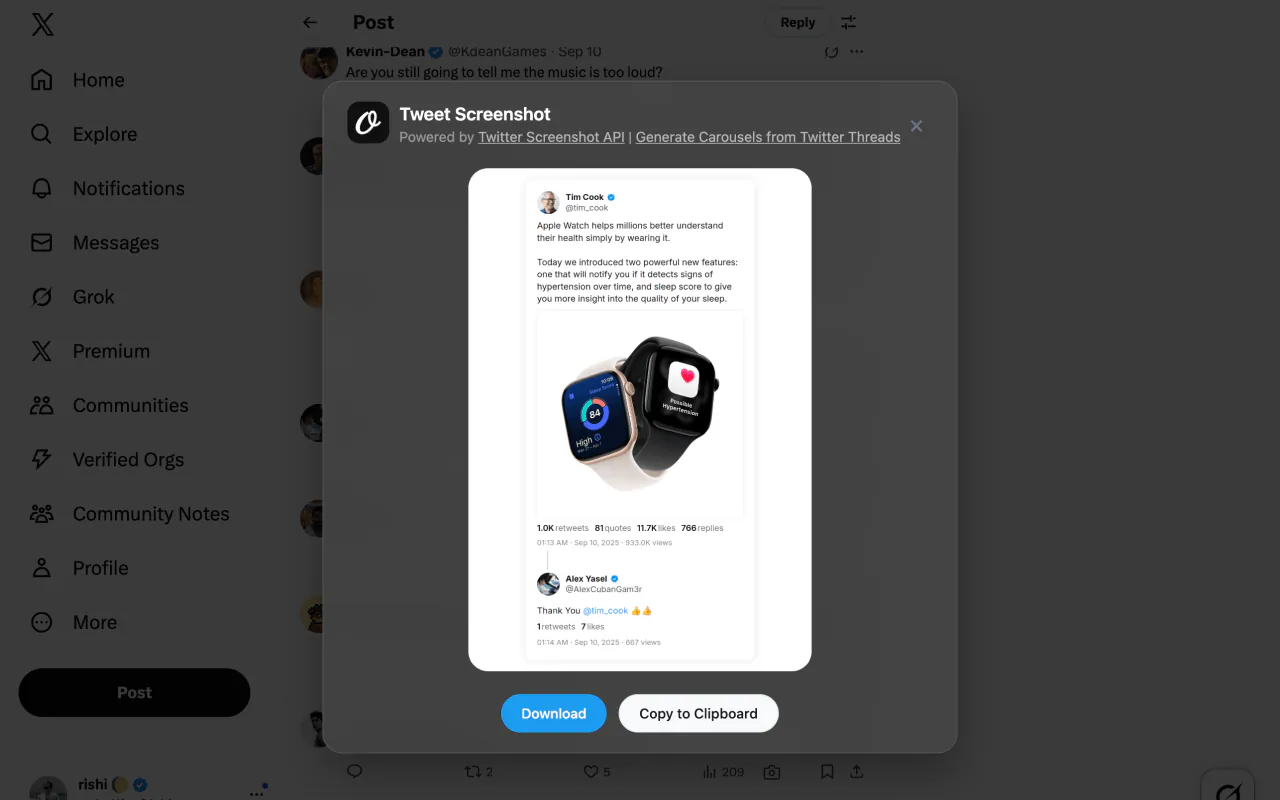
It uses Orshot's Twitter Screenshot API internally to generate beautiful tweet screenshots, and unlike most other apps, it also includes quoted and replied to tweets in the screenshots giving you a full picture
We also have an app that converts Twitter threads to carousels, in case you're looking for that. And if you'd rather generate screenshots programmatically — or you're migrating from a shutting-down service — see our Twitter Screenshot API guide.
What is Twitter Screenshot Chrome Extension?
Orshot is a lightweight Chrome extension that adds a Camera button(📸) to every tweet on Twitter/X. Instead of taking manual screenshots and editing them, you can generate professional-looking tweet screenshots instantly
Key Features
One-Click Screenshot Generation
Simply click the Camera icon button that appears next to every tweet's like and retweet buttons. No complex setup required
Includes Quoted and Replied-to tweets
If you capture a reply or a tweet which has a quote tweet, the generated screenshot will include those too in the image
Beautiful Modal Preview
Screenshots appear in an elegant modal with options to:
- Download as PNG file
- Copy to clipboard for instant pasting
- Preview before saving
Fast and Lightweight
Built with performance in mind, the extension doesn't slow down your browsing experience and generates screenshots in seconds
Optional API Key Integration
- Use without an API key for basic functionality
- Add your Orshot API key for more screenshots and avoid rate-limits
- Get a free API key at orshot.com
Dark Mode Support
Automatically adapts to your browser's theme preference for a consistent experience
Demo
How to Install
Just add to your Chrome or Chrome based browser. Next time you open X or Twitter, you'll start seeing the Camera icon at bottom right of each tweet. Use the button to capture tweet screenshot
It's perfect for content creators, marketers and publications to capture tweet screenshots for references in their content