Every blog post, product launch, or customer quote needs graphics sized for Instagram, Twitter/X, LinkedIn, and Facebook. That's 4+ visuals per piece of content — resized, branded, and captioned. Manually. Every time.
In this guide, you'll set up a workflow that automatically generates branded social media graphics whenever you add a row to a spreadsheet. No design skills, no code. By the end, you'll have an automation that turns data into ready-to-post visuals in seconds using Orshot and Make

Why Automate Your Social Visuals?
If you're still making each social graphic by hand, you already know the pain:
- Hours lost on repetitive work — Same template, different headline, different image. Over and over.
- Brand inconsistency — When three people make graphics in Canva, you get three different versions of your brand.
- Designer bottleneck — Your designer is swamped. Marketing waits. Posts get delayed.
- Missed posting windows — By the time the graphic is ready, the moment has passed.
- Scaling means more manual work — More content = more graphics = more hours in Canva. It doesn't scale.
The fix isn't hiring more designers. It's automating the graphics themselves. Design the template once, then let data do the rest.
What You'll Build
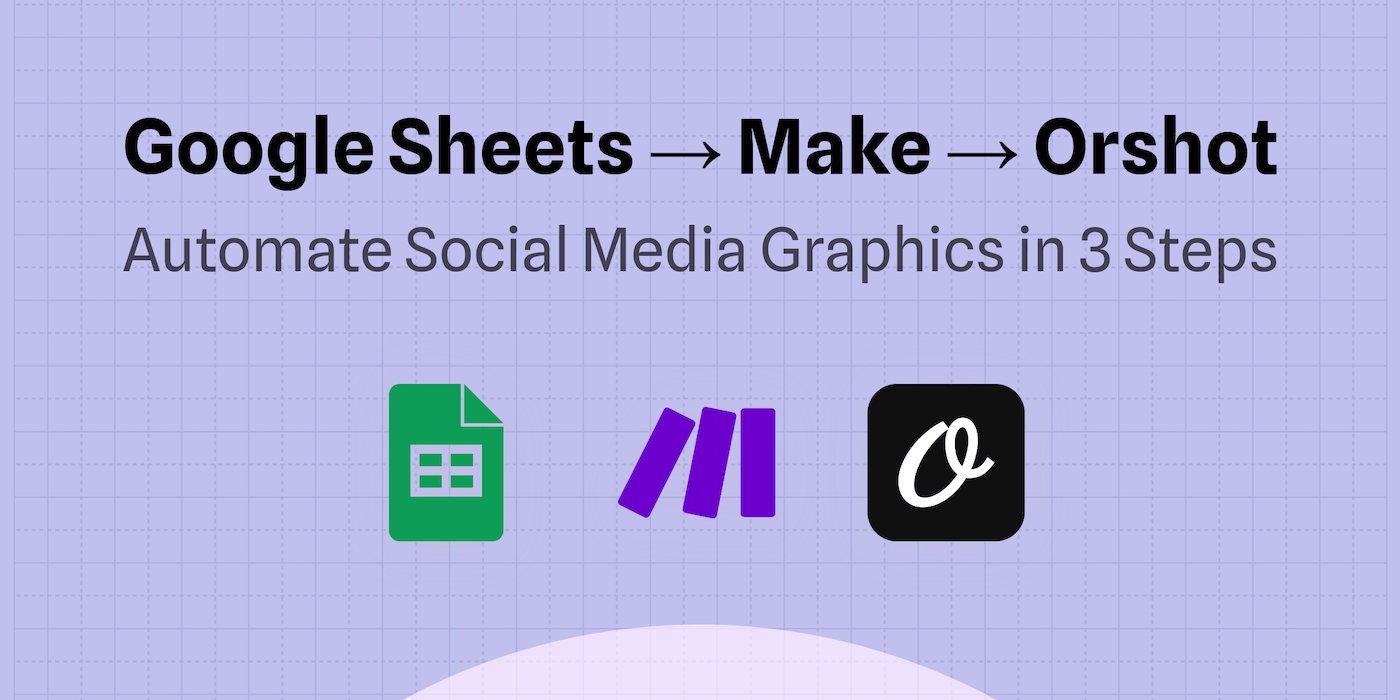
A no-code workflow where adding a row to Google Sheets automatically generates a branded social media graphic via Orshot and saves the image URL back to your sheet — ready to post or feed into your publishing pipeline
The flow:
What You'll Need
- Orshot Account: free plan with 100 credits every month, no credit card required. This is where your templates and image generation API live.
- A social media template in Orshot — We'll pick one in Step 1.
- Google Sheets — Your data source (headlines, images, colors).
- Make.com account — Free tier works fine for this. This connects everything.
Using n8n or Zapier? The same approach works. See our n8n tutorial or Zapier docs for platform-specific setup.
Step 1: Pick a Social Media Template
Head to Orshot's template library and pick a social media template that fits your use case — quote cards, product promos, event announcements, or general-purpose social graphics. Here's a template you can copy and start using:
You can also design your own from scratch in Orshot Studio, or import existing designs from Canva or Figma.
Or skip manual design entirely — use Orshot's AI Design Agent to generate a complete template from a text prompt. Describe what you need ("Instagram promo card with headline, subtitle, logo, and CTA button on a gradient background") and the agent builds it for you in seconds, ready to parameterize.
Once you have a template, open it in Orshot Studio and parameterize the dynamic fields — the parts that change between posts. Select a layer, toggle "Parameterize" in the properties panel, and assign a key name.
For a typical social media graphic, you'll want these parameters:
| Field | Parameter Key | Example Value |
|---|---|---|
| Headline | headline | Summer Sale: 50% Off |
| Subtitle | subtitle | Limited time offer — ends Friday |
| Background Image | bg_image | https://cdn.example.com/bg.jpg |
| Logo | logo | https://cdn.example.com/logo.png |
| Brand Name | brand_name | Your Brand |
| CTA Text | cta_text | Shop Now |
Once saved, this template becomes an API endpoint. Every social post can now generate a unique branded graphic by passing different data to the same template.
Step 2: Set Up Your Data Source (Google Sheets)
Create a new Google Sheet with columns that match your template parameters, plus an output column for the generated image:
| headline | subtitle | bg_image | logo | brand_name | cta_text | imageUrl |
|---|---|---|---|---|---|---|
| Summer Sale: 50% Off | Limited time — ends Friday | https://cdn.example.com/summer.jpg | https://cdn.example.com/logo.png | Acme Store | Shop Now | (auto-filled) |
| New Feature: Dark Mode | Now available for all users | https://cdn.example.com/dark.jpg | https://cdn.example.com/logo.png | Acme Store | Try It Free | (auto-filled) |
| Customer Spotlight | "Orshot saved us 10 hours/week" — Sarah K. | https://cdn.example.com/sarah.jpg | https://cdn.example.com/logo.png | Acme Store | Read More | (auto-filled) |
Add 3-5 rows with real data. The imageUrl column stays empty — your automation will fill it in.
Step 3: Build the Automation in Make
Open Make.com and create a new scenario. You'll add three modules:
Prefer a head start? Open the ready-made Make template. It has all three modules wired up, so you only pick your sheet and Orshot template.
3a. Google Sheets — Watch New Rows
Add the Google Sheets > Watch New Rows module as your trigger:
- Connection: Connect your Google account
- Spreadsheet: Select the sheet you created in Step 2
- Sheet: Choose the correct tab
- Limit: Set to 10 (processes up to 10 new rows per run)
This module fires every time a new row appears in your sheet.
3b. Orshot — Generate Image
Add the Orshot module next. Search for "Orshot" in Make's module list — it's a native integration.
- Connection: Add your Orshot API key (find it in Orshot Dashboard → Settings → API Key)
- Operation: Generate Image From an Orshot Studio Template
- Template: Select your social media template from Step 1
- Response Type: URL
- Response Format: PNG
Then map your Google Sheets columns to the Orshot template parameters:
| Orshot Parameter | Google Sheets Column |
|---|---|
headline | {{headline}} |
subtitle | {{subtitle}} |
bg_image | {{bg_image}} |
logo | {{logo}} |
brand_name | {{brand_name}} |
cta_text | {{cta_text}} |
Make's visual mapper lets you drag column values directly into each parameter field.
3c. Google Sheets — Update Row
Add a Google Sheets > Update a Row module to save the generated image URL back:
- Spreadsheet: Same sheet as the trigger
- Row Number: Map from the trigger module's row number
- imageUrl column: Map the image URL from the Orshot module's output
That's the full workflow: new row → generate graphic → save URL.
3d. Turn It On
Set the scenario to run on a schedule (every 15 minutes, hourly, or on-demand) and activate it. Every new row you add will automatically produce a branded social media graphic.
Step 4: Test and Scale
Add a new row to your sheet and watch the automation run. Within seconds, the imageUrl column fills in with a link to your generated graphic. Click it — that's a ready-to-post social media visual, generated from your template and data, with zero manual design work.
Here's an animated graphic generated from the template — with staggered, spring-based entrance animations on every element:

Orshot generates static images, animated GIFs, and videos from the same template — just change the format from png to gif or mp4.
Here are four static graphics generated from the same template with different data — each row in your spreadsheet produces a unique, branded visual:




Same template, different data. That's the power of parameterized templates — design once, generate thousands.
Scale It Up
Once the basic workflow runs, you can extend it:
- Automate posting too — Add Orshot Social Publish to your API call and post directly to Instagram, X, LinkedIn, Facebook, and 10+ more platforms. No Buffer needed.
- Trigger from your CMS — Replace the Sheets trigger with a webhook from WordPress, Shopify, or your headless CMS. New blog post published? Social graphic generated automatically.
- Multiple sizes from one row — Generate an Instagram square, Twitter card, and LinkedIn banner from the same data by calling multiple templates in sequence.
- Connect an RSS feed — Use Make's RSS module to pull new blog posts and feed titles + images into Orshot automatically.
If you'd rather not maintain a Make scenario at all, Orshot can run a loop like this natively. The workflow below posts a fresh quote graphic every day, and it's ready-made: one click on Use this workflow copies it into your workspace.
Other Ways to Generate Graphics at Scale
The no-code workflow above is the most accessible method, but it's not the only one. Here are three alternatives depending on your setup:
REST API — For Developers
If you're already writing code, call Orshot's Image Generation API directly:
const response = await fetch("https://api.orshot.com/v1/studio/render", {
  method: "POST",
  headers: {
    "Content-Type": "application/json",
    Authorization: "Bearer YOUR_API_KEY",
  },
  body: JSON.stringify({
    templateId: "YOUR_TEMPLATE_ID",
    modifications: {
      headline: "Summer Sale: 50% Off",
      subtitle: "Limited time offer",
      bg_image: "https://cdn.example.com/summer.jpg",
      brand_name: "Acme Store",
      cta_text: "Shop Now",
    },
    response: { type: "url", format: "png" },
  }),
});

const { data } = await response.json();
const url = data.content; // the rendered image URL
SDKs available for Node.js, Python, PHP, and Ruby.
Dynamic Image URLs — Simplest Method
Change URL parameters and get a new image instantly — no API call needed. Great for OG images and share cards:
https://api.orshot.com/v1/dynamic/YOUR_TEMPLATE_ID?headline=Summer+Sale&subtitle=50%25+OffEmbed this URL anywhere — email signatures, CMS pages, social bios — and it renders a fresh image on the fly. Learn more about dynamic parameters.
Bulk Generation from Spreadsheets
If you need 100+ graphics at once (campaign launches, product catalogs), use Orshot's built-in spreadsheet import. Upload a CSV, map columns to template parameters, and generate everything in one batch. No Make or Zapier required.
MCP Server — For AI Agent Workflows
If you're building with AI agents (Cursor, Windsurf, Claude, or custom LLM pipelines), Orshot's MCP server lets any AI agent design templates, generate images, and manage your workspace directly. Your AI coding assistant becomes a design assistant too — create and iterate on social media templates without leaving your editor.
What Types of Graphics Can You Automate?
Pretty much anything that follows a repeatable template:
- Quote and testimonial cards — Customer reviews, team quotes, inspirational content
- Product promotion banners — Sale announcements, new arrivals, feature launches
- Blog post share images — Auto-generate OG images when you publish articles
- Event announcements — Webinar promos, conference updates, live stream alerts
- Sale and discount graphics — Flash sale banners, seasonal promotions, coupon codes
- Job posting visuals — Open roles formatted for LinkedIn, X, and Instagram
- Real estate listings — Property cards with price, photos, and details → full tutorial
- eCommerce product cards — Product shots with pricing overlays → full tutorial
- Tweet-to-Instagram conversions — Screenshot tweets and repost as images → full tutorial
If you're making the same kind of graphic more than twice a week, it's worth automating.
Why Orshot?
Most social media tools stop at scheduling. They assume you already have your visuals ready. Orshot starts where the real bottleneck is: creating the graphics themselves.
Key Features
- 01Canva-like Template EditorDesign social media templates with a drag-and-drop editor. No design skills required. Or let the AI Design Agent build one from a text prompt.
- 02AI Design AgentDescribe what you need in plain text and the AI agent builds a production-ready template in seconds — layout, styling, and parameterization included.
- 03100+ Ready-Made TemplatesSocial media graphics, product banners, certificates, and more — ready to customize and automate.
- 04REST API, SDKs & MCP ServerGenerate images via API with SDKs for Node.js, Python, PHP, and Ruby — or connect AI agents through the MCP server.
- 05No-Code IntegrationsNative integrations with Make, Zapier, and n8n. Connect to Google Sheets, CRMs, databases, and 1000+ apps.
- 06Built-in Social PublishingPost directly to 15+ platforms — Instagram, X, LinkedIn, TikTok, Facebook, and more. Schedule, draft, or publish instantly.
- 07$39/month — All IncludedVisual generation, template editor, API access, and social publishing. No separate subscriptions for scheduling or posting.
Pricing: 100 free credits every month, no credit card required. Paid plans from $39/mo with social publishing included.