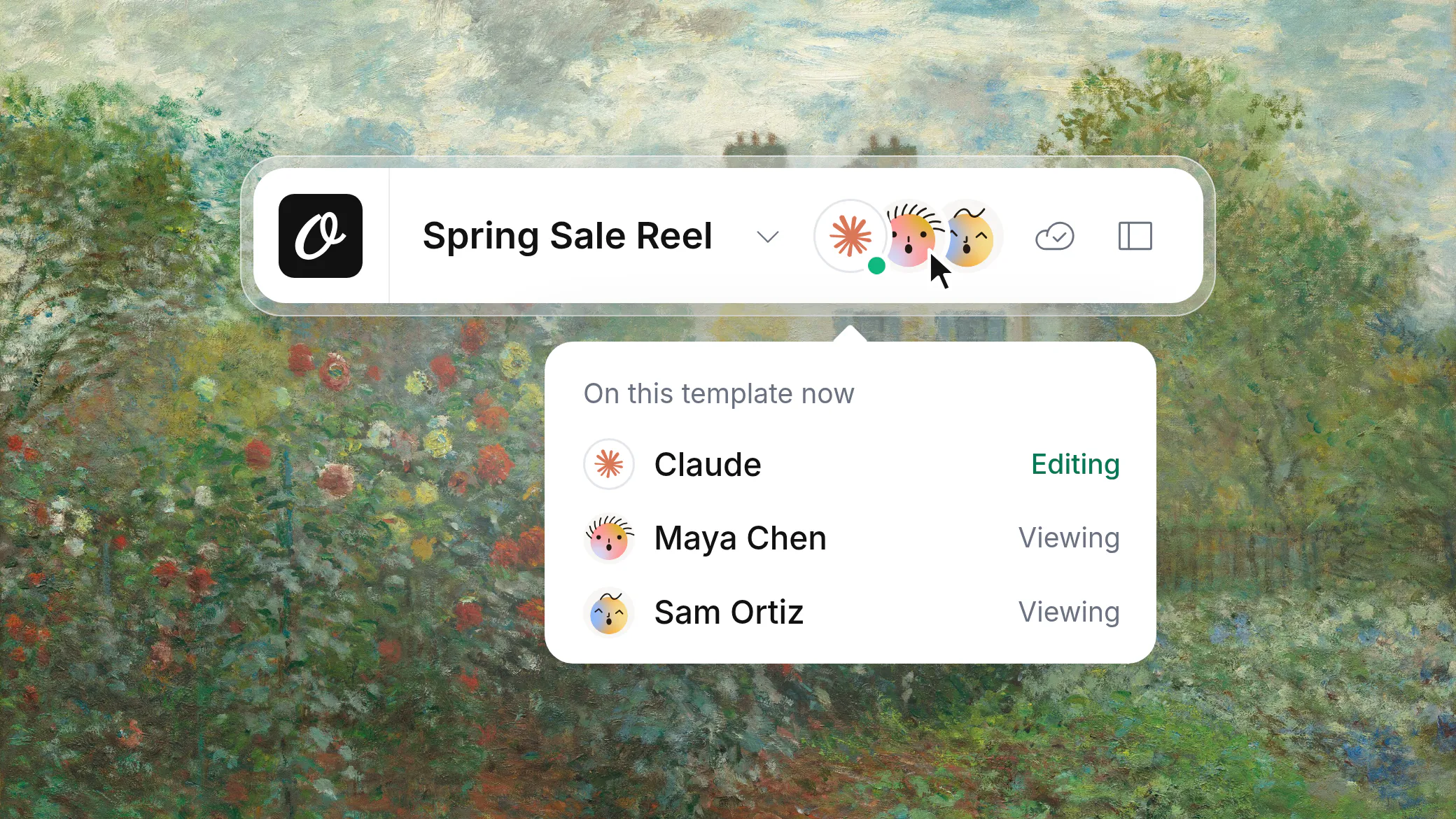
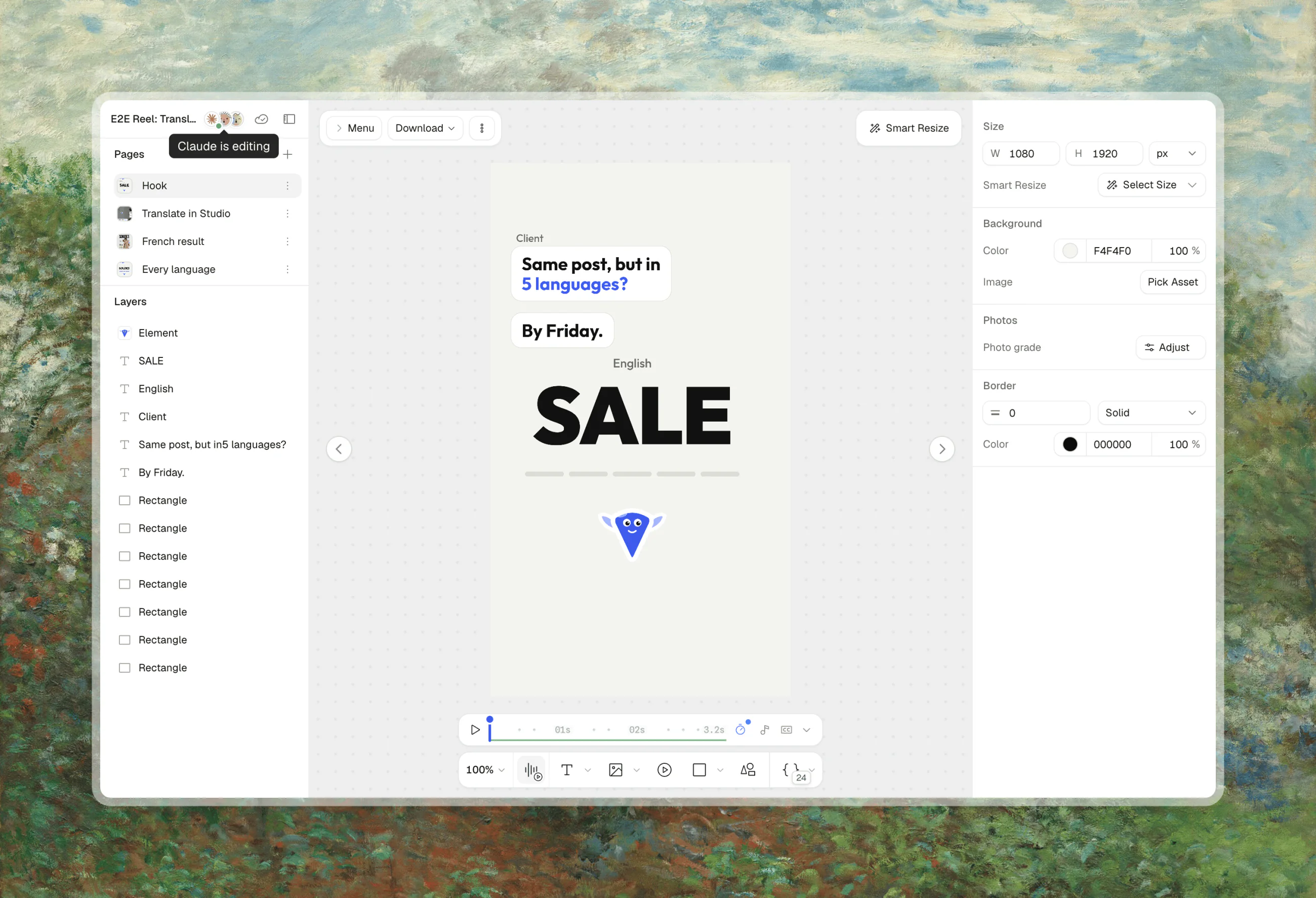
Orshot Studio and Orshot Embed now show who is on a template. When Claude edits one through the Orshot MCP server, its face appears with a green dot, next to the faces of teammates who have it open.
See Who Is on a Template
Hover the faces to see each person and agent on the template and what they are doing. Real-time activity works in Orshot Studio on every plan.
- Save waits for the agent. While Claude is writing, Save is paused, so your save can't land in the middle of it.
- The new version loads by itself when you have no unsaved edits.
- You choose on conflicts. With unsaved edits, Studio asks whether to load their version or keep yours.
The Save button also says who saved last, for example "Updated by Maya · 2 minutes ago".
Real-time Activity in Orshot Embed
The editor you embed in your app shows the same faces and a "Claude is editing" note. Your users see your agent's API edits as they happen instead of losing work.
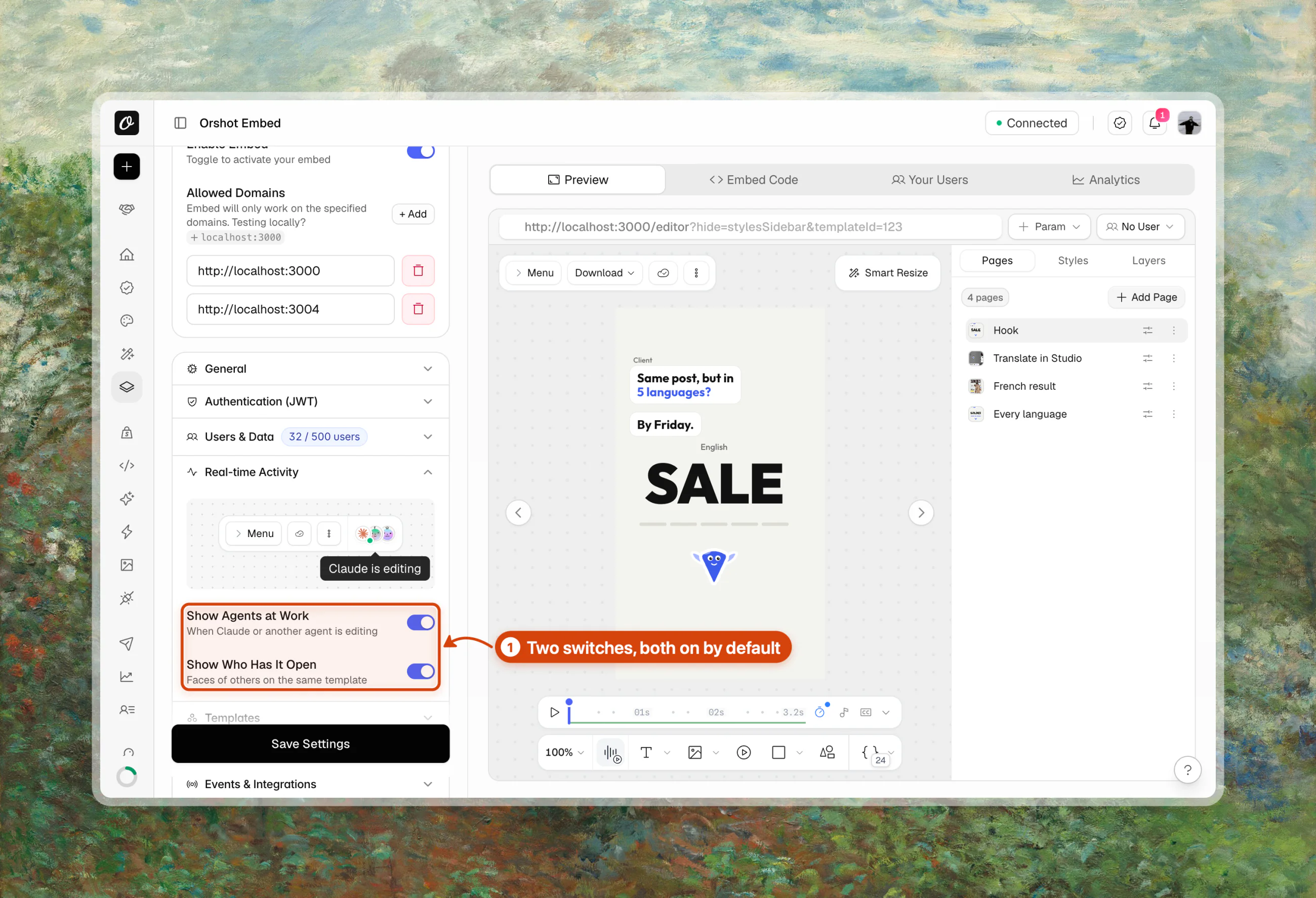
Each embed has two switches under Real-time Activity in its settings, both on by default:
- Show Agents at Work shows when an agent changes the template.
- Show Who Has It Open shows other people on the same template.
Real-time activity in Embed is included on Scale and custom plans. Names show only when you pass a user id to the embed. The embed configuration docs list every setting.
Renders and API calls work exactly as before. To see it live, open a template in Orshot Studio and ask Claude to change it through the Orshot MCP server.