Orshot now connects to HubSpot.
Connect it once, and any HubSpot workflow can generate an on-brand image, PDF, or video from one of your templates — personalized with that record's CRM data, and written straight back to the contact. No code, no exporting data into a separate design tool.
What you can automate
- Welcome and onboarding images with the contact's first name
- Deal-won certificates and renewal reminders
- Per-record social and OG images for outreach
- PDFs (proposals, certificates) and videos for animated templates
If you can design it once in Orshot, every field in it becomes something you can fill from HubSpot.
How it works
- Connect HubSpot from Orshot → Integrations (secure OAuth — no keys to copy).
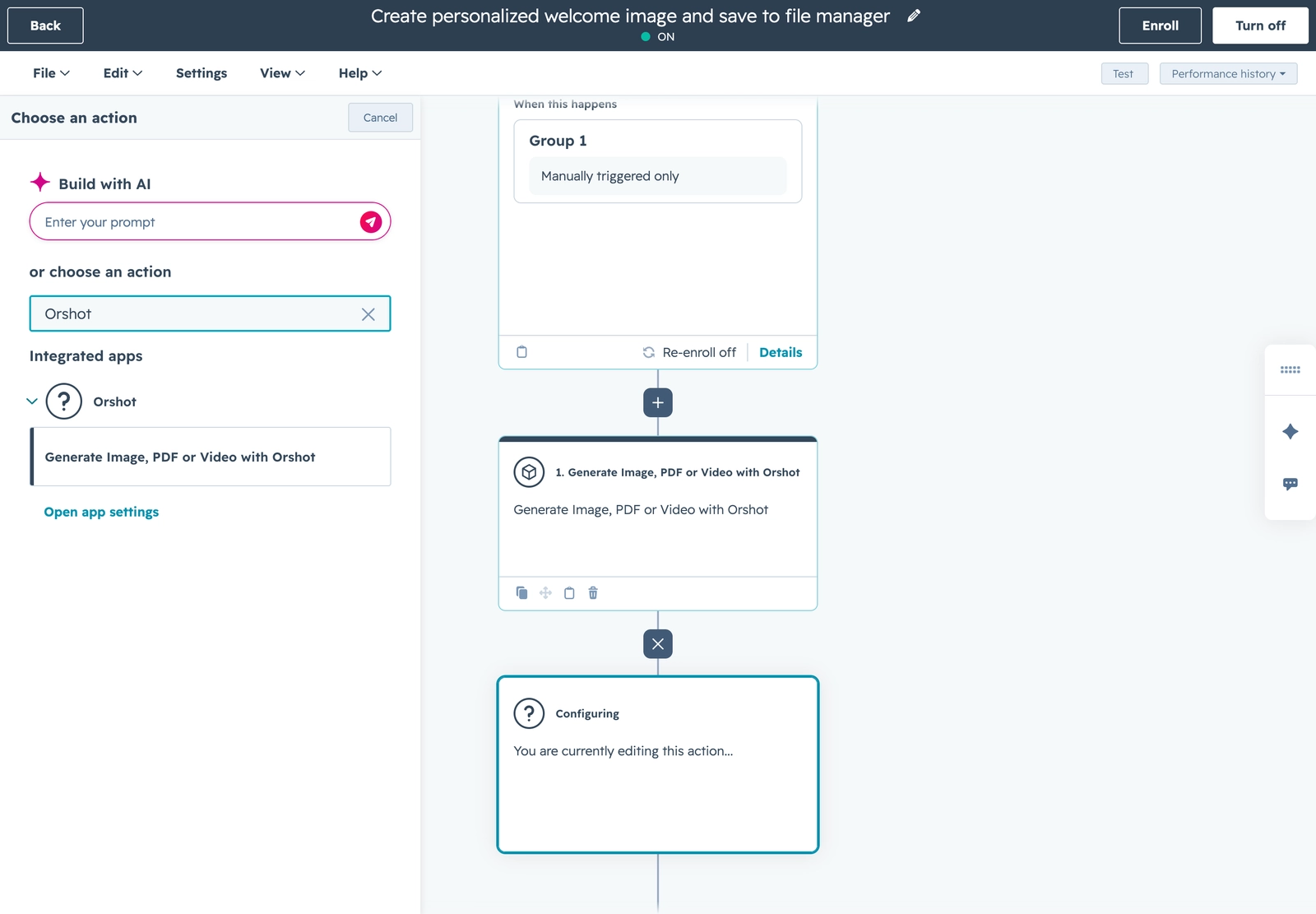
- In HubSpot, add the Generate Image, PDF or Video with Orshot action to any workflow.
- Map your template's parameters to CRM values, dropping in HubSpot personalization tokens (First name, Company, any property).
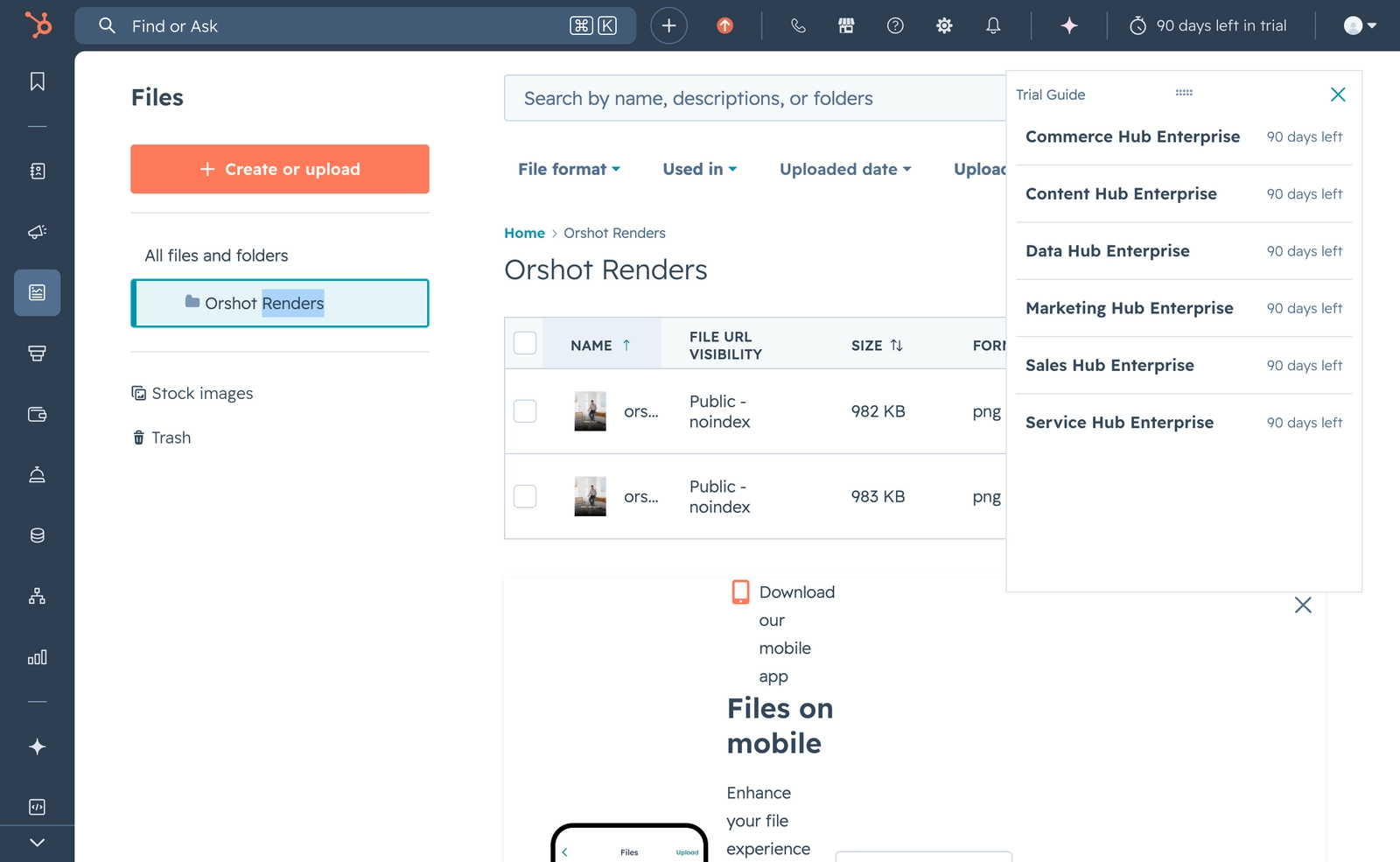
- Pick the output: return just the file URL, or save it to your File Manager and write the URL onto the record.
Drop a HubSpot personalization token into any field value, and every record renders its own version:
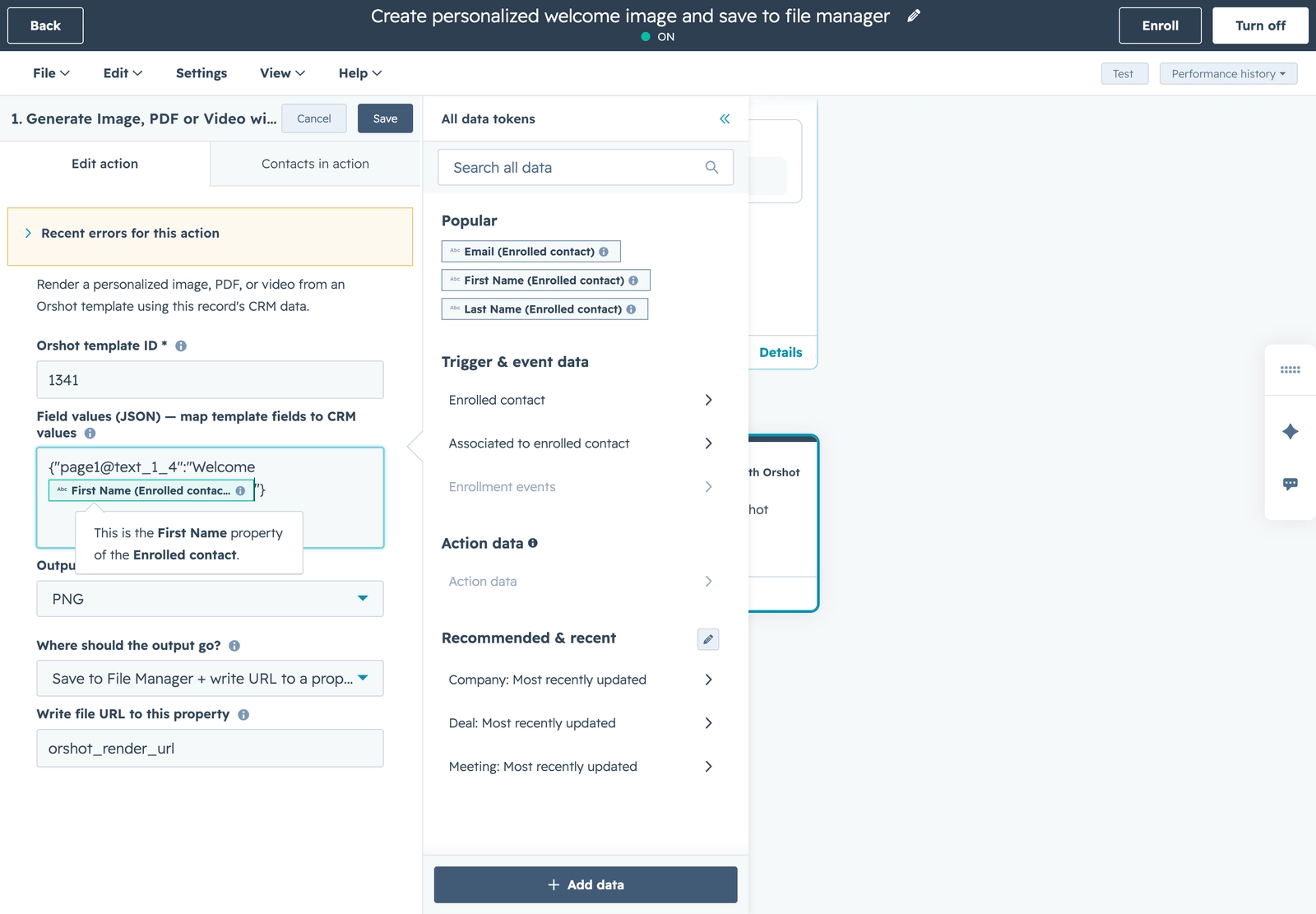
Every enrolled record renders its own visual at runtime, so a thousand contacts get a thousand personalized files — automatically. Each one is saved to your File Manager:
No workflow needed for emails: you can also drop a personalized Orshot image straight into a HubSpot marketing email with a dynamic image URL that carries HubSpot tokens — each recipient's email renders their own image.
Who it's for
Marketing and RevOps teams who want personalized creative at scale — without exporting CRM data, hiring a designer for every variant, or writing a line of code.
Get started
It takes about a minute to connect. Renders run through your Orshot workspace and use its credits; serving an already-generated URL again is free.
- Set it up — the HubSpot guide — connect, add the action, personalize, and ship.
- HubSpot integration docs — full reference for the Orshot HubSpot app.