TL;DR: Google Pomelli is a free Labs experiment that reads your website and generates on-brand campaign ideas and social creatives. It's a great brainstorming tool, but there's no API, no automation, no scheduling — and it's an experiment that could disappear.
My tests rendered it unfit for production usage honestly.
If you've outgrown "make one nice graphic by hand," Orshot is the production alternative: design a template once, then generate and publish on-brand visuals at scale.
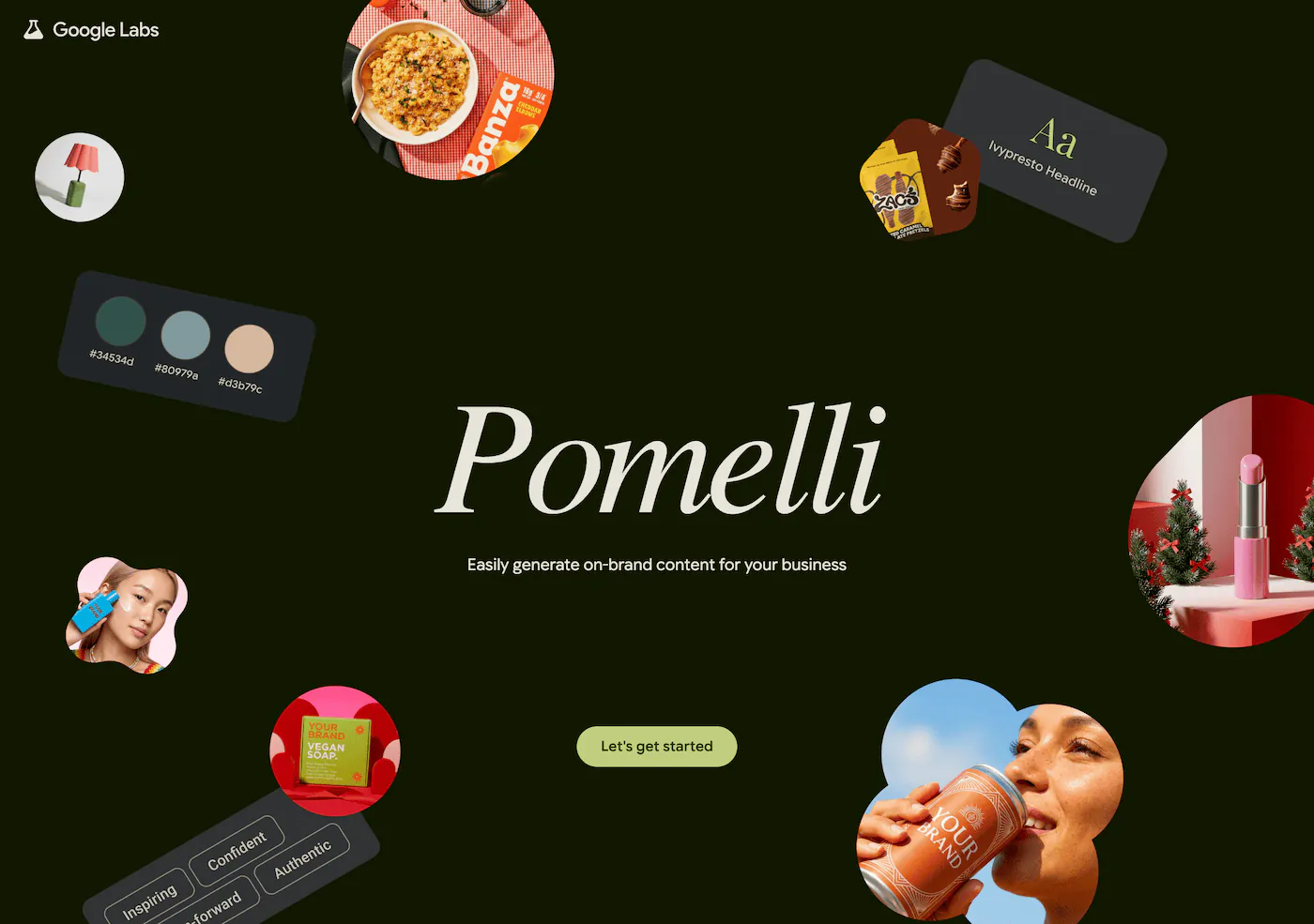
The first time you run Pomelli, it feels a little like magic. You paste your website, Google Labs scans it to build what it calls your "Business DNA" — your colors, fonts, tone, the way your brand actually looks — and a minute later you've got campaign ideas and ready-to-edit social posts that mostly sound like you. For a small business staring at a blank canvas, that's a genuinely good first draft.
Then you try to use it for real, and the shape of the thing becomes clear. You generate an asset, download it, and upload it somewhere by hand. You do that again for the next post. And the next.
There's no API to call, nothing to wire into your stack, no way to generate a hundred variations or schedule anything. Pomelli is a creative-ideation tool — not a content pipeline. And it's free today precisely because Google hasn't decided what it is yet.
I ran into that wall years ago, which is why I built Orshot. It solves the other half of the problem: not "give me an idea," but "I know exactly what I want — now produce it a thousand times and put it where it needs to go, automatically."
Try Orshot Free → (100 credits a month, no card needed)
Pomelli vs Orshot, honestly
These tools look similar on the surface — both spit out on-brand marketing visuals — but they're built for different jobs. Pomelli is an AI that invents creative. Orshot is a platform that produces it on repeat.
| Feature | Orshot | Google Pomelli |
|---|---|---|
| Generates campaign ideas from your site | Yes (via MCP) | |
| Pixel-level design control | ||
| Repeatable, identical output | ||
| REST API & SDKs | ||
| AI agents / MCP (Claude, Cursor) | ||
| Automation (n8n, Make, Zapier) | ||
| Bulk generation | ||
| PDF export | ||
| Video export | ||
| Publish to 15+ social platforms | ||
| Works in any language | ||
| Free plan | ||
| Production-ready (not a beta) |
Orshot starts free — 100 credits a month, no card — then scales from $39/mo for 1,500 credits. Pomelli is free during its beta, with no pricing announced yet.
Where Pomelli runs out of road
Pomelli nails the first 10% of the work — having the idea. The trouble starts the moment you need to do that work repeatedly, at scale, or as part of a system.
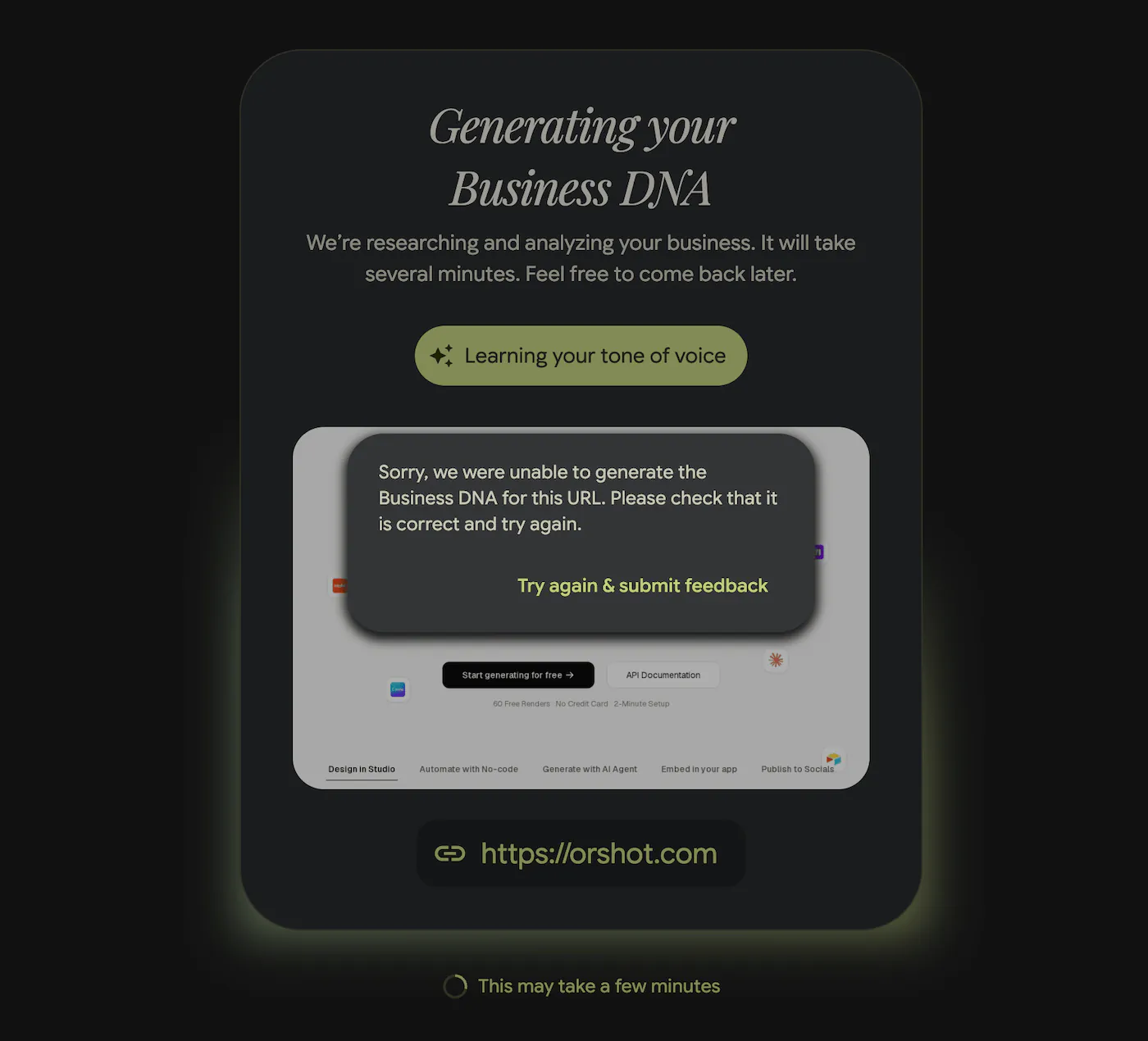
While testing Pomelli, I also found it doesn't work and errors out often while pulling the brand from a website.
Four walls show up fast:
-
No API, so no automation. Everything happens inside the web app: generate, eyeball, download. If you produce the same asset over and over — banners, listing images, certificates — every one is a manual job. Orshot makes a template a live image generation API you call from code, a spreadsheet, or a no-code tool — one render or ten thousand.
-
Every run is a fresh roll of the dice. Great for brainstorming, but you can't lock a design and just swap the content. A fixed template in Orshot Studio keeps the layout identical and changes only the data — a hundred posts that look intentional, not improvised.
-
You publish by hand. Pomelli has no scheduling and no direct publishing. Orshot does social media content automation — render and publish to 15+ platforms (Instagram, LinkedIn, X, TikTok…) in the same call, instantly or scheduled.
-
English-only and experimental. Pomelli writes copy in English only and lives in Google Labs — a beta with no announced pricing and a long line of retired Labs projects behind it. Orshot's pricing is public, and its API is what teams build on every day.
Orshot has AI too — it's just not locked in a UI
Pomelli's whole pitch is AI, and that part is fair: pointing a model at your website to draft creative is genuinely useful. Orshot uses AI as well — just aimed at the part that actually scales.
-
Describe a template, get a template. Tell the AI Design Agent what you want in plain English and it builds an on-brand, editable template. You reuse it forever instead of regenerating from scratch every time.
-
Bring your own AI agents. Orshot's MCP server connects Claude, Cursor, and other agents to your account — so "make the launch banner and drop it in our bucket" becomes something an agent does on a webhook or a cron. Prompt in, on-brand asset out.
Pomelli's AI ends at a download button. Orshot's AI is wired into your stack. Here's the whole flow — prompt to on-brand asset — in a couple of minutes:
When Pomelli is the right call
To be fair, Pomelli is good at what it's for. If you're starting from a blank page and want AI to propose campaign directions, it does that well. If you need a quick one-off post you'll only ever make once, it's fast and free. And if you're a small business with no design resources and no need to automate, it's a perfectly nice place to start.
The moment you need repeatability, an API, bulk generation, scheduling, or a tool you can count on next quarter — that's where Orshot takes over.
Bottom line: Pomelli generates marketing ideas. Orshot generates marketing assets at scale. Use Pomelli to find the look; use Orshot to produce it forever.
Moving from Pomelli to Orshot
Most people make the jump in three steps.
1. Turn the look you liked into a template. Rebuild it in the visual editor, or screenshot a design and let Orshot's AI template generator recreate it as an editable template — then mark the dynamic fields.
Already have brand designs? Import them straight from Canva or Figma.
2. Generate it with your data. Once a template has parameters, it's an endpoint:
const response = await fetch("https://api.orshot.com/v1/studio/render", {
  method: "POST",
  headers: {
    Authorization: "Bearer YOUR_ORSHOT_API_KEY",
    "Content-Type": "application/json",
  },
  body: JSON.stringify({
    templateId: "your_template_id",
    modifications: {
      headline: "Summer Sale — 30% Off",
      product_image: "https://example.com/product.png",
      price: "$49",
    },
    response: { type: "url", format: "png" },
  }),
});
Prefer no-code? We connect with bunch of no-code integrations.
3. Publish or deploy. Push straight to your social channels, drop the files into your CMS or ad manager, or store them in your own bucket. The output is real files you own — not a webpage locked inside someone's beta. If you want to see the kinds of workflows people run this way, browse the use cases.
Common Questions
Is Orshot the same kind of tool as Pomelli?
Does Pomelli have an API?
Can Orshot match my brand the way Pomelli does?
Can I generate and publish images in bulk?
Is Orshot free?
Start automating your on-brand content
If Pomelli helped you find a look you like, Orshot is how you produce it at scale — full design control, eight export formats, a real API, and built-in publishing, without depending on a beta that might not be here next year.
Get Started Free (100 credits a month, no credit card)