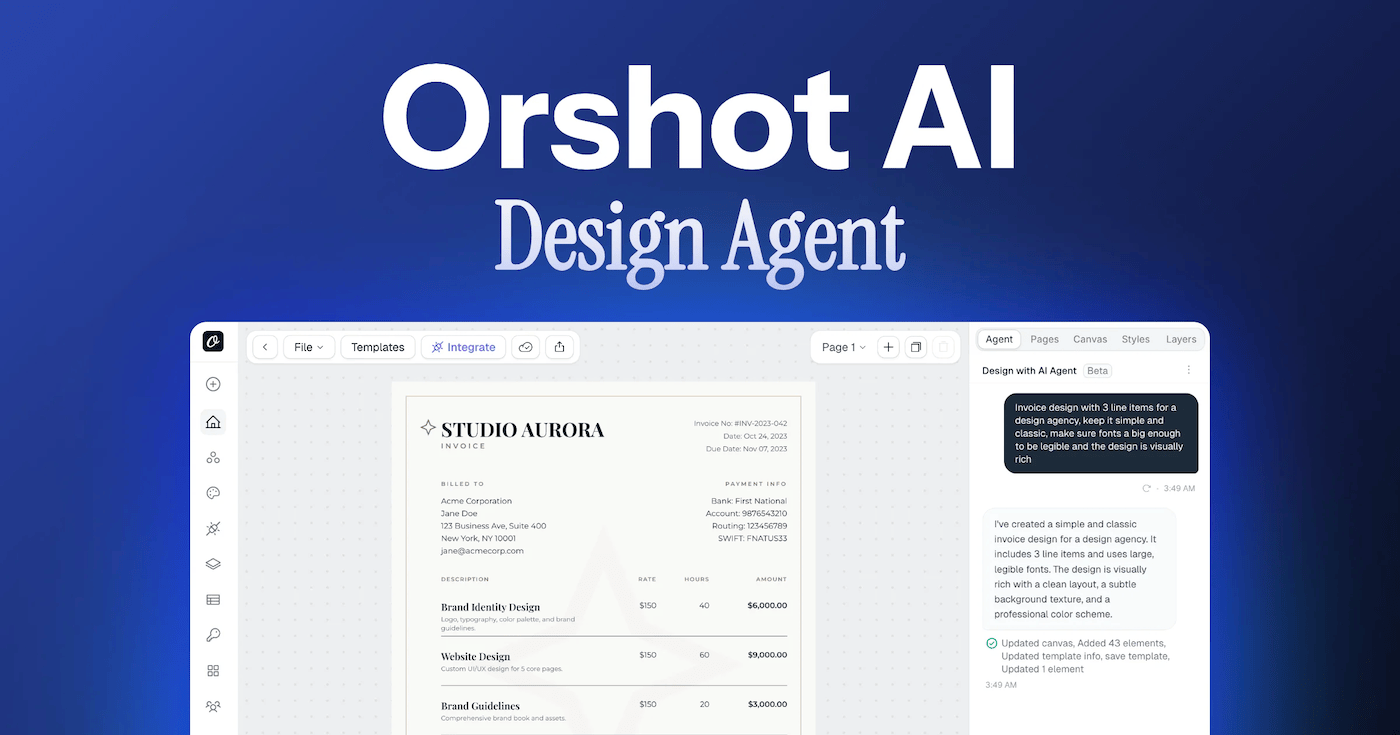
This tweet kept doing rounds on my timeline last week:
I run Orshot. We spent months connecting it to agents the other way around, through a hosted MCP server that Claude, ChatGPT, Cursor and Grok all talk to. WebMCP reverses the direction. The agent is already in your browser, it lands on your site, and the site hands it tools.
I implemented WebMCP over a weekend and shipped it to production. A ChatGPT agent has used it, audited it, and found real bugs in my first version.
This is the tutorial I wish existed when I started. I'll use our app as the example, but every step applies to any web app. Most of what ranks for WebMCP right now is theory. This isn't.
What is WebMCP?
WebMCP is a W3C standard, pushed mainly by Google and Microsoft. Your page calls document.modelContext.registerTool() with a name, a description, a JSON schema and an execute function.
That's the whole idea. Instead of an agent screenshotting your UI and guessing what "Add to cart" does, your page hands it an instruction manual: here are my tools, here's what they take, here's what they return.
WebMCP vs MCP vs browser automation
The question I see most on Reddit is some version of "how is this different from Playwright, or from just running an MCP server?" Different layers, different jobs:
| Browser automation (Playwright, computer use) | MCP (hosted server) | WebMCP (on-page) | |
|---|---|---|---|
| How the agent acts | Clicks your human UI, guesses from pixels | Calls your backend from anywhere | Calls tools your page registers |
| Setup for the user | None, but slow and brittle | Connector + OAuth flow | None. Tools appear on page load |
| Auth | Whatever session the browser has | OAuth tokens in the client | Your existing login session |
| Reliability | Breaks when your UI changes | Stable | Stable, and UI-independent |
| Where it shines | Sites that expose nothing | Automation and workflows | In-browser help while you browse |
Two takeaways from shipping all three:
- WebMCP doesn't replace your MCP server. Ours does automation from anywhere; WebMCP serves the person already on the site. Ship both if you can.
- Compared to browser automation, WebMCP is dramatically more token-efficient. The agent reads a tool list once instead of parsing screenshots on every step.
Who supports WebMCP right now
The consumer side moved fast in the last two weeks:
- ChatGPT: agent mode consumes site tools in the in-app and cloud browser (GPT-5.6 Sol and Terra). Click the cursor icon in the in-app browser's URL bar and expand "Available site tools" to see what a page exposes. OpenAI has docs for site builders.
- Chrome: API behind a flag (
chrome://flags/#enable-webmcp-testing) with an origin trial running. Gemini in Chrome is the intended consumer, and the Chrome team published implementation guides this week. - Edge: co-authored the spec with Google; experimental support tracks Chrome.
- Claude: not yet. Anthropic's extension still works from screenshots and DOM snapshots. When that changes, WebMCP sites need zero extra work.
The Chrome team shipped guides for the three things you'll actually need: writing secure tools, building the tools themselves, and evaluating whether an agent uses them correctly.
On the consumer side, OpenAI moved WebMCP support from the desktop app's in-app browser into the cloud browser, which is what agent mode uses when it goes off and works on its own.
Two weeks ago none of this existed. That's the whole reason the field is still open.
Step 1: expose public tools for every visitor
Start with what a logged-out visitor can do. For us that's six tools on every page:
search_templatesandget_template_detailssearch our template library and return each template's render parametersopen_templatenavigates to a template pageget_pricingreturns the live pricing page as markdownread_page_markdownfetches any page of ours as markdown, which turns the whole docs site into agent contextconnect_agentpoints the agent at our hosted MCP server for everything WebMCP can't do
The provider, trimmed to what matters:
// webmcp-provider.jsx (trimmed)
const TOOLS = [
  {
    name: "search_templates",
    description:
      "Search Orshot's library of 2,000+ image, PDF, and video templates.",
    inputSchema: {
      type: "object",
      additionalProperties: false,
      properties: {
        query: { type: "string" },
        category: { type: "string" },
        limit: { type: "number" },
      },
    },
    annotations: { readOnlyHint: true },
    execute: async ({ query, limit } = {}) => {
      const size = Math.min(Math.max(Math.trunc(Number(limit)) || 10, 1), 30);
      const params = new URLSearchParams({ pageSize: String(size) });
      if (query) params.set("search", query);
      const res = await toolFetch(`/api/templates/community?${params}`);
      const data = await res.json();
      return { count: data.templates.length, templates: data.templates.map(compact) };
    },
  },
  // ...5 more tools
];

export function WebMCPProvider() {
  useEffect(() => {
    const modelContext =
      document.modelContext || navigator.modelContext || null;
    if (!modelContext?.registerTool) return; // no-op in normal browsers

    const controller = new AbortController();
    for (const tool of TOOLS) {
      swallowAbort(
        modelContext.registerTool(tool, { signal: controller.signal }),
      );
    }
    return () => controller.abort();
  }, []);
  return null;
}
Three things in that snippet I only know because they went wrong:
- It's
document.modelContextnow. The spec moved offnavigator.modelContextin July 2026. My first provider registered onnavigatorand no runtime ever saw a single tool. If you copied WebMCP example code from a post older than a few weeks, check this first. - OpenAI requires
additionalProperties: falseon every input schema. It's in their docs, it's easy to miss, and nothing warns you. registerToolreturns a Promise that rejects with an AbortError when its signal fires on unmount. We didn't catch it at first. Every route change dumped a batch of unhandled rejections into error tracking.
Security rules we set for this tier:
- Every tool fetch goes through a
new URL()same-origin check - Every request is sent with
credentials: "omit", so logged-out tools cannot return logged-in data even if we mess something else up
If you want to skip the typing, hand this to Claude Code, Cursor, Codex or whatever agent already has your repo open. It encodes every gotcha in this post, including the ones that cost me a day.
Add WebMCP support to this web app so AI agents in the browser can call our functionality directly.

Context on the standard:
- WebMCP is a W3C browser standard. A page registers tools via document.modelContext.registerTool({ name, description, inputSchema, execute }).
- The API is document.modelContext, NOT navigator.modelContext (renamed July 2026). Read document.modelContext first and fall back to navigator.modelContext only if it is missing.
- ChatGPT agent mode and Chrome (behind chrome://flags/#enable-webmcp-testing) consume these tools today.

What I want you to do, in order:

1. Read the codebase and propose a SHORT list of tools based on real user journeys, not a wrapper per API endpoint. Aim for 5 to 8 public tools that work logged out, and stop for my approval before writing code.

2. Implement them in a single client-side provider component that runs on every page:
 - Guard with: const mc = document.modelContext || navigator.modelContext; if (!mc?.registerTool) return;
 - Register inside an effect with an AbortController, and abort on unmount.
 - registerTool returns a Promise that REJECTS with an AbortError when that signal fires, so attach a .catch(() => {}) to every call or unmounts will spam unhandled rejections.
 - Every inputSchema must be { type: "object", additionalProperties: false, properties: {...} } because OpenAI requires additionalProperties: false.
 - Mark read-only tools with annotations: { readOnlyHint: true }.

3. Validate inputs INSIDE execute, do not trust the schema's required list. Missing or malformed arguments must throw a clear message rather than navigating to an undefined route or hitting the API with a bad value. Clamp numeric ranges.

4. Keep tools honest: whatever the description promises, the return value must actually contain. Return structured data the agent can verify, not just a success string.

5. Security rules:
 - Resolve every fetch URL with new URL(path, location.origin) and reject anything whose origin differs.
 - Send logged-out tool requests with credentials: "omit" so they can never return authenticated data.
 - Never expose destructive or payment actions as a single silent call.

6. If the app has authenticated features, add a SECOND provider that only mounts for signed-in users, reusing the existing session for authorization rather than inventing a new auth path. Do not add a consent screen for first-party tools.

7. Keep the total number of registered tools per page small, roughly 20 or fewer, with tool descriptions under about 1500 characters. Registering too many tools makes ChatGPT disable WebMCP for the entire page with "the site's WebMCP configuration exceeds supported limits".

8. When you are done, tell me how to verify: which page to open, and the exact console call (await document.modelContext.getTools()) to list what registered.Step 2: let the login be the integration
Here's the part I haven't seen any other site ship. If you're signed in, the page bridges tools from our hosted MCP server onto document.modelContext. The agent in your browser can render images, list your templates, read your brand kit and prepare social drafts.
No connector. No API key. No OAuth screen. Our funnel data says most people who start an MCP connector flow in ChatGPT never finish it. WebMCP has no flow to abandon.
We didn't rewrite a single tool for this. Our MCP server already answers stateless HTTP requests (that's how ChatGPT's MCP client talks to it), so the bridge discovers and proxies:
// webmcp-bridge-provider.jsx (trimmed)
const mint = async () => {
  // Trade the user's session for a short-lived, workspace-scoped token.
  // First-party client, 30-minute expiry, no refresh token, memory only.
  const res = await fetch(`${API_URL}/v1/oauth/browser-agent-token`, {
    method: "POST",
    headers: { Authorization: `Bearer ${sessionToken}` },
    body: JSON.stringify({ client_id: CLIENT_ID, workspace_ids: [workspaceId] }),
  });
  return (await res.json()).access_token;
};

// Discover once per tab, register the curated set, proxy execution
const { tools } = await mcpRequest("tools/list", {}, await bearer());
for (const t of tools.filter((t) => BRIDGED_TOOL_NAMES.has(t.name))) {
  modelContext.registerTool({
    ...t,
    execute: (args) => mcpRequest("tools/call", { name: t.name, arguments: args }, bearer),
  });
}
Why this design:
- The MCP server stays the single source of truth. Names, schemas and annotations pass through as-is.
- Tokens are scoped to your active workspace, live only in page memory, and expire after 30 minutes. Logging out kills them.
- There's no consent screen on purpose. Consent screens protect you from third parties. Here the client, the authorization server and the API are all us. "Allow Orshot to access Orshot?" is not a question.
Step 3: register fewer tools than you want to
My first bridge registered all 90 of our MCP tools, several with long descriptions. ChatGPT's response:
WebMCP is disabled for this page because the site's WebMCP configuration exceeds supported limits.
Not degraded. Off. Including the public six. It also explained a flaky symptom I'd been ignoring, where tools appeared for a second and vanished once the app hydrated.
What works:
- A curated set covering the loop people actually run. For us: find a template, read its parameters, render, publish a draft. 16 workspace tools.
- Descriptions capped at 1,500 characters.
- 22 tools per page, total. Everything else stays on the MCP connector.
Step 4: have an agent audit your implementation
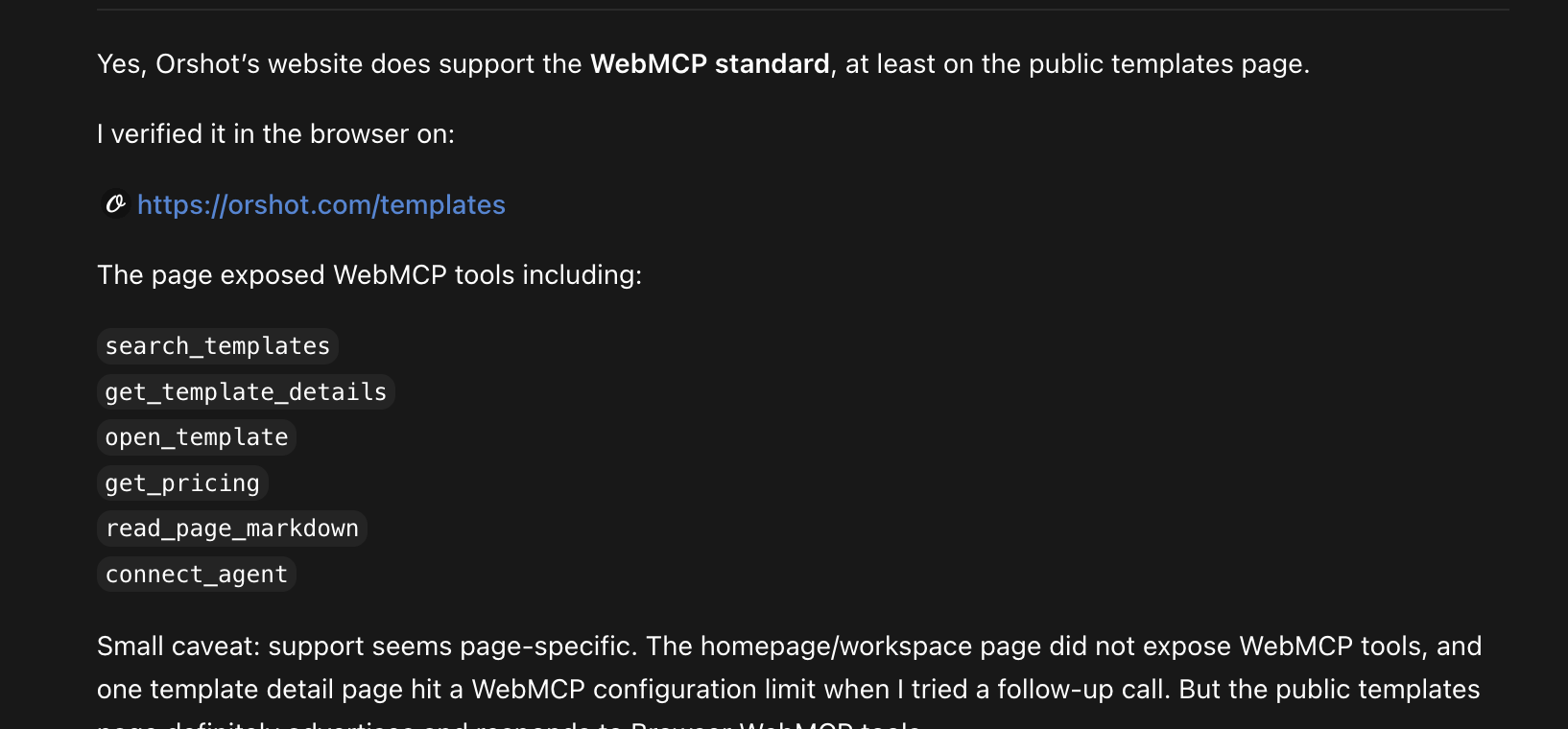
Before a human reviews your WebMCP, ask ChatGPT agent mode to use it, then to audit it. I asked it to find a LinkedIn carousel template through WebMCP. It did, with our own search_templates tool:
Then I asked for a full audit:
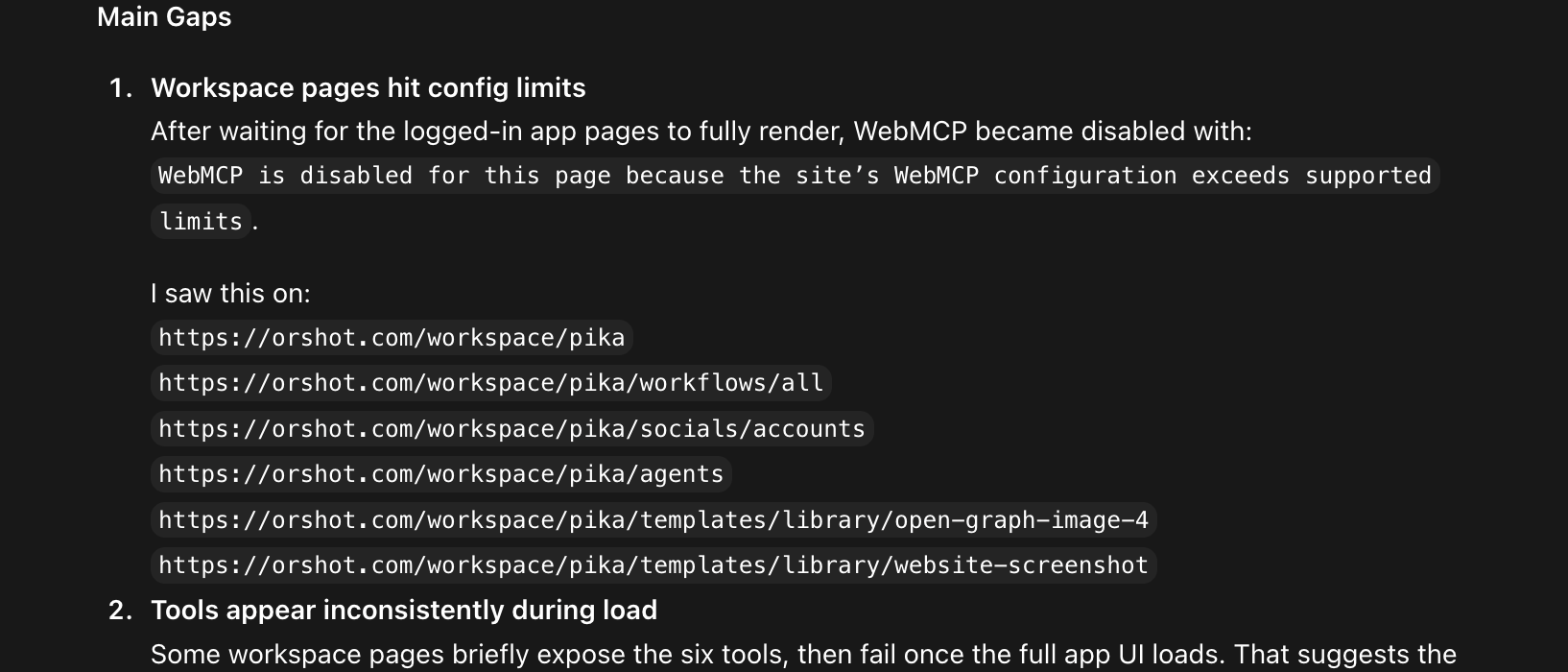
Besides the tool-count limit, it caught:
open_template({})navigated to/templates/undefined. Runtimes don't all enforce your schema'srequiredlist, so validate inside execute.search_templates({ limit: -1 })returned a 500. A clamp I should have written on day one.get_template_detailspromised parameters in its description and didn't return them. Agents notice when a tool under-delivers its own description, and they say so.
Every fix shipped the same day, and the same prompt re-run confirmed them. Best QA I didn't pay for, and its bug report came with exact URLs and repro steps.
How to check if your website is AI-agent ready
In order of usefulness:
- Ask an agent. Open your site in ChatGPT agent mode and ask what tools the current page exposes.
- Ask the browser. In Chrome with the flag on, run
await document.modelContext.getTools()in the console. - Run the ecosystem verifiers. The webmcp.com directory scans implementations and lists the exact tools a site exposes. The webmcp-kit plugin ships a headless verification driver.
- Test both auth states. Logged out should never show account tools. Signed in should actually survive registration (see step 3).
One warning: skip the HTML-level "AI readiness checkers". One scored our site 28/100 for having "no navigator.modelContext integration" on the same day ChatGPT was actively calling our 22 tools. Imperative WebMCP registration is invisible to static scanners. They're grading a different thing and selling you the fix.
Does WebMCP help SEO/GEO discovery?
Not directly. Tools only exist once an agent is already on your page. WebMCP converts agent visits, it doesn't create them.
The second-order effects are real though:
- Agents come back to sites where tasks complete.
- The directories that list real implementations are exactly the kind of source generative engines cite, and the list of production sites is still short enough that shipping gets you on it.
- Pages describing your agent support (ours is Orshot for browser agents) do the discovery work WebMCP itself can't.
What is WebMCP in one sentence?
Do websites need to support WebMCP for agents to use them?
Why not just publish an API instead?
Which browsers and agents support WebMCP today?
How many tools should a page register?
Do WebMCP tools need their own auth system?
How do I check if my website is AI-agent ready?
The bottom line
The whole implementation took about two days, and only because the tools wrap APIs and an MCP server we already had. If you have real user actions and an existing API, WebMCP is a weekend of work. The consuming agents are already here, and the list of production sites is short enough that you'd be early.
If you'd rather use the app we made agent-ready than build one, Orshot generates on-brand images, PDFs and videos from templates, automatically. Start free and see plans. 100 free credits a month, no credit card.