Turn every Figma frame into a render endpoint.
Automate your Figma designs via REST API — import any frame with the official plugin, mark layers dynamic, and render images, PDFs and videos at scale. Designers stay in Figma, engineers ship one API call.
100 free credits a month · no credit card · official Figma plugin
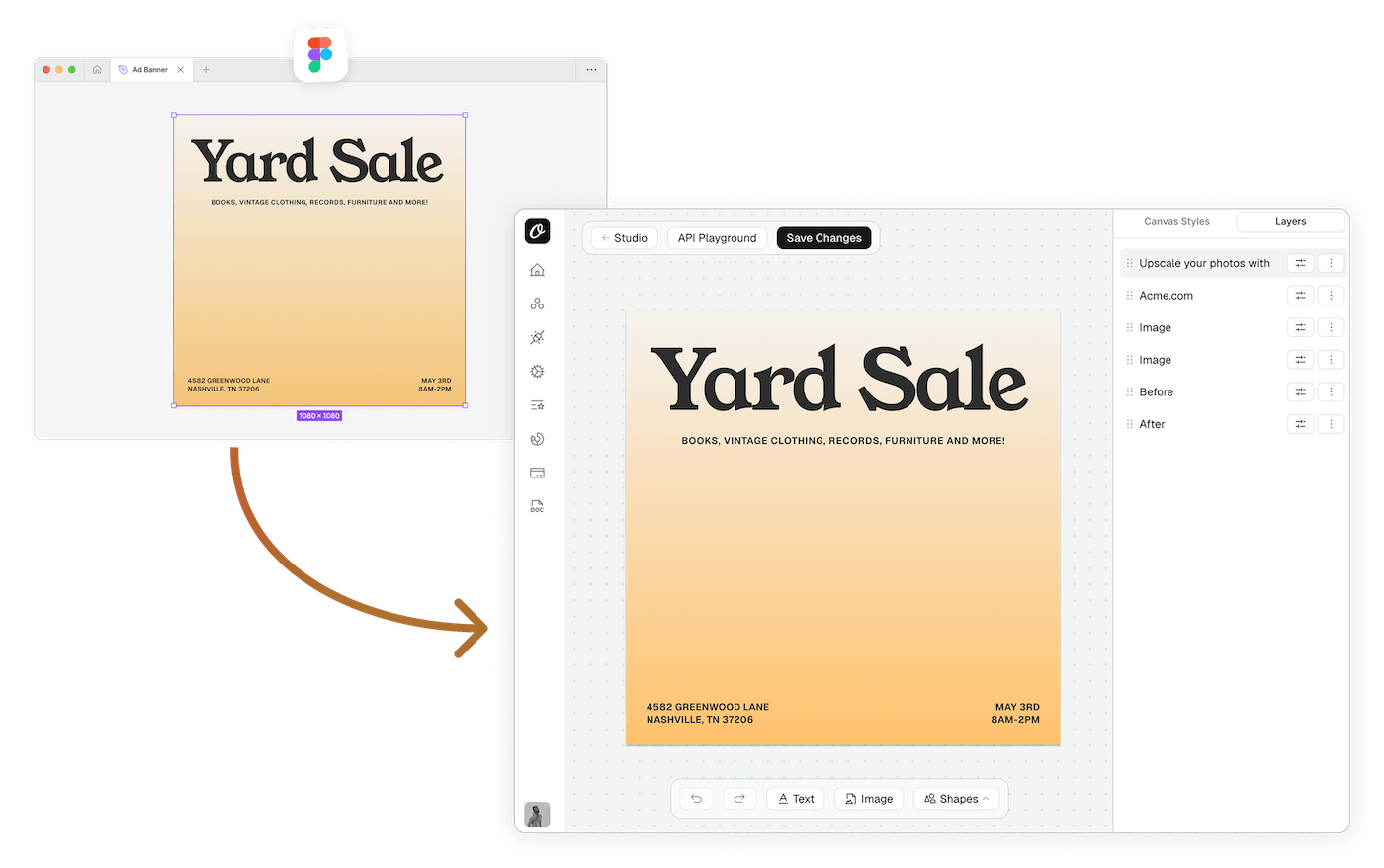
Import in one click
The official Orshot plugin sends any frame to Studio with layers, fonts and vectors intact.
Layers become parameters
Text, images, colors and styles expose themselves as modifications in your API call.
Designers keep ownership
Design changes happen in Figma and re-import in seconds — your render code never changes.
Render at scale
Sub-2-second renders, CDN delivery, 99.98% uptime — production-grade from the first call.
Your Figma frame. Now it’s an endpoint.
Once imported, every dynamic layer is a key in your API call — text, images, even styles like color and font via dot notation. REST, Node, Python, Ruby and PHP.
npm install orshotcurl -X POST https://api.orshot.com/v1/studio/render \
-H "Authorization: Bearer $ORSHOT_API_KEY" \
-H "Content-Type: application/json" \
-d '{
"templateId": 1234,
"modifications": {
"title": "Yard Sale — This Saturday",
"title.color": "#FF5733",
"hero_image": "https://example.com/photo.jpg"
},
"response": { "type": "url", "format": "png" }
}'Node.js install: npm install orshot
import { Orshot } from 'orshot';
const orshot = new Orshot(process.env.ORSHOT_API_KEY);

const { data } = await orshot.renderFromStudioTemplate({
  templateId: 1234, // your imported Figma frame
  modifications: {
    title: 'Yard Sale — This Saturday',
    'title.color': '#FF5733',
    hero_image: 'https://example.com/photo.jpg',
  },
  response: { type: 'url', format: 'png' },
});

// data.content → the rendered image URL
Python install: pip install orshot
import orshot
client = orshot.Orshot("<ORSHOT_API_KEY>")

response = client.render_from_studio_template({
  "template_id": 1234,  # your imported Figma frame
  "modifications": {
    "title": "Yard Sale — This Saturday",
    "title.color": "#FF5733",
    "hero_image": "https://example.com/photo.jpg",
  },
  "response": { "type": "url", "format": "png" },
})
Ruby install: gem install orshot
require 'orshot'
client = Orshot::Client.new("<ORSHOT_API_KEY>")

response = client.render_from_studio_template({
  'template_id' => 1234, # your imported Figma frame
  'modifications' => {
    'title' => 'Yard Sale — This Saturday',
    'title.color' => '#FF5733',
    'hero_image' => 'https://example.com/photo.jpg',
  },
  'response' => { 'type' => 'url', 'format' => 'png' },
})
PHP install: composer require rishimohan/orshot
<?php require 'vendor/autoload.php';

use Orshot\Client;
$client = new Client("<ORSHOT_API_KEY>");

$response = $client->renderFromStudioTemplate([
  'templateId' => 1234, // your imported Figma frame
  'modifications' => [
    'title' => 'Yard Sale — This Saturday',
    'title.color' => '#FF5733',
    'hero_image' => 'https://example.com/photo.jpg',
  ],
  'response' => [ 'type' => 'url', 'format' => 'png' ],
]);




From Figma frame to Orshot template.
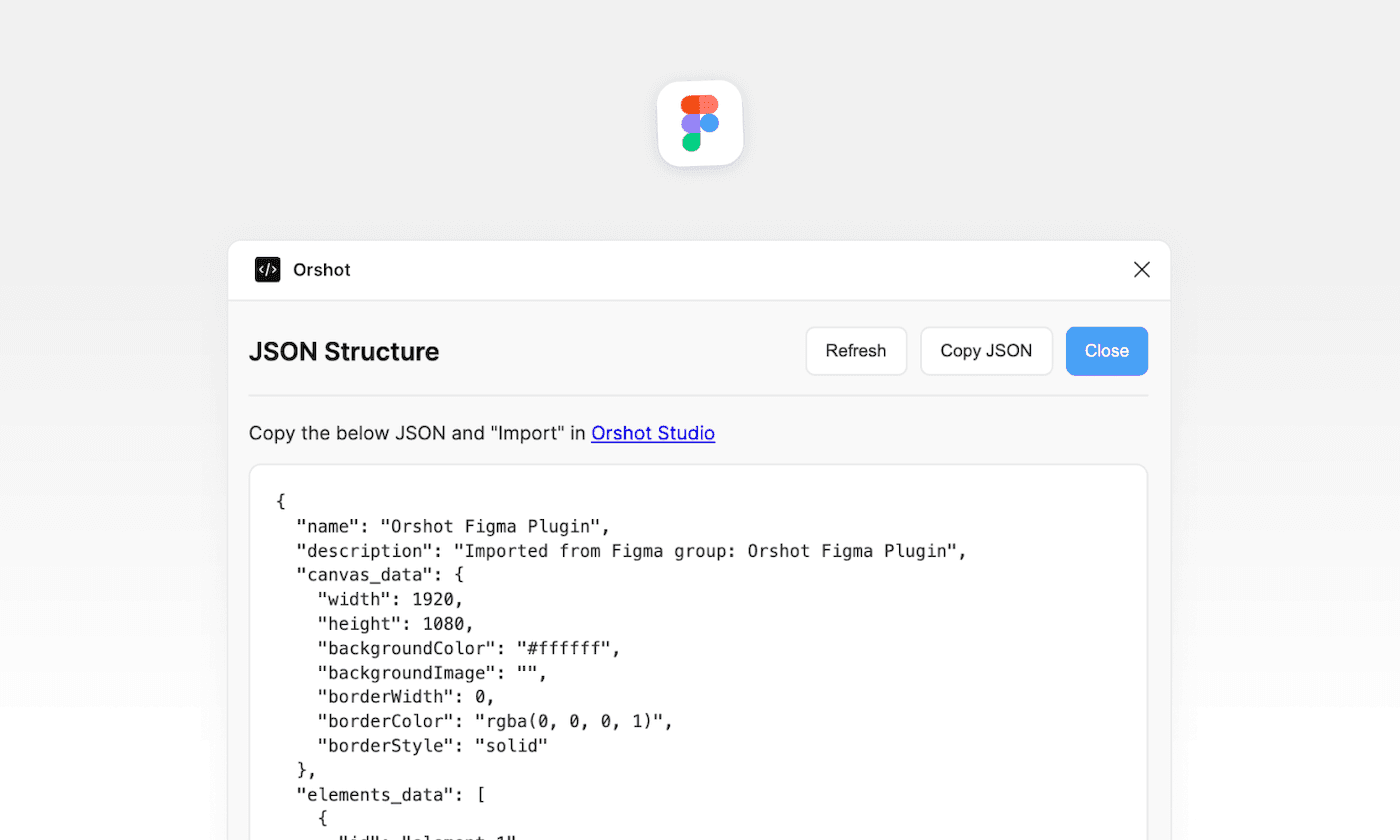
Install the Orshot plugin from the Figma community, select a frame and send it to Orshot. Your frame becomes an editable, parameterized Studio template — every layer intact.
- Official plugin, maintained by the Orshot team
- Preserves text styles, custom fonts, vector paths and images
- Multi-frame artboards become multi-page templates
- Re-import to sync design updates from Figma
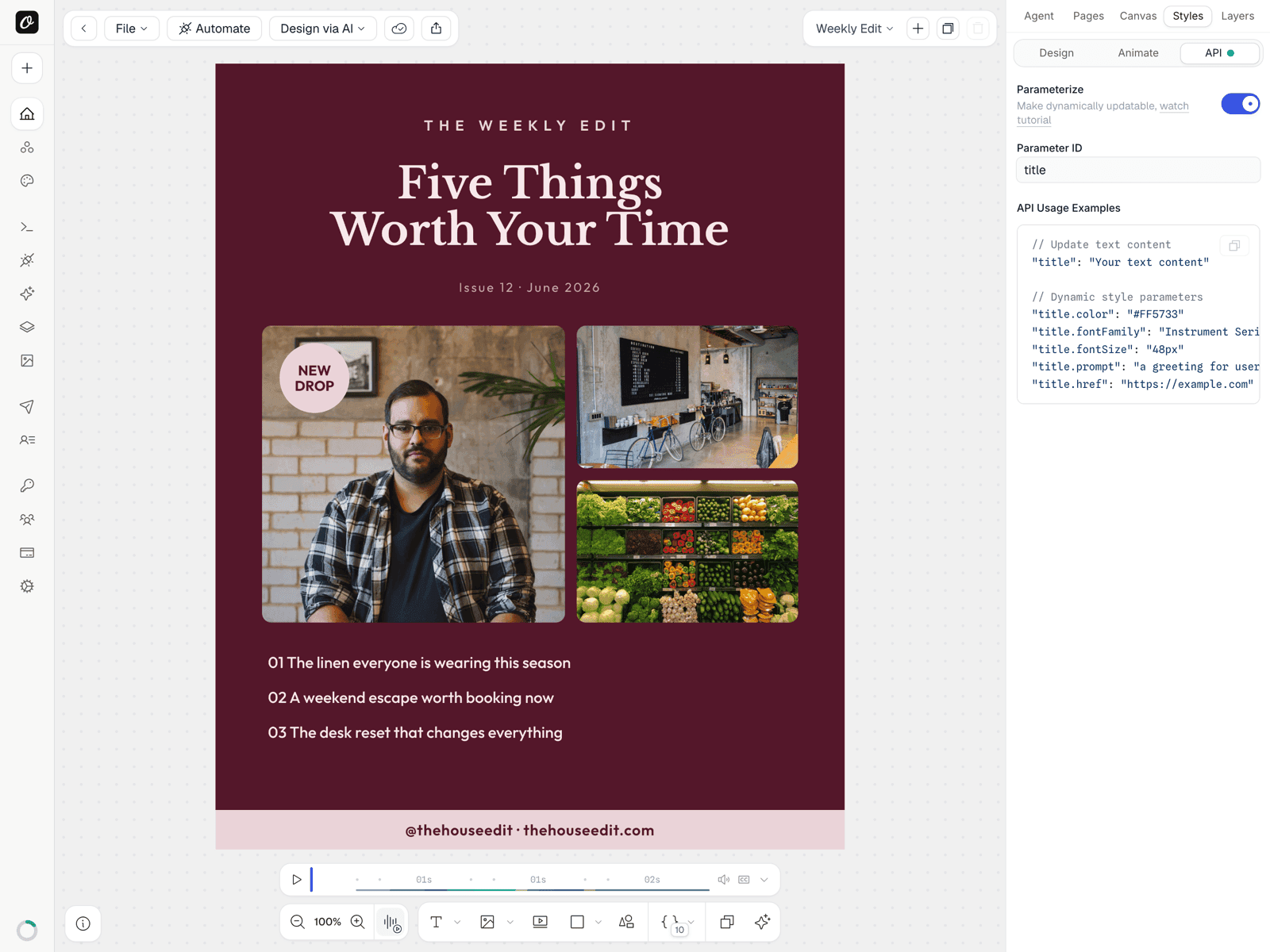
Mark it dynamic. Call it forever.
Select any imported layer, flip the Parameterize toggle and give it an ID. It's now a modification your API call can override — content, color, font, size, even an AI prompt — with copy-paste usage examples generated per layer.
- Override text, images, colors and styles per request
- Dot notation for styles — title.color, title.fontFamily, title.fontSize
- Use the .prompt suffix to generate content with AI at render time
- Per-layer usage examples generated right in the editor
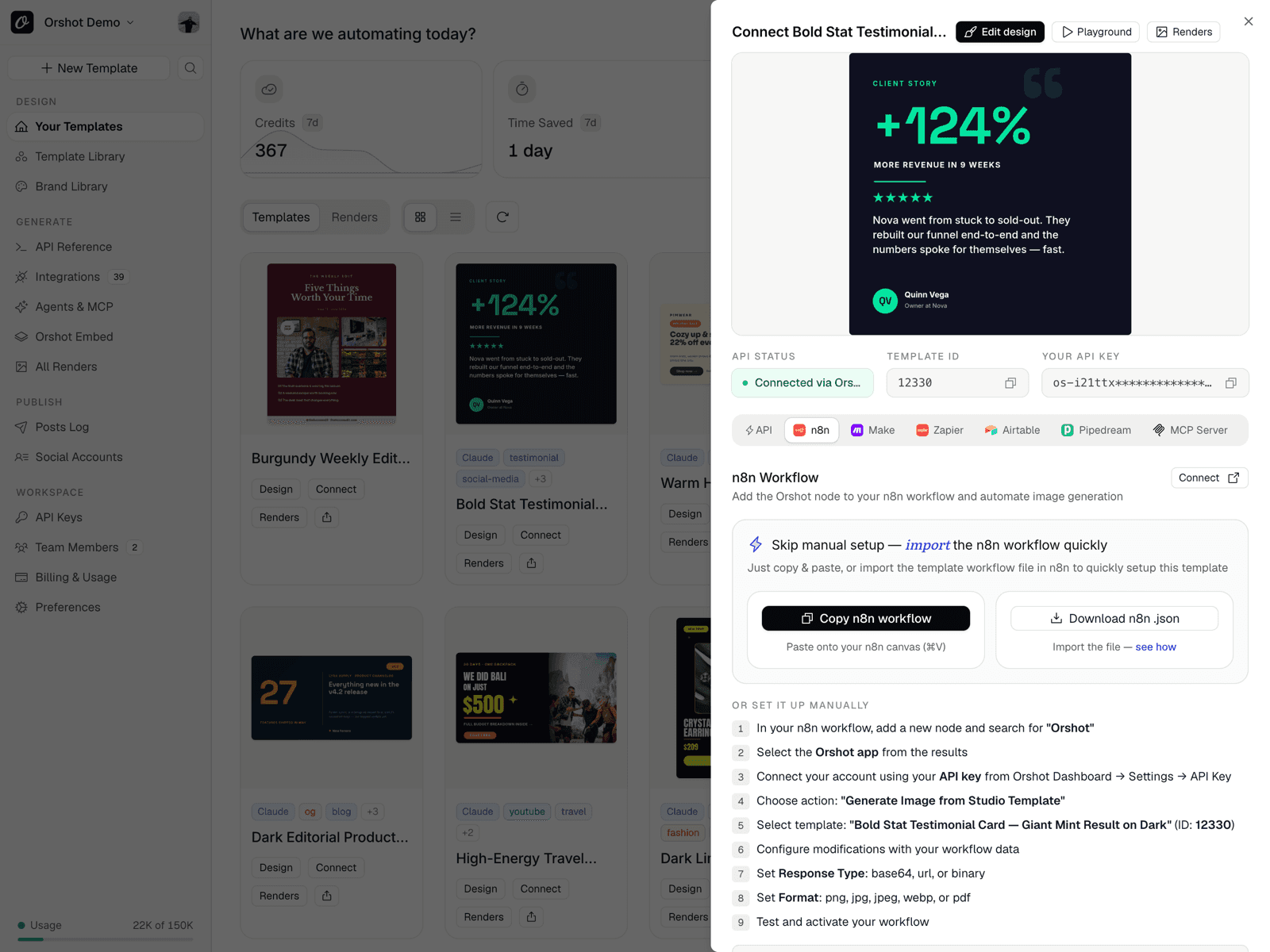
Render from your stack — REST, no-code, agent.
Every imported frame gets a quick-connect sheet — copy a ready n8n workflow, a Zapier zap or the raw API request for the same template. Use it for visual automation or automated image generation, and publish to 15+ socials in the same request.
- Importable n8n workflow generated per template
- No-code: Zapier, Make, n8n, Airtable, Google Sheets
- Dynamic URLs — render from URL params, no API call required
- Claude, Cursor and ChatGPT via the Orshot MCP server
One Figma import. The whole team ships from it.
Stop rebuilding designs in code
The design already exists in Figma — import it and render it with one API call instead of recreating it in HTML/CSS or a canvas library.
No more asset-export treadmill
Design the template once in Figma. Every variant, every locale, every campaign renders itself — no more 'can you export 40 versions' requests.
Figma designs in every workflow
The imported frame works in n8n, Make and Zapier like any Orshot template — feed it rows from a sheet and publish the output automatically.
Your brand, automated from day one
The designs your designer (or you) already made in Figma become your OG images, social cards and launch graphics — without a rebuild.
Everything after the import, built in.
AI content, custom fonts, secure delivery, publishing — your imported Figma frames get the full Orshot pipeline.
SDKs for every stack
Node, Python, Ruby and PHP. Official, maintained, typed.
AI Design Agent
Prompt the agent to generate a template when Figma isn't the fastest path.
Custom fonts preserved
Bring your Figma custom fonts — they render exactly as designed, every time.
Signed + dynamic URLs
Render from a URL — time-limited and tamper-proof, or fully public.
Every output format
PNG, JPG, WebP, PDF or MP4 — the same imported frame renders them all.
Auto-publish
Post renders to Instagram, LinkedIn, TikTok and 10+ others in the same call.
Keep shipping Figma designs. Stop exporting them.
Install the plugin, import a frame, render from the API. That's the whole flow. 100 free credits a month to try it.