Compared to Placid, for example, Orshot offers far more options for creating content.
Thank you very much for this great tool. So far, we've been very happy with it.
 Max MüllerExcavatorScout

Upload each template from the Placid editor. Layer names come across as API parameters, so your API call needs one swap.
Works with the current Placid editor. Checked September 26, 2026.
The API calls you have today, plus the parts Placid stops at.
Compared to Placid, for example, Orshot offers far more options for creating content.
Thank you very much for this great tool. So far, we've been very happy with it.
Max MüllerExcavatorScoutPlacid has no template export, so you save the editor page.
⌘S / Ctrl+S.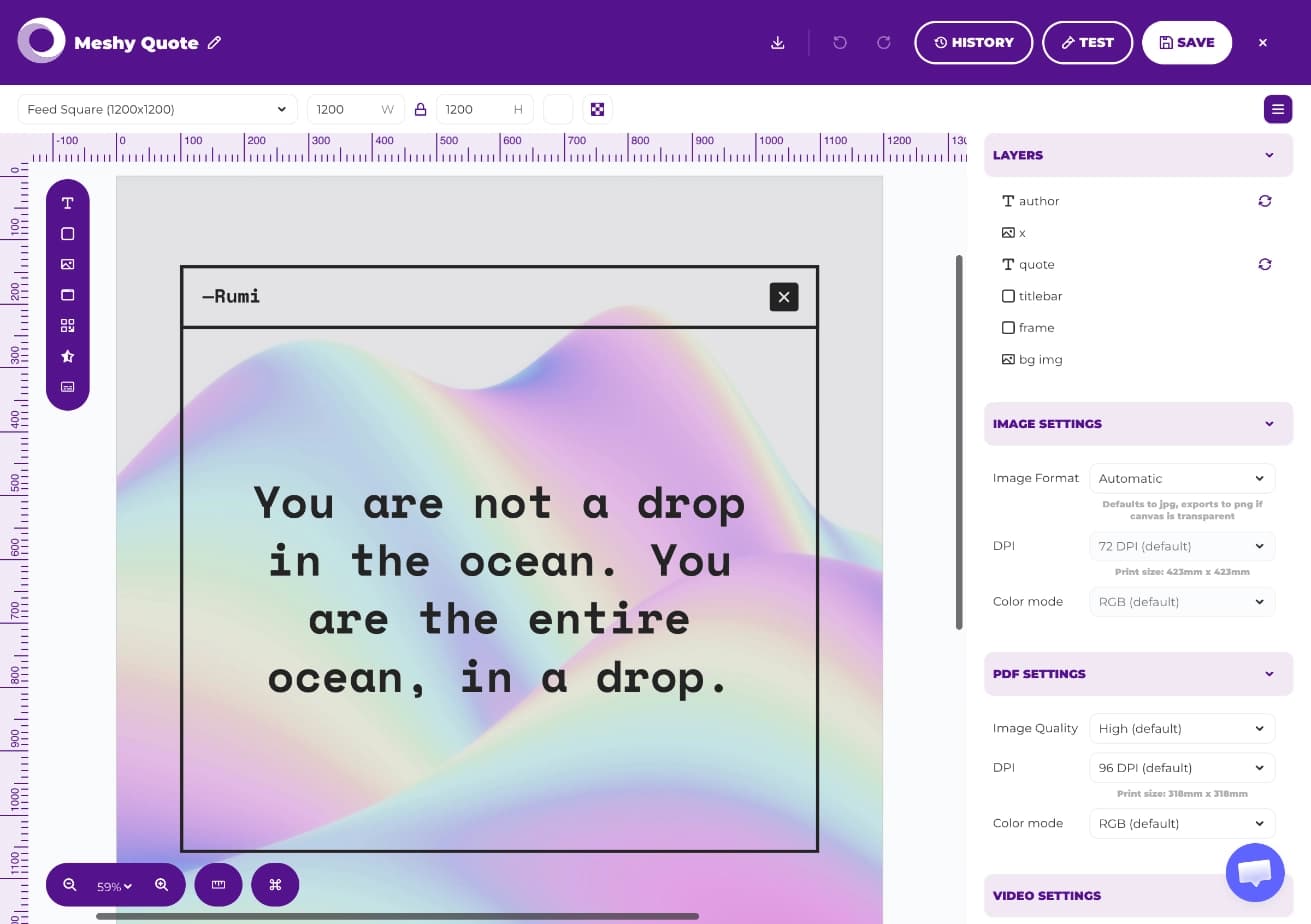
Done when you have one .mhtml file per template.
One upload per template, or several at once.
.mhtml file. Orshot shows a preview of the design.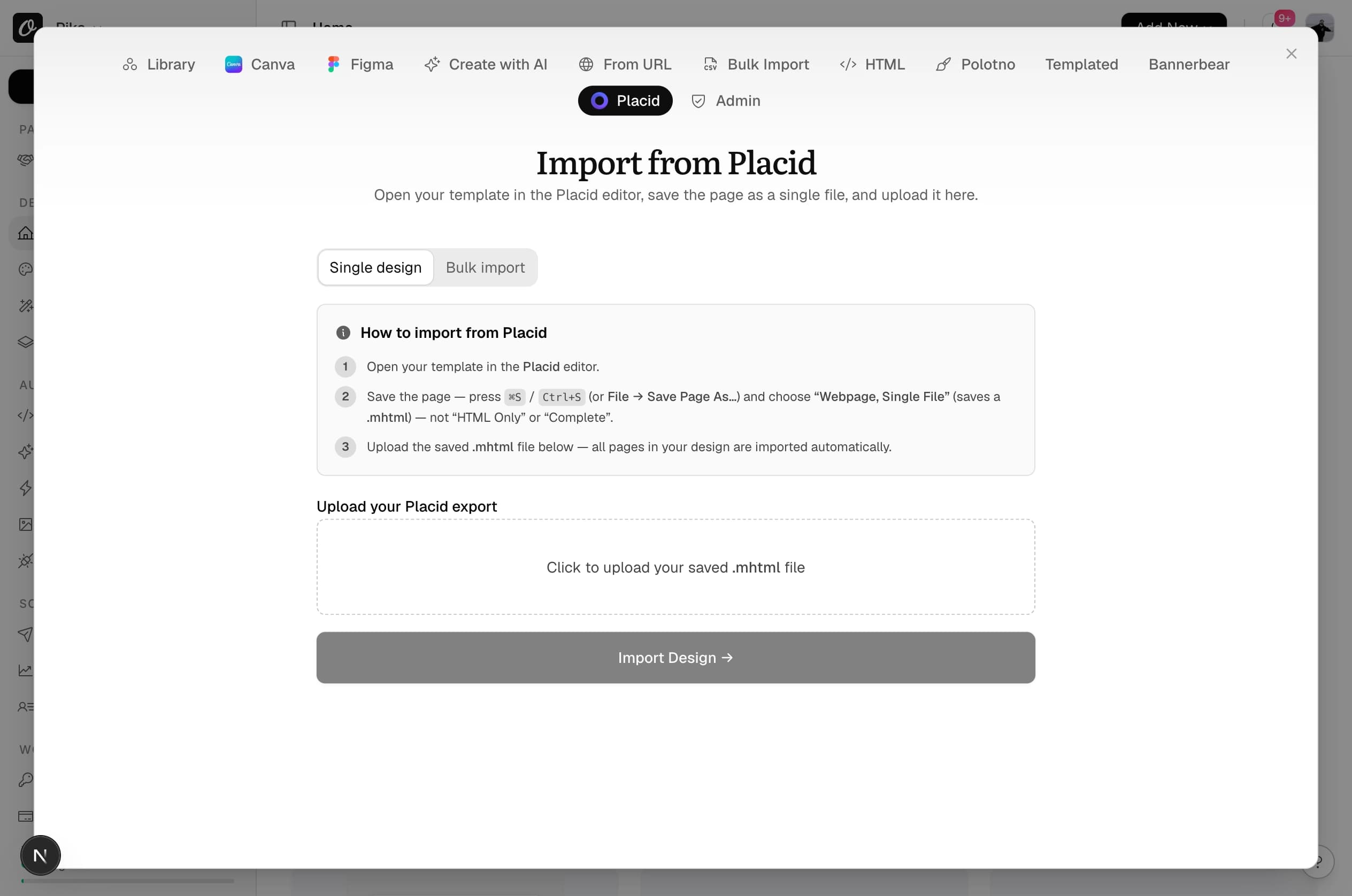
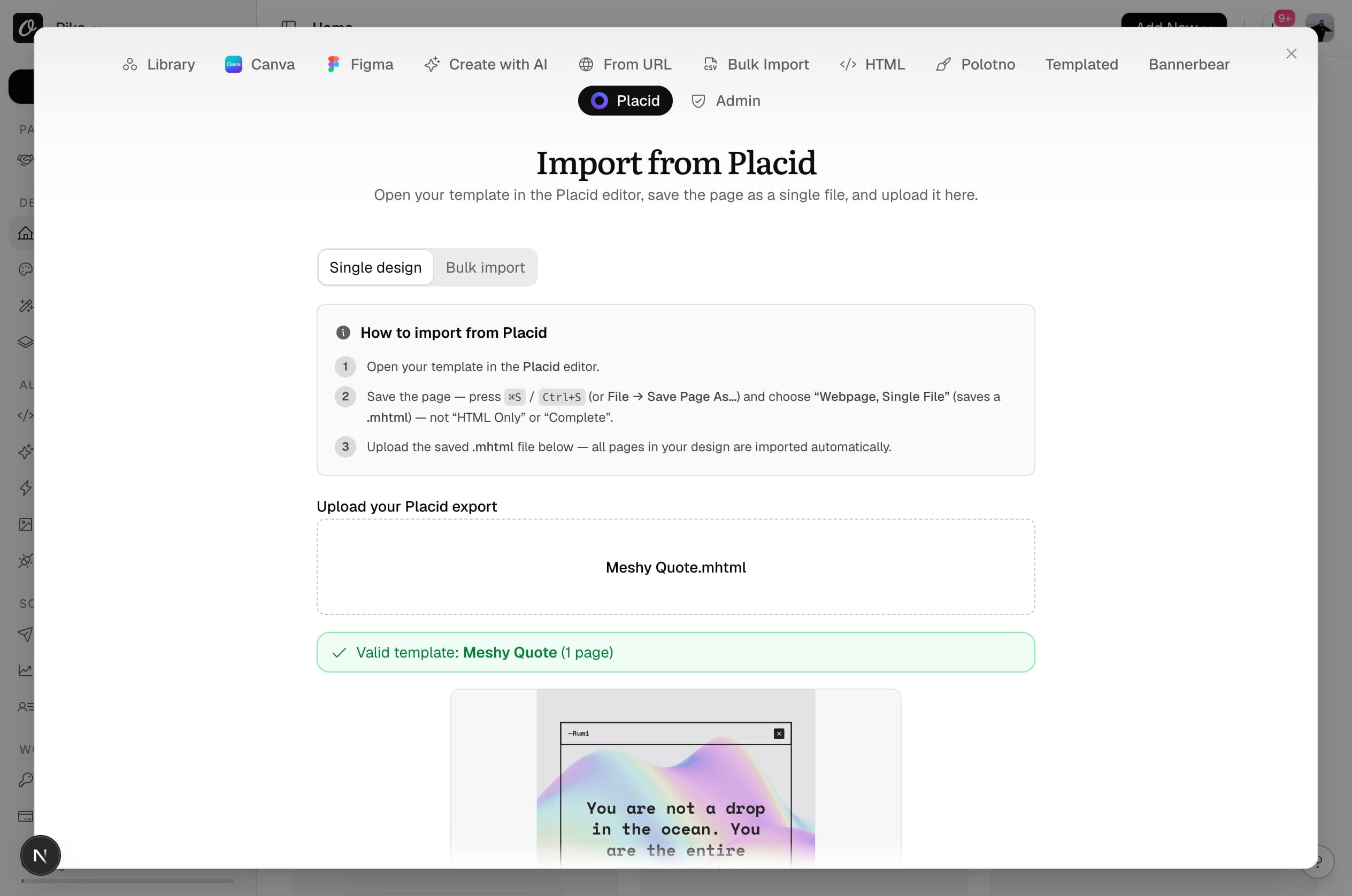
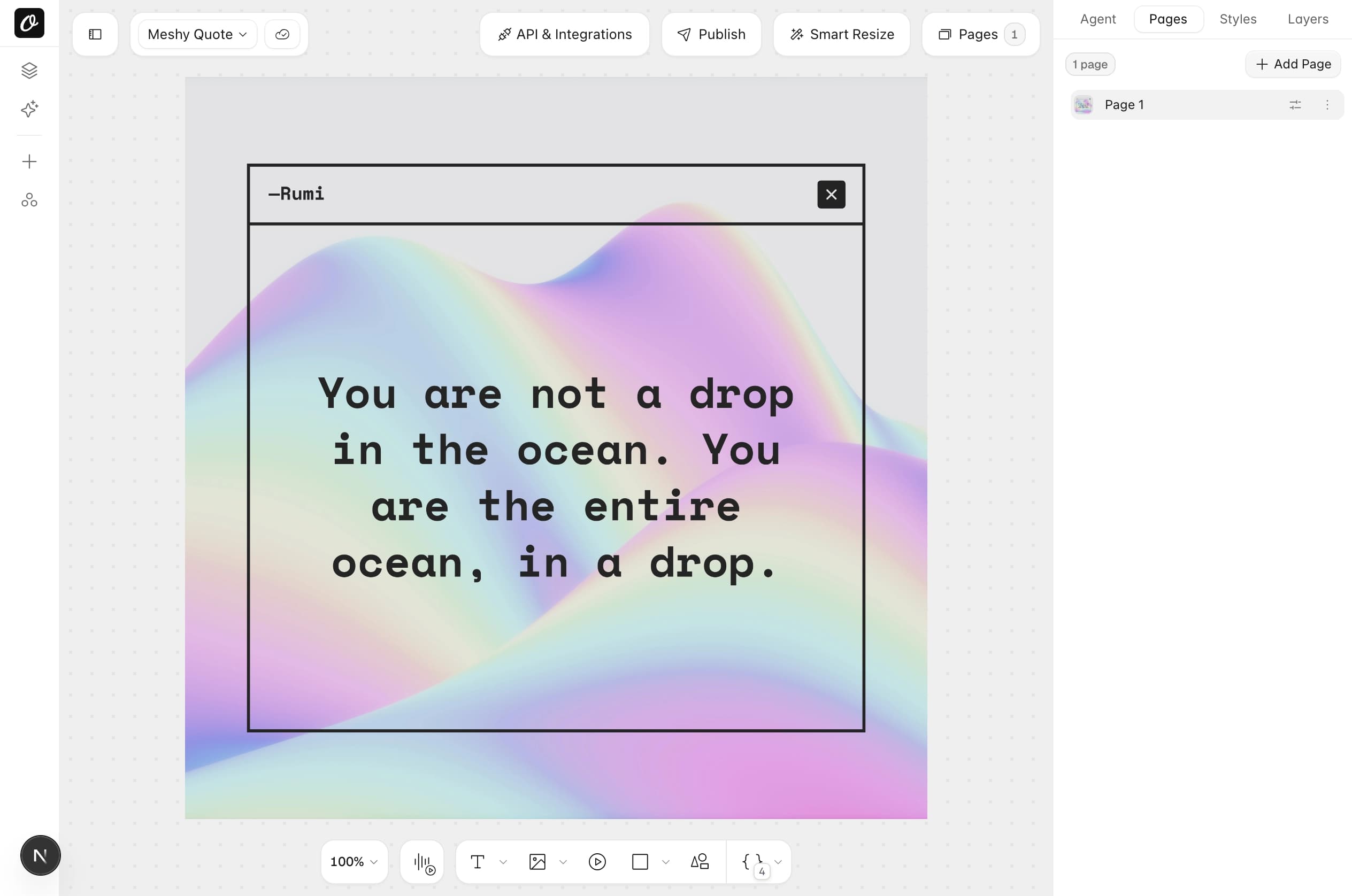
Done when the template shows in Your Templates with a thumbnail.
Layer names carry over as they are. Names with spaces or capitals become lowercase with underscores.
| Placid layer name | Orshot API parameter |
|---|---|
| quote | quote |
| bg_img | bg_img |
| author | author |
| Hero Image (renamed with a space) | hero_image |
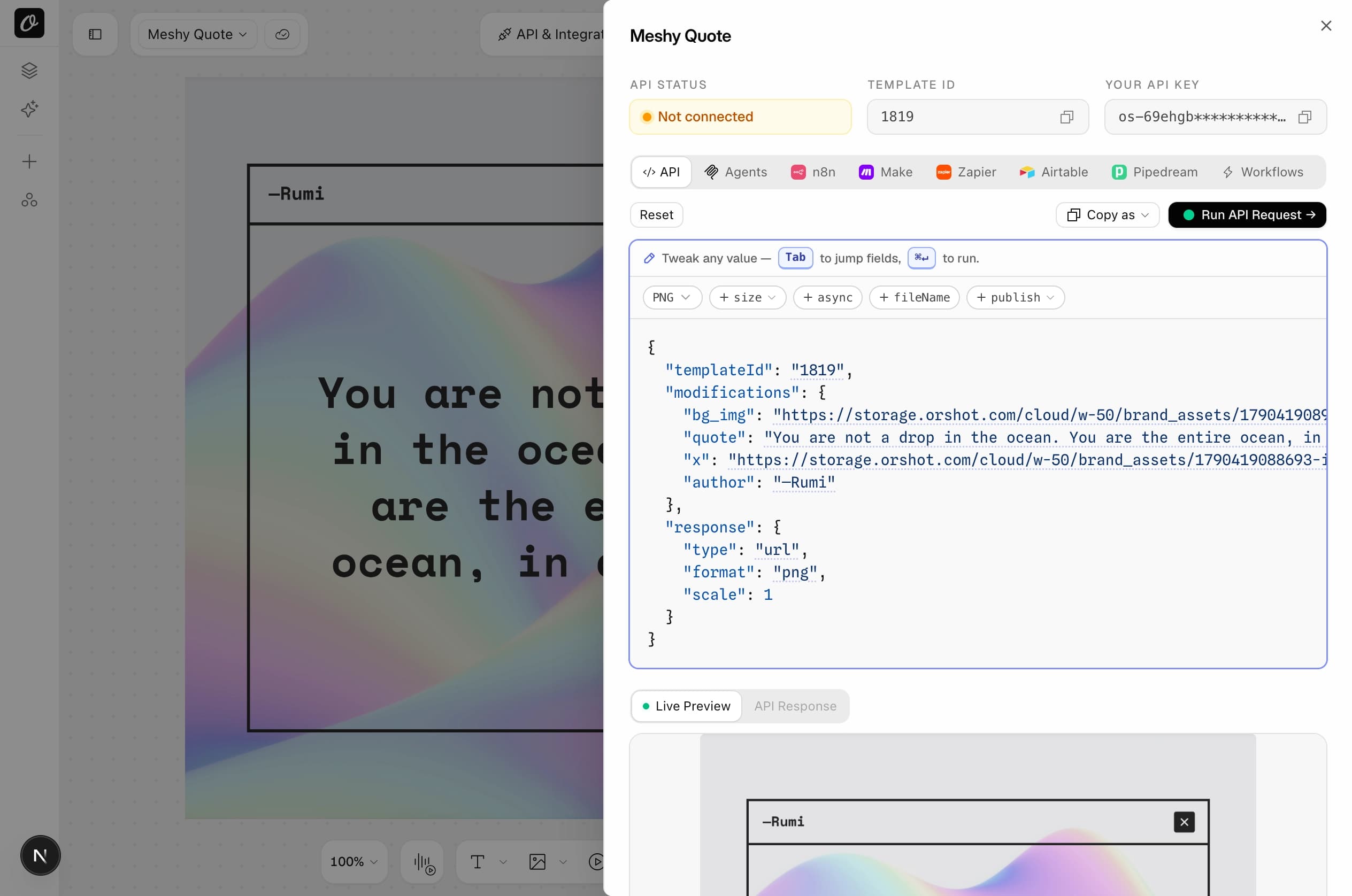
Done when the API tab lists every parameter your code sends.
Auth is the same. The layers object becomes a flat modifications object, and the file URL comes back in the response.
Replace the example with your own Placid request body, or the code that sends it. Runs in your browser, nothing leaves the page.
POST https://api.placid.app/api/rest/imagesPOST https://api.orshot.com/v1/studio/render{
"templateId": <YOUR_ORSHOT_TEMPLATE_ID>,
"modifications": {
"quote": "You are not a drop in the ocean.",
"author": "Rumi",
"author.color": "#ffc73a",
"bg_img": "https://example.com/wave.jpg"
},
"response": {
"type": "url",
"format": "png",
"mode": "async"
},
"webhook_url": "https://yourapp.com/webhooks/image",
"metadata": "order-8412"
}| Placid | Orshot |
|---|---|
| template_uuid (string) | templateId (number) |
| layers: { name: { text } } | { name: "text" } |
| layers: { name: { image } } | { name: "https://…" } |
| layers: { name: { text_color } } | { "name.color": "#f00" } |
| layers: { name: { hide: true } } | { "name.opacity": 0 } |
| pages: [{ template_uuid, layers }] | { "page2@name": "…" } |
| create_now + polling_url | Sync by default, data.content |
| webhook_success + passthrough | response.mode: "async" + metadata |
| URL API, name[text]=… | Dynamic URL, name=… |
What most Orshot customers build, next to the same call in Placid.
One image, the template imported in step 2.
Placid|POST api.placid.app/api/rest/images{
"template_uuid": "ikuscviexl1ry",
"create_now": true,
"layers": {
"quote": { "text": "You are not a drop in the ocean." },
"author": { "text": "Rumi" },
"bg_img": { "image": "https://example.com/wave.jpg" }
}
}{
"templateId": 12345,
"modifications": {
"quote": "You are not a drop in the ocean.",
"author": "Rumi",
"bg_img": "https://example.com/wave.jpg"
},
"response": {
"type": "url",
"format": "png"
}
}Same names, flat object. The file URL comes back as data.content; no create_now, no polling_url.
A three-page social carousel, one call, three files.
PlacidOrshot|POST api.orshot.com/v1/studio/render{
"templateId": 12345,
"modifications": {
"page1@title": "Three tips",
"page2@title": "Tip one",
"page3@title": "Tip two"
},
"response": {
"type": "url",
"format": "png"
}
}Placid has no multi-page image template; a carousel is one call per template. In Orshot the pages live in one template and the response is an array, one URL per page.
A certificate or invoice as a print-ready PDF.
Placid|POST api.placid.app/api/rest/pdfs{
"pages": [
{
"template_uuid": "ikuscviexl1ry",
"layers": {
"name": { "text": "Sarah Chen" },
"course": { "text": "UX Design" }
}
}
],
"modifications": { "dpi": 300, "color_mode": "cmyk" }
}{
"templateId": 12345,
"modifications": {
"name": "Sarah Chen",
"course": "UX Design"
},
"response": {
"type": "url",
"format": "pdf"
},
"pdfOptions": {
"title": "UX Design Certificate",
"dpi": 300,
"colorMode": "cmyk"
}
}Same endpoint as images, just the format. A multi-page template becomes one PDF. One credit per page, against two on Placid.
A short clip from a template with a video layer.
Placid|POST api.placid.app/api/rest/videos{
"clips": [
{
"template_uuid": "ikuscviexl1ry",
"layers": {
"title": { "text": "Summer sale" },
"promo": { "video": "https://example.com/clip.mp4" }
}
}
]
}{
"templateId": 12345,
"modifications": {
"title": "Summer sale",
"promo": "https://example.com/clip.mp4",
"promo.trimEnd": 6
},
"response": {
"type": "url",
"format": "mp4",
"mode": "async"
},
"videoOptions": { "fps": 30 }
}Any template with a video layer renders as video. Six seconds is six credits, the same rate as Placid. Use async mode, video renders take a while.
Render and publish to connected accounts in the same call.
PlacidOrshot|POST api.orshot.com/v1/studio/render{
"templateId": 12345,
"modifications": { "quote": "New post is live" },
"response": {
"type": "url",
"format": "png"
},
"publish": {
"accounts": [1, 2],
"content": "Check out our latest design!"
}
}Placid stops at the file. Connect Instagram, LinkedIn, X or Facebook under Accounts and pass their IDs.
A link that renders on request, for emails, pages or a CMS.
PlacidGET https://api.placid.app/u/ikuscviexl1ry
?quote[text]=Hi
&s=SIGNATUREGET https://api.orshot.com/v1/studio/dynamic-url/quote.png
?templateId=12345
"e=Hi
&sign=YOUR_SIGNATUREPlain query parameters instead of layer[property] pairs. Enable it in Quick Connect, Dynamic URL. Text parameters only.
Done when a test render from the converted request comes back with your data in it.
Not on the API? Pick how you render. Same swap every time: point it at the Orshot template, map the same parameters, remove the Placid step.
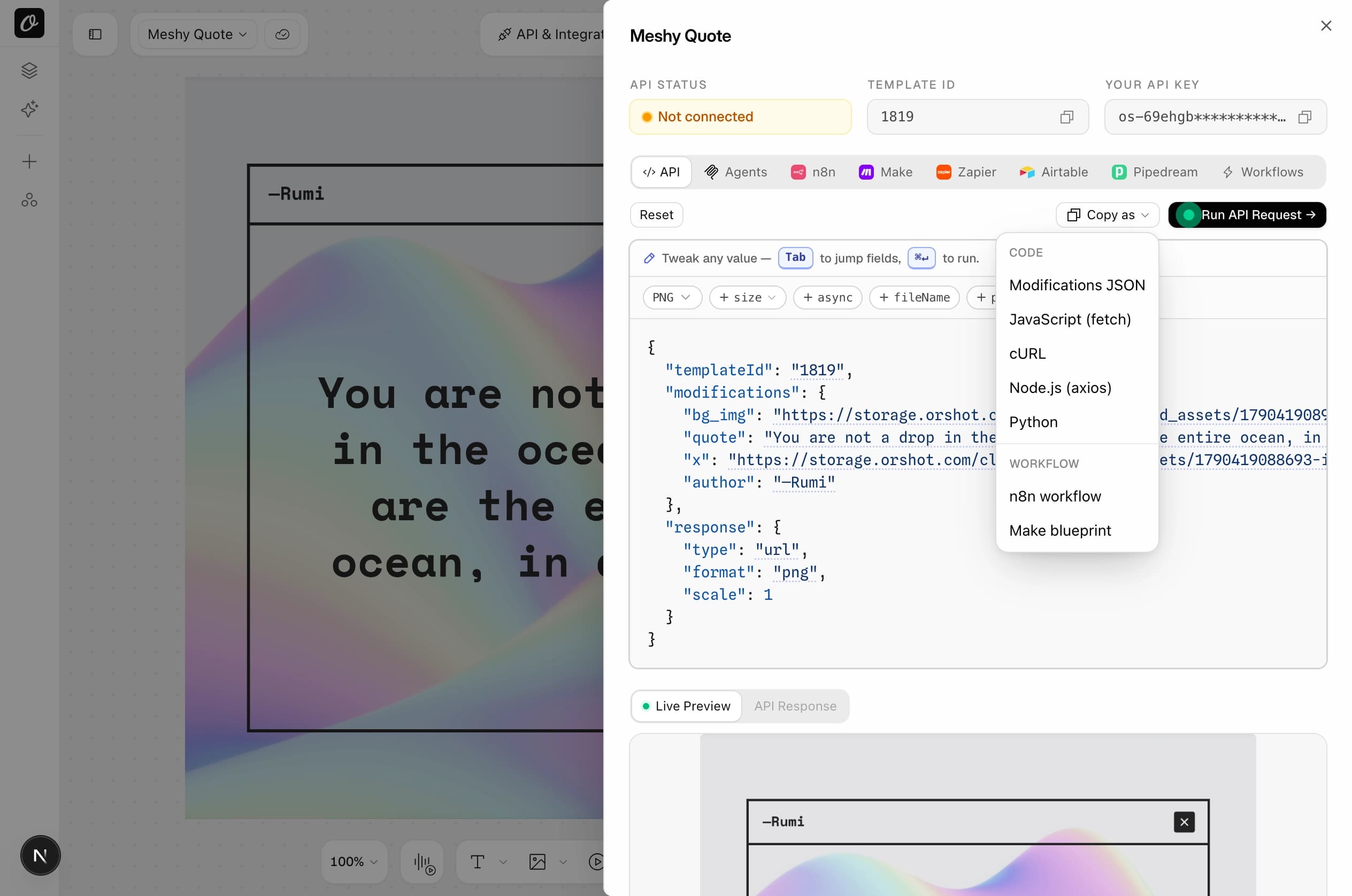
Placid URL API links are Dynamic URLs in Orshot. Same idea: a link that renders on request.
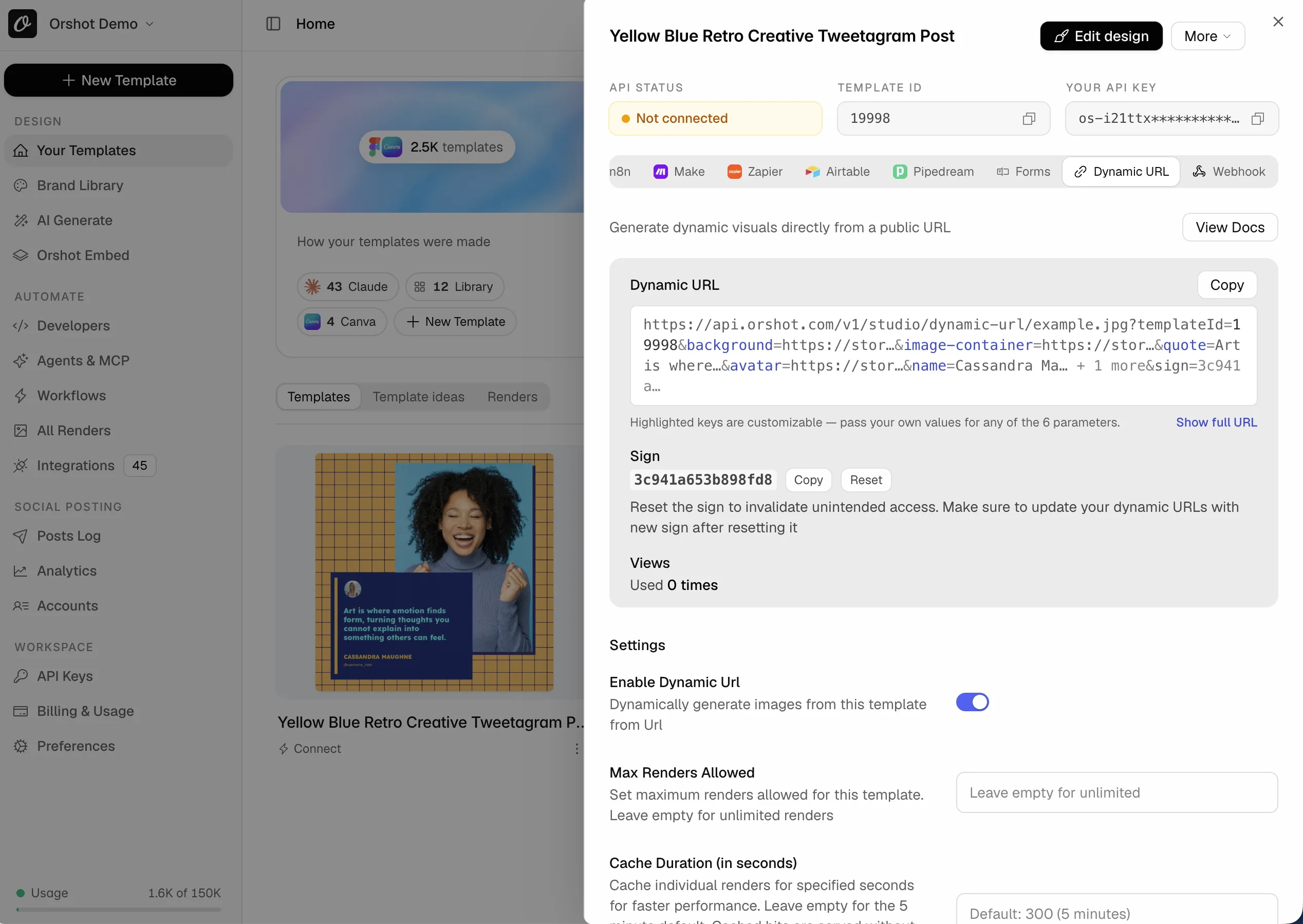
For teammates who never touch code: publish the template as a Template Form. They fill the fields, the image renders, no account needed.
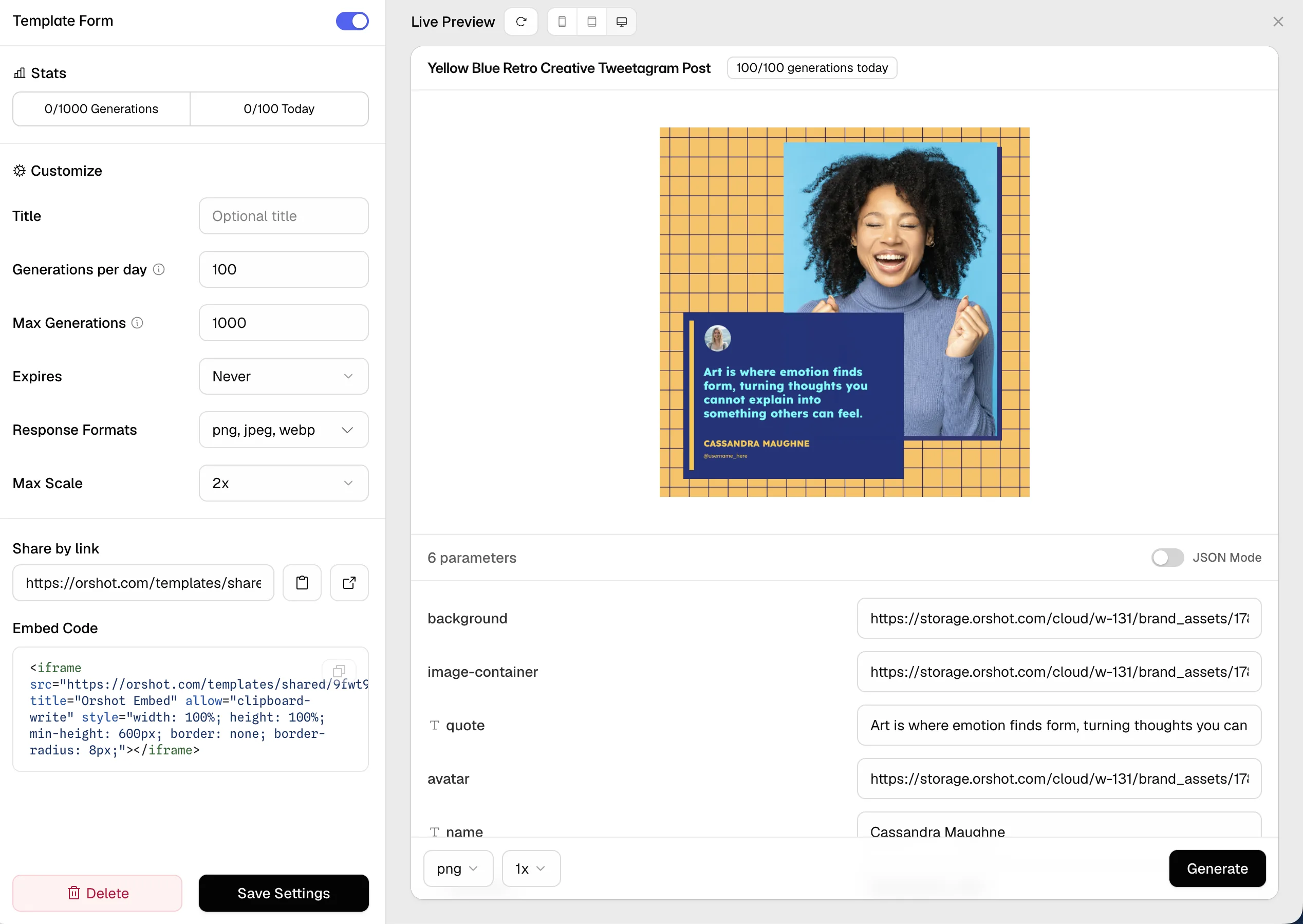
Rendering from a form tool or your own backend? A template webhook is a URL that renders on every POST, no API key in the caller.
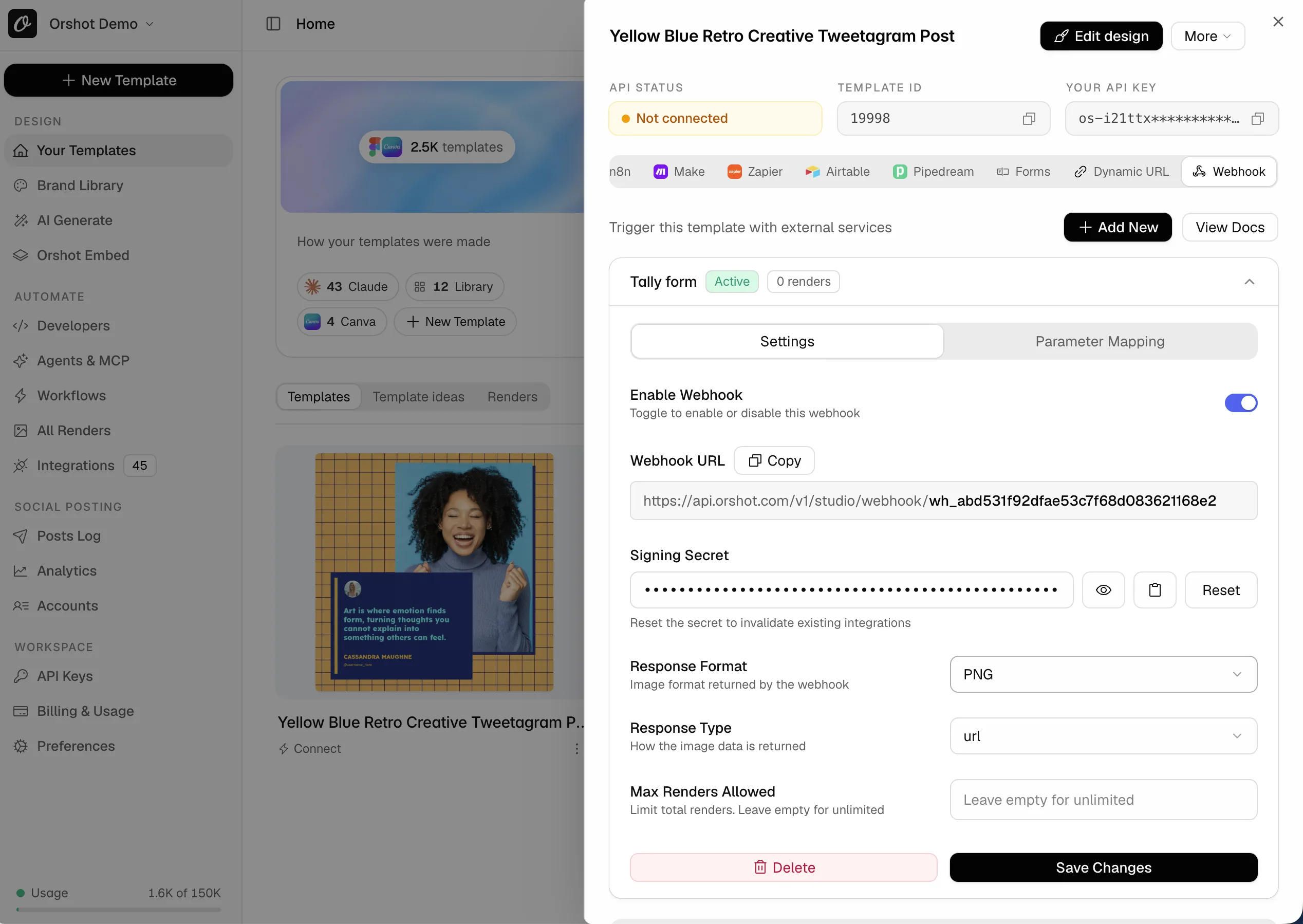
Done when one automation renders from Orshot with the same inputs.
Nothing has to be switched off today.
Done when a week of renders matched and you know which tool you are keeping. Then pick a plan below.
More than 5 templates, or several client accounts? Book a call and we scope it together.
Copy this prompt into Claude Code, Cursor, Codex or ChatGPT. It finds your Placid calls, rewrites them for Orshot and links every doc it needs.
# Migrate this project from Placid to Orshot

You are helping me move from Placid (api.placid.app) to Orshot (api.orshot.com). Orshot renders images, PDFs and videos from templates through an API, and has native n8n, Make, Zapier, Pipedream and Airtable apps plus an MCP server (https://mcp.orshot.com/mcp, setup at https://orshot.com/agents). If you can connect to that MCP server, do it first: it lets you list my Orshot templates, read their parameters and test renders directly. Read the docs linked below before changing anything, then do the work in the order given.

## 1. Find every Placid touchpoint in this project

Search for, and list with file paths:
- `api.placid.app` (REST: `/api/rest/images`, `/api/rest/pdfs`, `/api/rest/videos`; URL API: `/u/`)
- the `placid` npm/pip package, the Placid WordPress, Shopify or Webflow plugins, or SDK imports
- `PLACID` environment variables and API tokens (Placid tokens are per project)
- template UUIDs (short strings like `ikuscviexl1ry`), `layers` objects keyed by layer name, `pages[]` and `clips[]` arrays
- `polling_url` loops and `webhook_success` handlers that receive Placid image events
- URL API builders (`?title[text]=…&s=SIGNATURE`, HMAC-SHA256 over the query string)
- n8n, Make or Zapier exports in the repo that contain Placid nodes

## 2. Templates

Templates cannot be converted from code alone. I will import each Placid template into Orshot myself (New Template → Placid tab → upload the editor page saved as .mhtml). Guide: https://orshot.com/migrate/from-placid

Once imported, each Placid layer name is an Orshot parameter with the same name ("bg_img" stays `bg_img`, "quote" stays `quote`). Ask me for the Orshot template IDs, or read the parameters with:
- GET /v1/studio/templates/{id}: https://orshot.com/docs/api-reference/studio-template-get
- List templates: https://orshot.com/docs/api-reference/studio-templates-list

Build a mapping table: Placid template UUID → Orshot templateId. Show it to me before editing code.

## 3. Rewrite the API calls

Reference: https://orshot.com/docs/api-reference/render-from-studio-template

Placid:
```http
POST https://api.placid.app/api/rest/images
Authorization: Bearer PLACID_TOKEN
{ "template_uuid": "UUID", "create_now": true, "layers": { "title": { "text": "Hello", "text_color": "#111" }, "photo": { "image": "https://…" } }, "webhook_success": "…" }
```

Orshot:
```http
POST https://api.orshot.com/v1/studio/render
Authorization: Bearer ORSHOT_KEY
{ "templateId": 12345, "modifications": { "title": "Hello", "title.color": "#111", "photo": "https://…" }, "response": { "type": "url", "format": "png" } }
```

Rules:
- `modifications` is a flat object keyed by parameter name. A text layer's `text` and a picture layer's `image` become the value itself.
- Layer properties become dot keys: `text_color` → `"title.color"`, `font` → `"title.fontFamily"`, `background_color` → `"box.backgroundColor"`, `border_color` → `"box.stroke"`, `border_width` → `"box.strokeWidth"`, `border_radius` → `"box.borderRadius"`, `hide: true` → `"title.opacity": 0`, `opacity: 40` → `"title.opacity": 0.4`. Docs: https://orshot.com/docs/dynamic-parameters
- Placid `pages: [{ template_uuid, layers }]` (PDFs) and `clips: [{ template_uuid, layers }]` (videos) become pages of one Orshot template with page-prefixed keys: `"page2@title"`. Keys without a prefix apply to every page. I will combine the imported templates into one multi-page template in the Studio; ask me for its ID.
- `response.format`: png, jpg, webp, avif, pdf, mp4, webm, gif. Placid's `modifications.image_format` maps to it. `response.type`: url, base64, binary. `modifications.filename` → `response.fileName` (no extension).
- PDFs: `modifications.dpi` and `color_mode` → `pdfOptions: { dpi, colorMode }`. Docs: https://orshot.com/docs/pdf-generation/pdf-options
- Video: `modifications.fps` → `videoOptions: { fps }`. Clip audio is set on the page in the Studio, not per request. One credit per second, the same as Placid. Docs: https://orshot.com/docs/video-generation/video-options
- Orshot is synchronous by default: the response contains `data.content` (the file URL or data). Remove `create_now` and any `polling_url` loops.
- If the code relies on `webhook_success`, use async mode instead: add `"mode": "async"` inside `response`, plus top-level `webhook_url` and `metadata` (Placid's `passthrough`, up to 1024 characters). You get `202 { id, status: "queued" }`; the webhook body is `{ event: "render_job.finished", job }`; or poll GET /v1/studio/render-jobs/{id}. Docs: https://orshot.com/docs/api-reference/async-render-start
- `modifications.width`/`height` have no equivalent: Orshot renders at the template size; use `response.size` (Smart Resize) for other sizes. `transfer` (S3 upload) has no equivalent: download from `data.content` or the webhook body. `image_viewport`, `srt`, `svg`, `link_target` and the layout properties (`position_*`, per-layer `width`/`height`) are dropped; flag them to me.
- Rating layers import as a fixed image and barcode layers are not imported; if a `value` changes per render, tell me so I rebuild the layer in the Studio.
- Auth stays Bearer. Store the key as `ORSHOT_API_KEY`. Keys: https://orshot.com/docs/quick-start/get-api-key
- Official SDKs (Node, Python, Ruby, PHP) if you prefer them over fetch: https://orshot.com/docs/sdks
- Error codes: https://orshot.com/docs/error-reference

## 4. URL API links

Placid URL API links (`https://api.placid.app/u/{uuid}?title[text]=Hi&s=SIG`) become Orshot Dynamic URLs: https://orshot.com/docs/integrations/dynamic-urls
Shape: `https://api.orshot.com/v1/studio/dynamic-url/{name}.png?templateId=12345&title=Hi&sign=SIGNATURE`
- Plain `name=value` query parameters instead of `name[text]=value`. Only text parameters can be set through the URL. Image swaps must go through the render API.
- The signature comes from the template's Quick Connect → Dynamic URL panel; ask me for it. Do not port the HMAC signing code.
- Links already sent from api.placid.app keep working only while the Placid project exists. Only update new sends.

## 5. Automations

- n8n: replace the Placid node with the Orshot node (community package `n8n-nodes-orshot`). Docs: https://orshot.com/docs/integrations/n8n. I can also paste a ready workflow from the template's Quick Connect → Copy as → n8n workflow.
- Make: replace the Placid module with the Orshot module, or import the blueprint from Quick Connect → Copy as → Make blueprint. Docs: https://orshot.com/docs/integrations/make
- Zapier: replace the Placid action with Orshot → "Generate Image from Studio Template". Docs: https://orshot.com/docs/integrations/zapier
- Pipedream: https://orshot.com/docs/integrations/pipedream
- Anything that only speaks HTTP: Orshot's inbound template webhook accepts any JSON and maps keys to parameters: https://orshot.com/docs/integrations/webhooks
- If I use AI agents: Orshot for agents (MCP, skills): https://orshot.com/agents
  - MCP server URL: https://mcp.orshot.com/mcp (Claude, ChatGPT, Cursor, Codex and any MCP client). Docs: https://orshot.com/docs/integrations/mcp-server

## 6. Verify, then switch

- Keep Placid calls in place behind a flag until each Orshot render is compared with the Placid output on real data.
- Render each mapped template once with test data and show me the URLs.
- Then remove the Placid SDK, env vars and dead webhook handlers.

Full API index for anything not covered: https://orshot.com/llms.txt
Want the agent to render and check templates too? Connect Orshot for agents.
Decided? One credit is one image at any size, one PDF page or one second of video. No size multipliers, no per-template fee.
| Credits per month | Orshot plan | Over that |
|---|---|---|
| 1,500 credits1,500 images, PDF pages or video seconds | $39/mo | $0.036 per credit |
| 5,000 credits5,000 images, PDF pages or video seconds | $99/mo | $0.036 per credit |
| 20,000 credits20,000 images, PDF pages or video seconds | $160/mo | $0.03 per credit |
| 40,000 credits40,000 images, PDF pages or video seconds | $280/mo | $0.03 per credit |
1 credit = one image, one PDF page or one second of video. Free for up to 5 templates on any paid plan. Higher volumes and every plan detail on pricing.
Every guide has the steps and the code swap, plus the importer where there is one. All migration guides.

The original image generation API, still used by big teams.

Straightforward automation for images, PDFs and videos through one render call.

The design tool everyone starts on, with Bulk Create for making many by hand.

The React design editor SDK you host yourself, with cloud rendering billed on top.

The CreativeEditor SDK engine, licensed per platform and quoted through sales.
Still comparing? Placid comparison. Bigger move, or several client accounts? Book a call.
Book a call