Every brand asset in one place. Every render on brand.
Logos, colors, fonts, videos and audio, kept in one library. Use them in any template. Manage them from the app, your code or an AI agent.
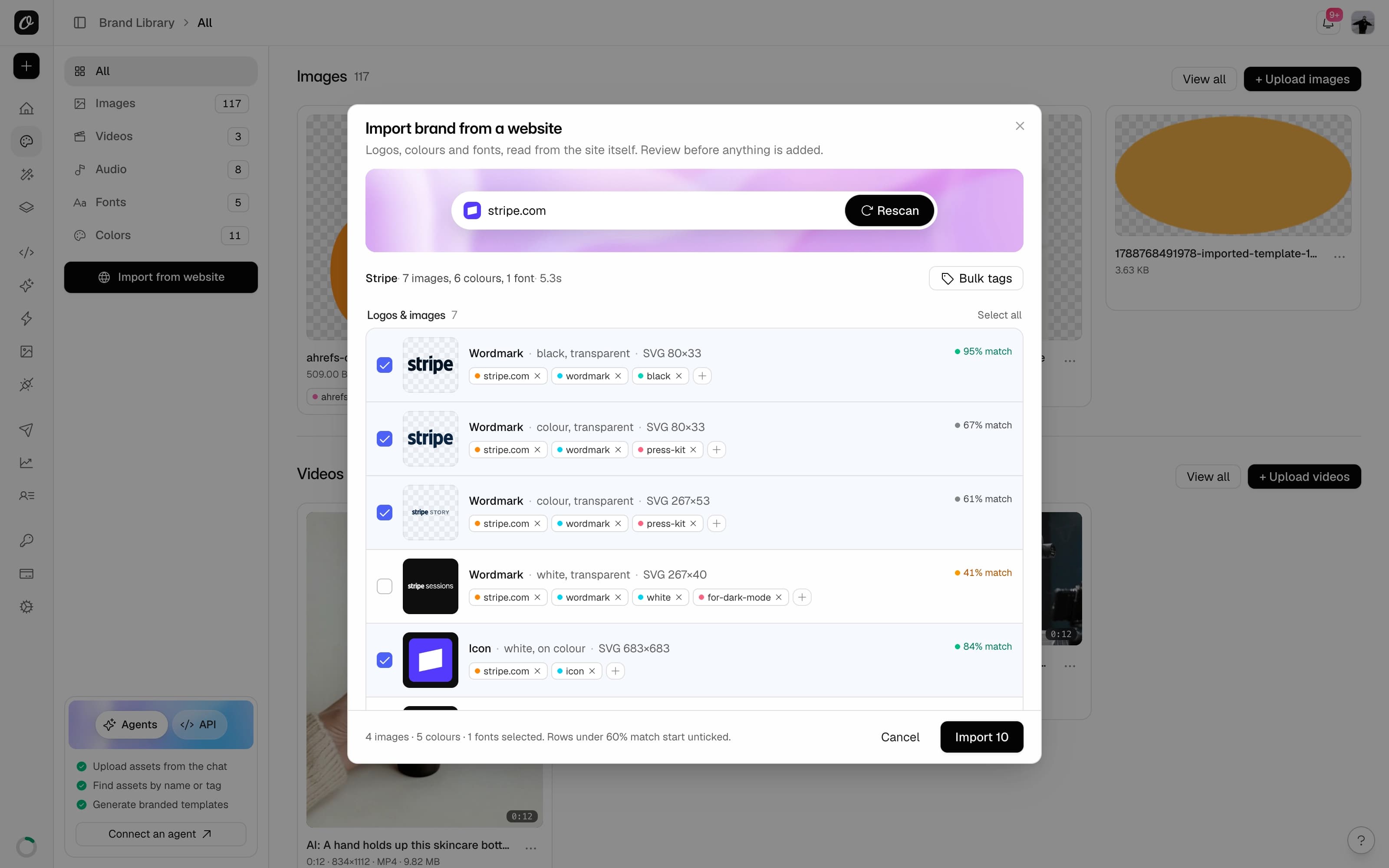
Importing a brand from a website. You approve every item.
Upload anything
Logos, colors, fonts, videos and audio. Tagged and searchable.
Use in any template
Change a logo once. Every render updates.
Import from your website
Paste a URL. Get logos, colors and fonts in one click.
Manage via API and agents
Upload, search and update from your code, Claude, ChatGPT or Cursor.
One place for everything your brand needs.
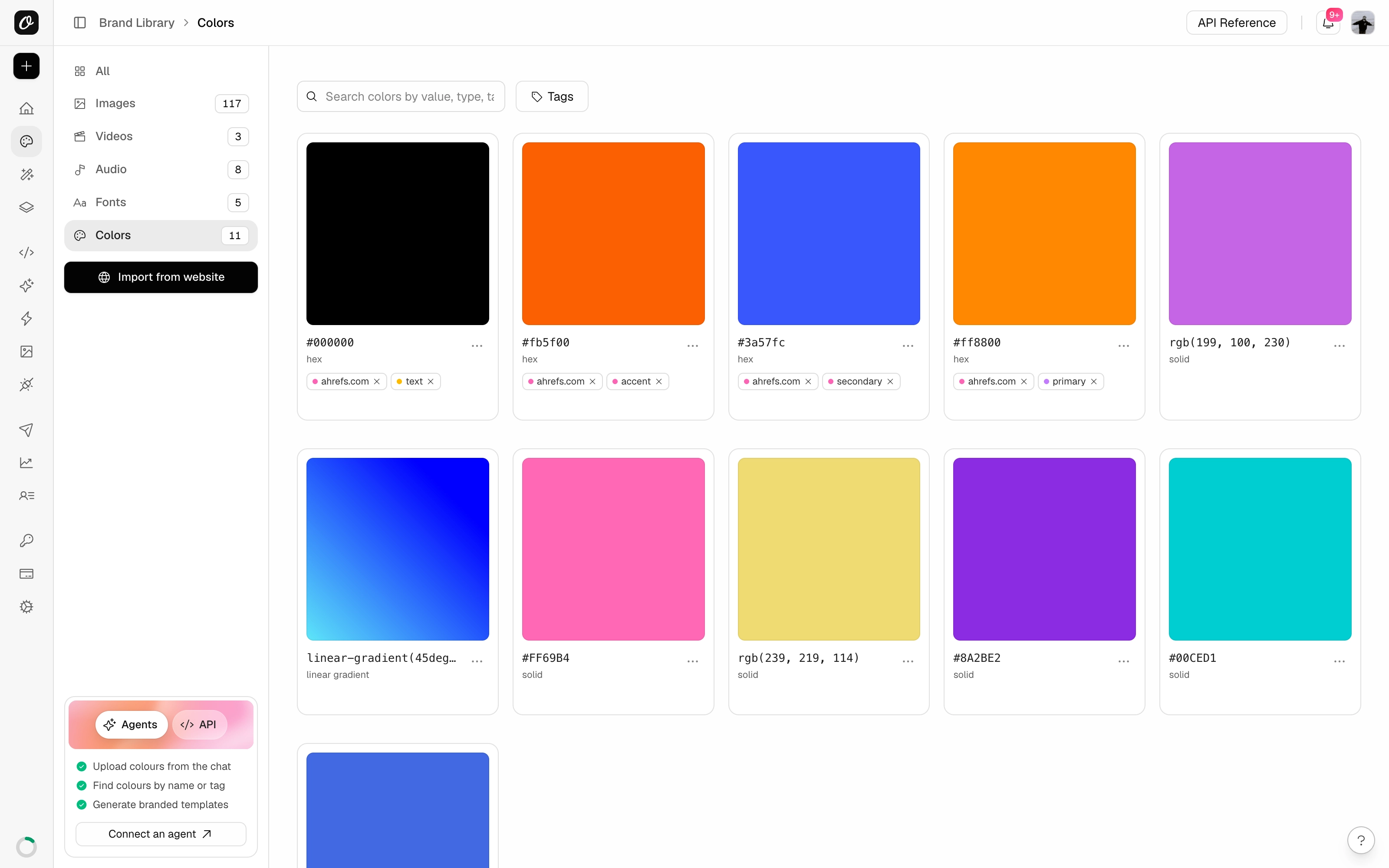
Upload logos, colors, fonts, videos and audio. Tag them, search them, share them with the team.
- Images in PNG, JPEG, WebP, SVG and GIF
- Colors as hex, RGB or gradients
- Fonts in OTF, TTF or WOFF
- Videos up to 60 MB, plus audio for music and voiceovers
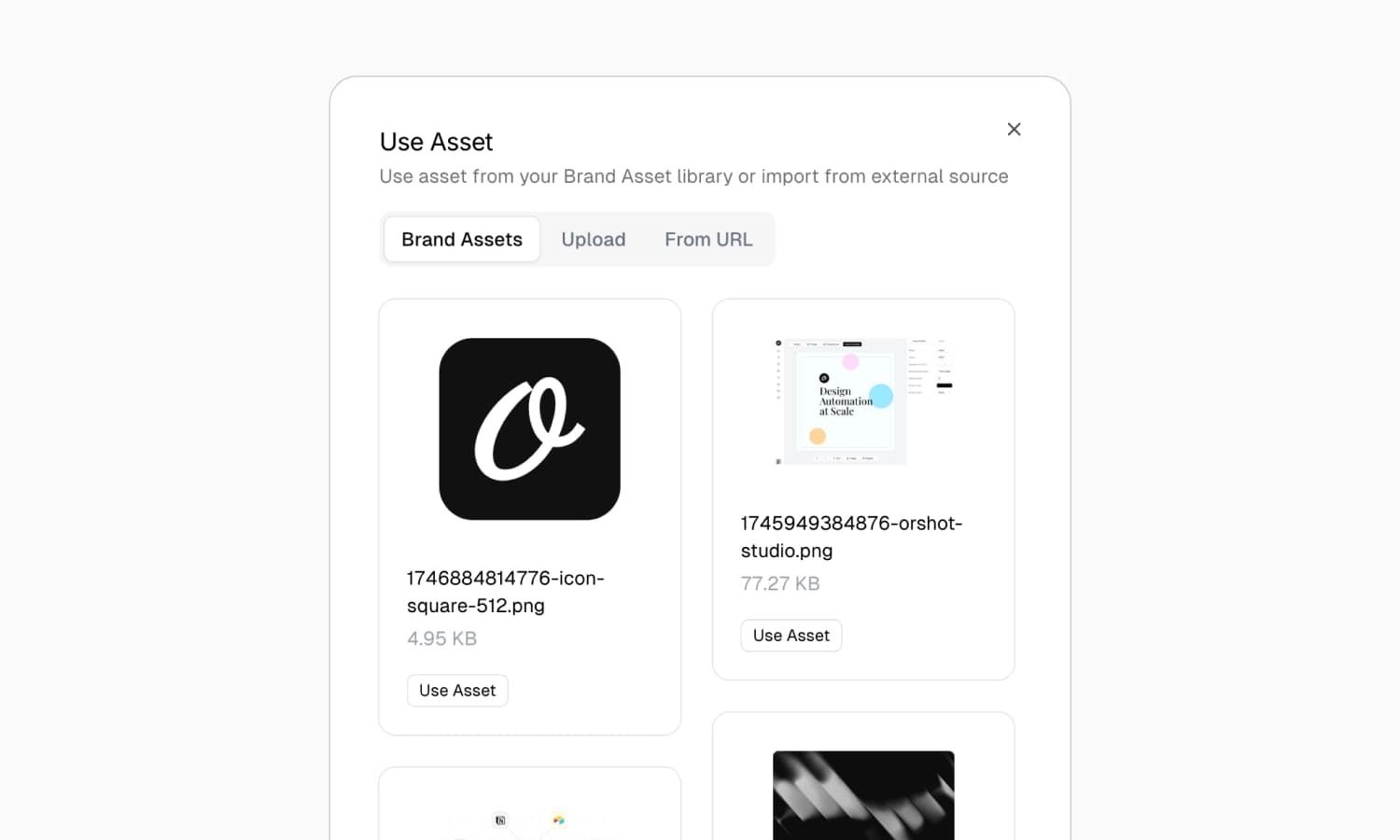
Use them in any template.
Pick from the library inside the editor. Every template pulls from the same place, so nothing drifts off brand.
- Insert any asset with one click in Studio
- Your fonts work in the editor and in PDFs
- Change a logo once, every render updates
- Brand videos and audio in video templates
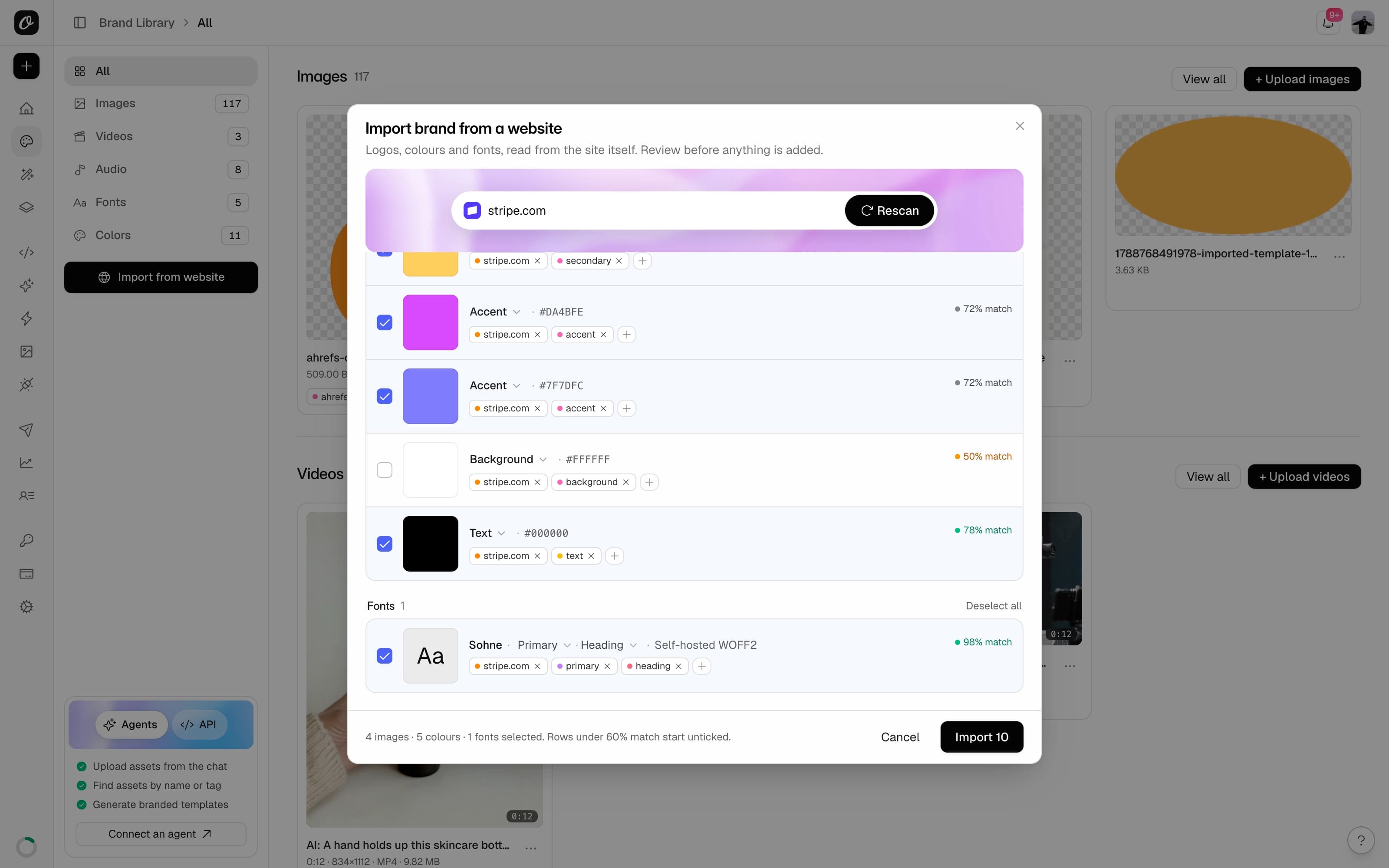
Or paste your website. Get a brand kit back.
Orshot reads your site and pulls in the logo, colors and fonts. You approve every item before it is added.
- Logos in light and dark versions
- Colors sorted by role: primary, secondary, accent
- The real fonts from the site, not guesses
- One click undoes the whole import
Manage it from your code.
A full API for every asset type. Upload, search, update and delete from your own app or pipeline.
- Upload images, fonts, videos, audio and colors
- One search call across every asset type
- Update tags and delete by id
- SDKs for Node.js, Python, PHP and Ruby
- Upload imagePOST/v1/brand-assets/images/add
- Upload fontPOST/v1/brand-assets/fonts/add
- Upload videoPOST/v1/brand-assets/videos/add
- Upload audioPOST/v1/brand-assets/audio/add
- Add colorPOST/v1/brand-assets/colors/add
- Search everythingGET/v1/brand-assets/search
- Update tagsPATCH/v1/brand-assets/images/update/:id
- DeleteDELETE/v1/brand-assets/images/delete/:id
Or just ask an agent.
Connect Claude, ChatGPT, Cursor or any MCP client through Orshot for agents. Then manage your brand in plain words.
- Upload a logo or import a whole brand from the chat
- Find any asset by name or tag
- One workspace per agent, so client brands stay separate
- Then ask it to render with those assets





- Import our brand from acme.com.
- Upload this logo and tag it dark-mode.
- What is our primary color?
- Render the launch post with the new logo.
Tags and search
Tag every asset. Find it by name, tag or type.
Custom fonts in PDFs
Your fonts render exactly right, even in long PDFs.
Video and audio
Keep intros, clips, music and voiceovers here. Videos up to 60 MB.
Search API
Find any asset by type or tag in one call.
Confidence scoring
Every imported item shows how sure Orshot is it belongs to your brand.
Light and dark variants
Dark-mode and light-mode logos are kept apart and tagged.
Undo an import
One click removes everything an import added. Good for seven days.
Per-workspace isolation
One library per workspace. Client brands never mix.