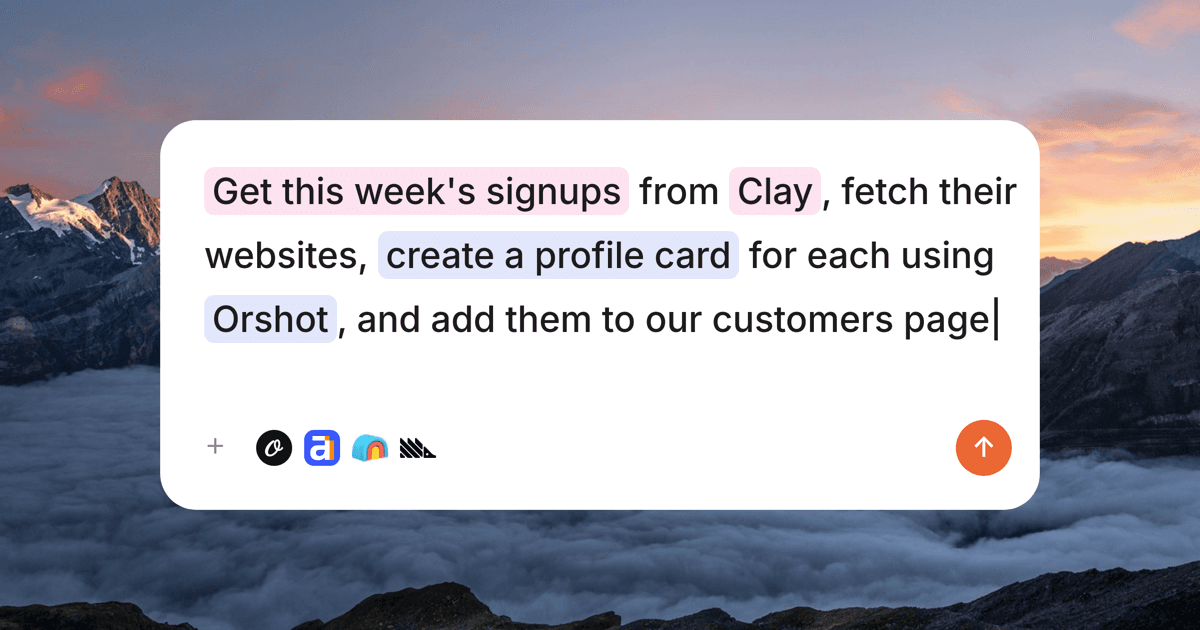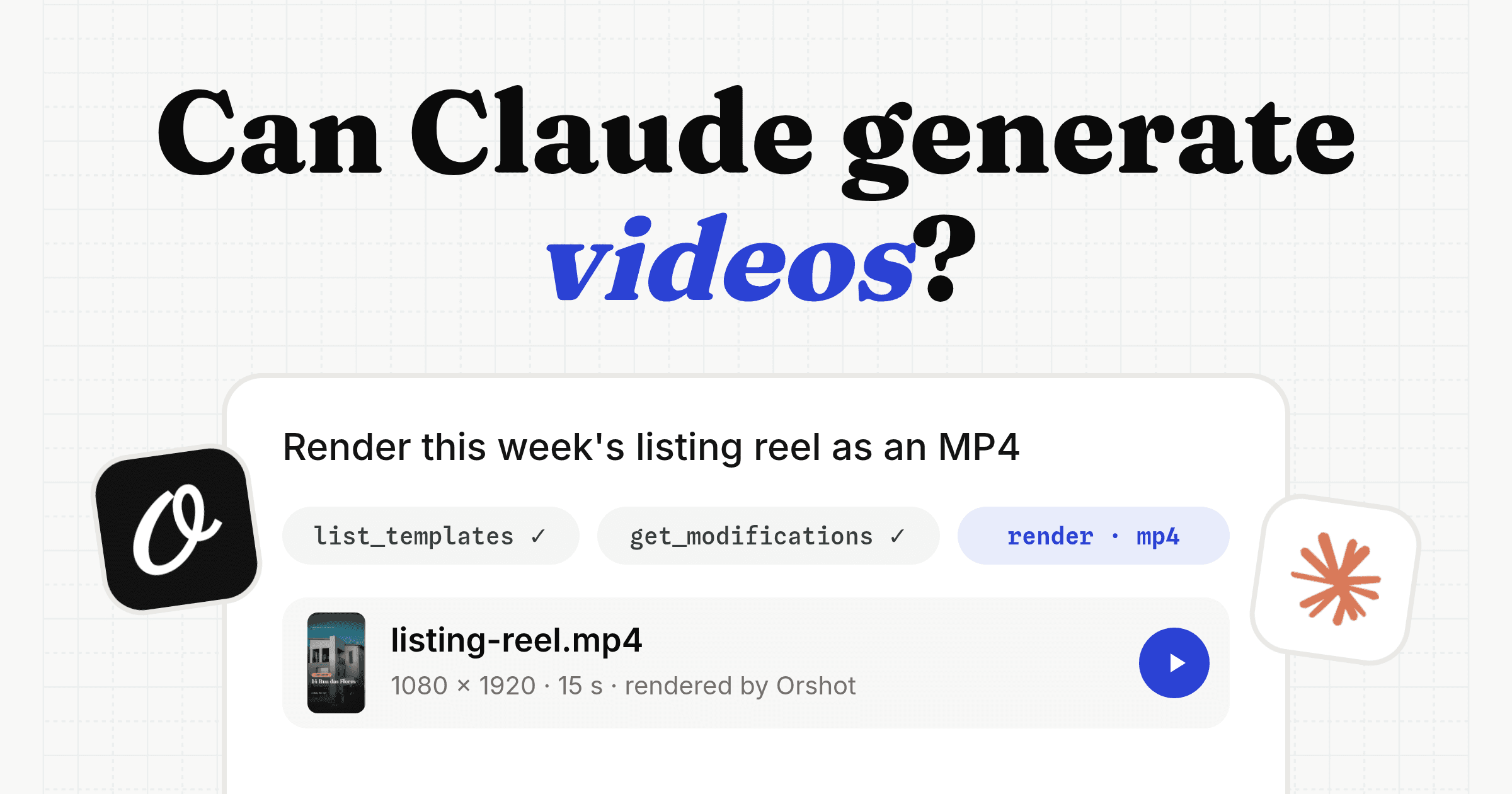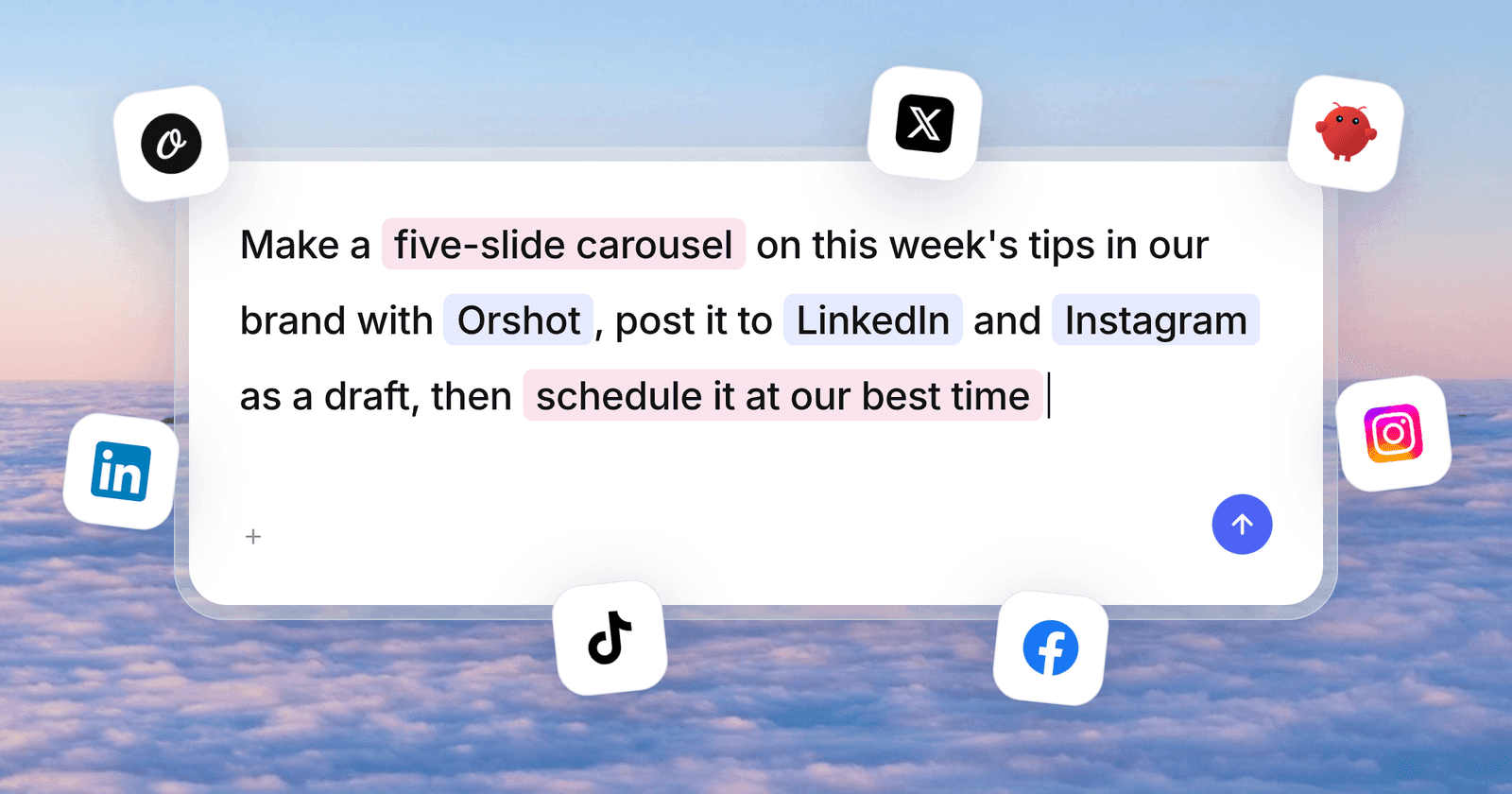
To connect Claude to Instagram, add Orshot, an Instagram MCP server, as a connector in claude.ai or Claude Code. Claude can then create carousels, reels and more, and post them to your social accounts or save them as drafts.
Below is the exact prompt, the template it made and every screen from my run on November 5, 2026. Disclosure: I built Orshot.
Set up Orshot so you can design and post to my Instagram, then make my first post.
The whole flow, with screenshots: https://orshot.com/blog/connect-claude-to-instagram.md

1. If the Orshot MCP server isn't connected yet, install it:
 claude mcp add orshot --transport http https://mcp.orshot.com/full
2. Ask me to type /mcp, pick orshot and choose Authenticate, so I can
 log in to Orshot (or sign up free) in my browser. Wait until I say done.
 If orshot isn't listed, tell me to restart Claude Code and paste this again.
3. Make a 4-slide Instagram carousel for Mill Lane Bakery.
 Weekend sourdough is back: country loaf, seeded rye, pre-order by Friday.
 Warm and simple.
4. Save it as an Instagram draft. If no Instagram account is connected yet,
 give me the link to connect one.
The Template Claude Made
This is the carousel template from the prompt above, live. Click through the 4 slides, change a headline, then duplicate it into your own workspace.
The template is the part you keep. Next week Claude only swaps the text and photo, so every post matches the last one.
Connect claude.ai to Instagram in 7 Steps
Connecting claude.ai to Instagram takes about 2 minutes with a custom connector. The same steps work in Claude Desktop.
Step 1: Add Orshot as a custom connector
In claude.ai, open Customize, then Connectors. Click + Add, then Add custom connector.
Name it Orshot and paste this URL. Click Continue and log in to Orshot, or sign up free:
https://mcp.orshot.com/full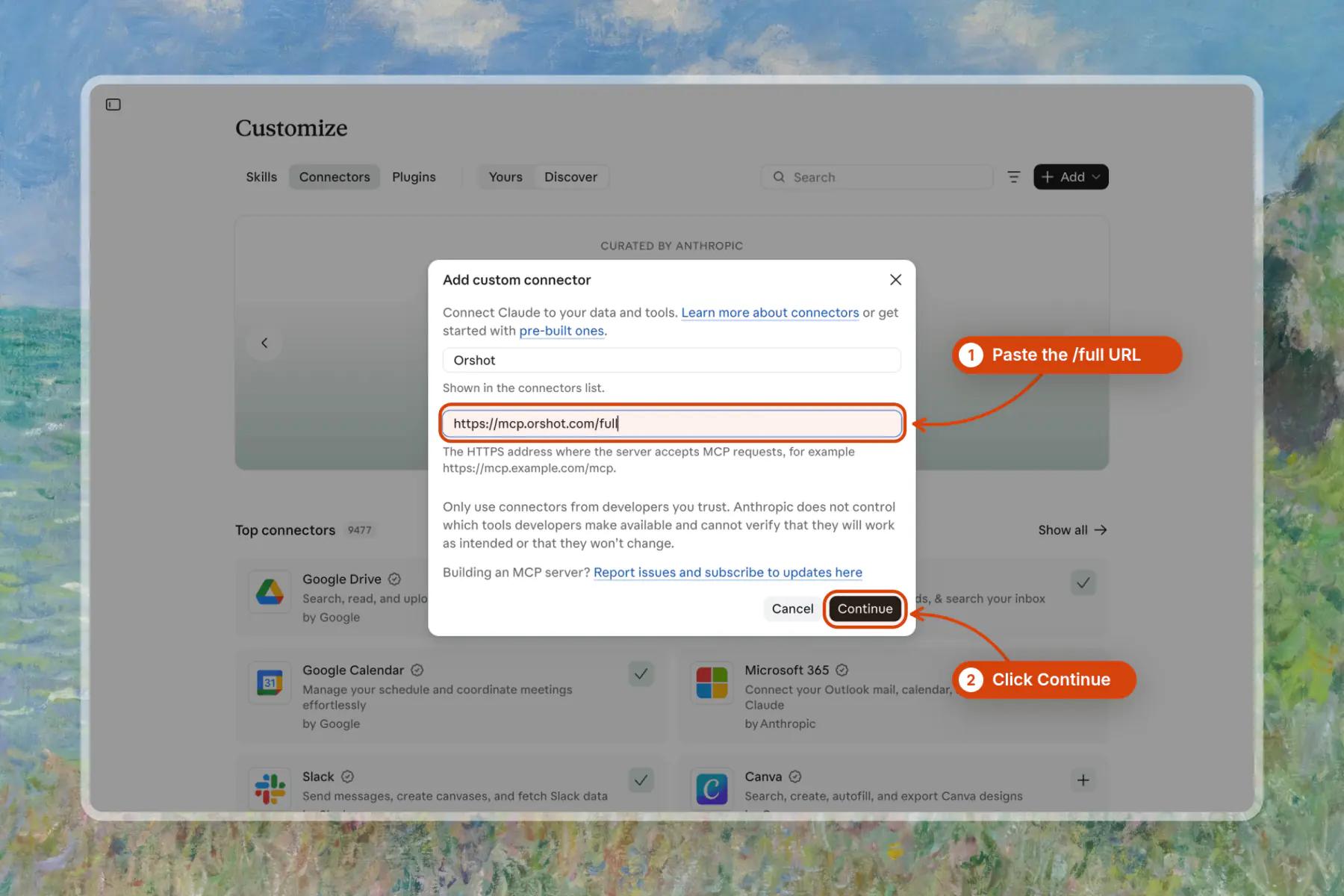
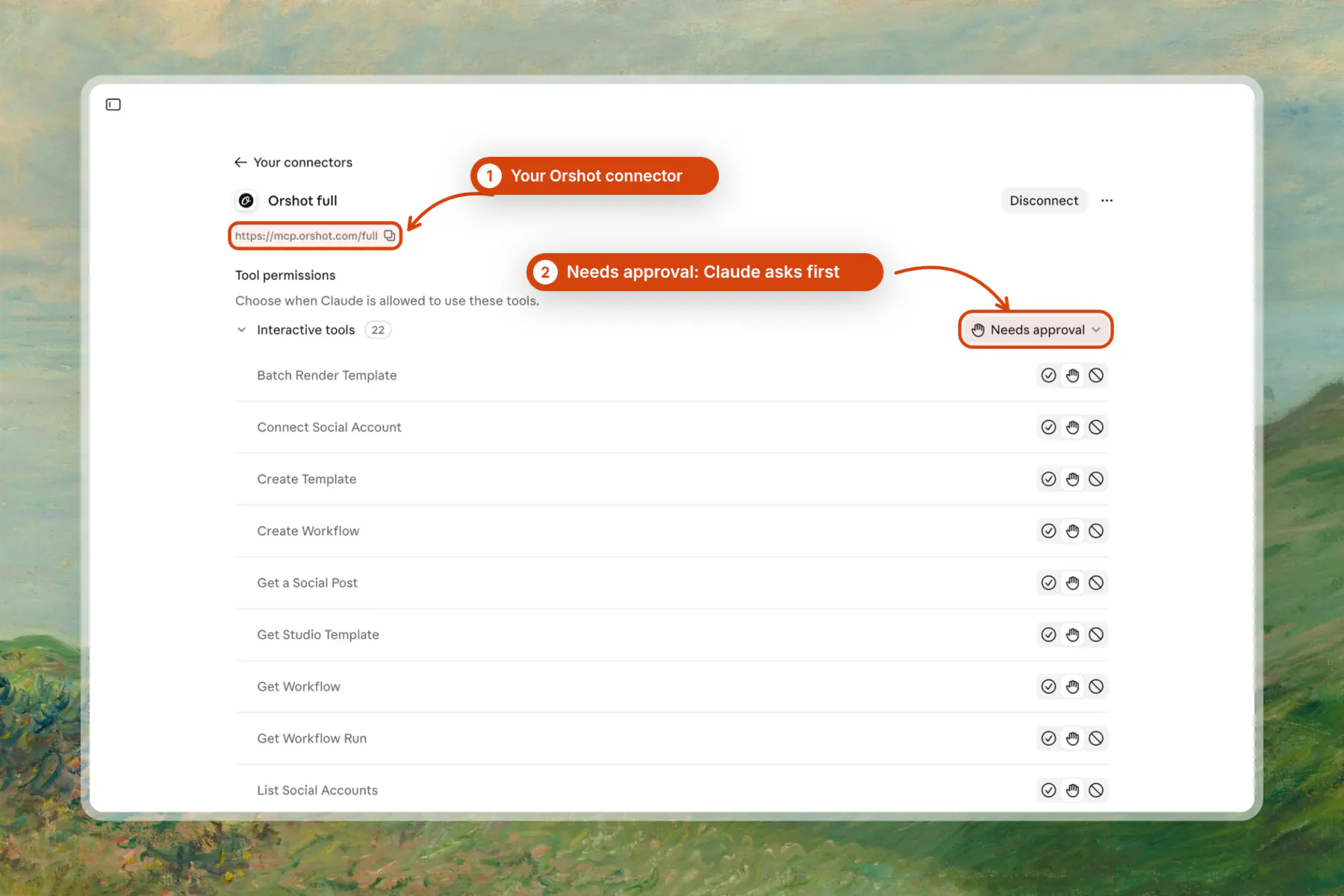
Step 2: Check the tool permissions
The connector page lists every Orshot tool. Leave them on "Needs approval" if you want Claude to ask before each call.
Step 3: Paste the prompt
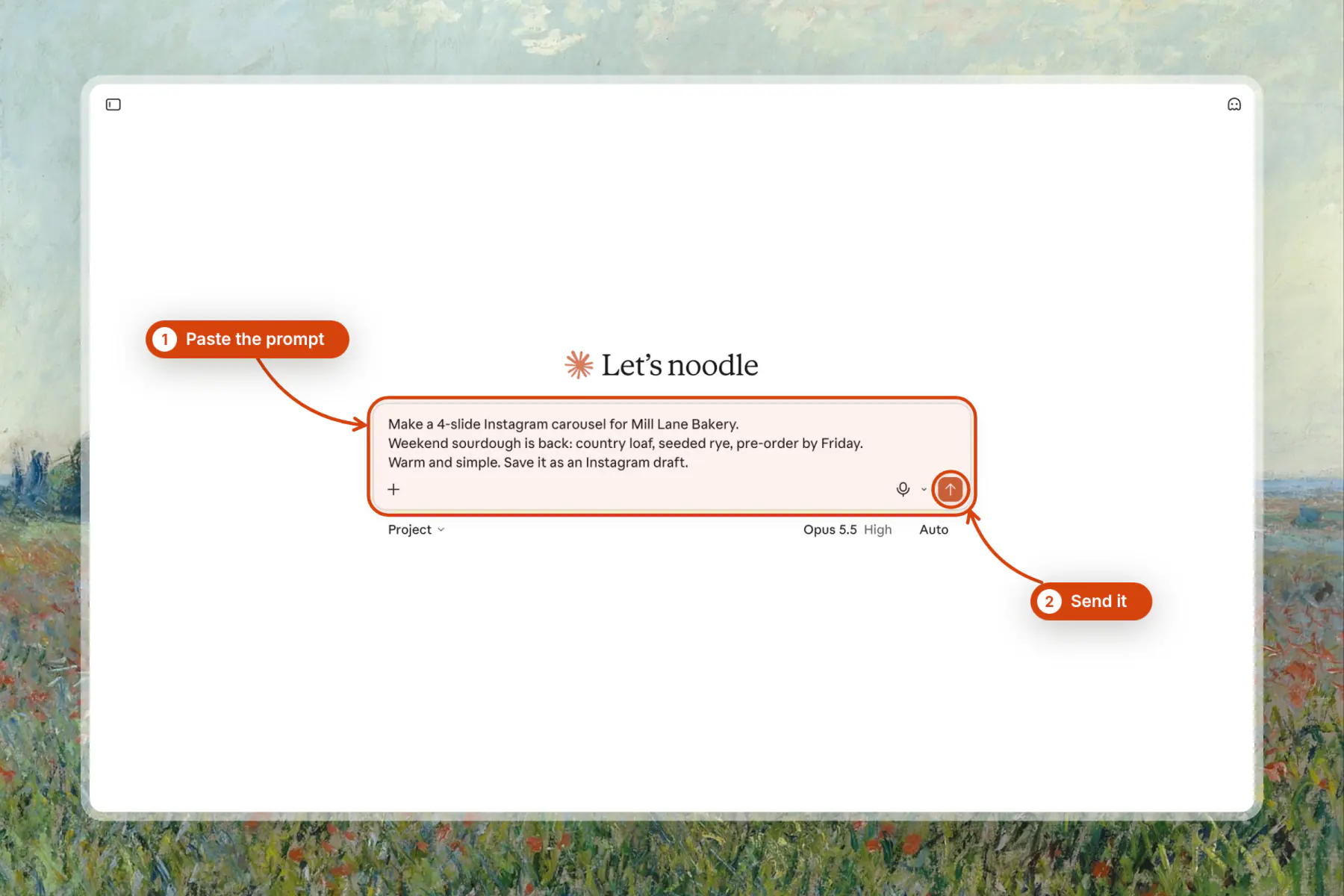
Start a new chat and paste the prompt from the top of this page. Orshot is already connected, so Claude goes straight to the carousel.
If you write your own, name the business, the offer, the slide count and "save it as an Instagram draft".
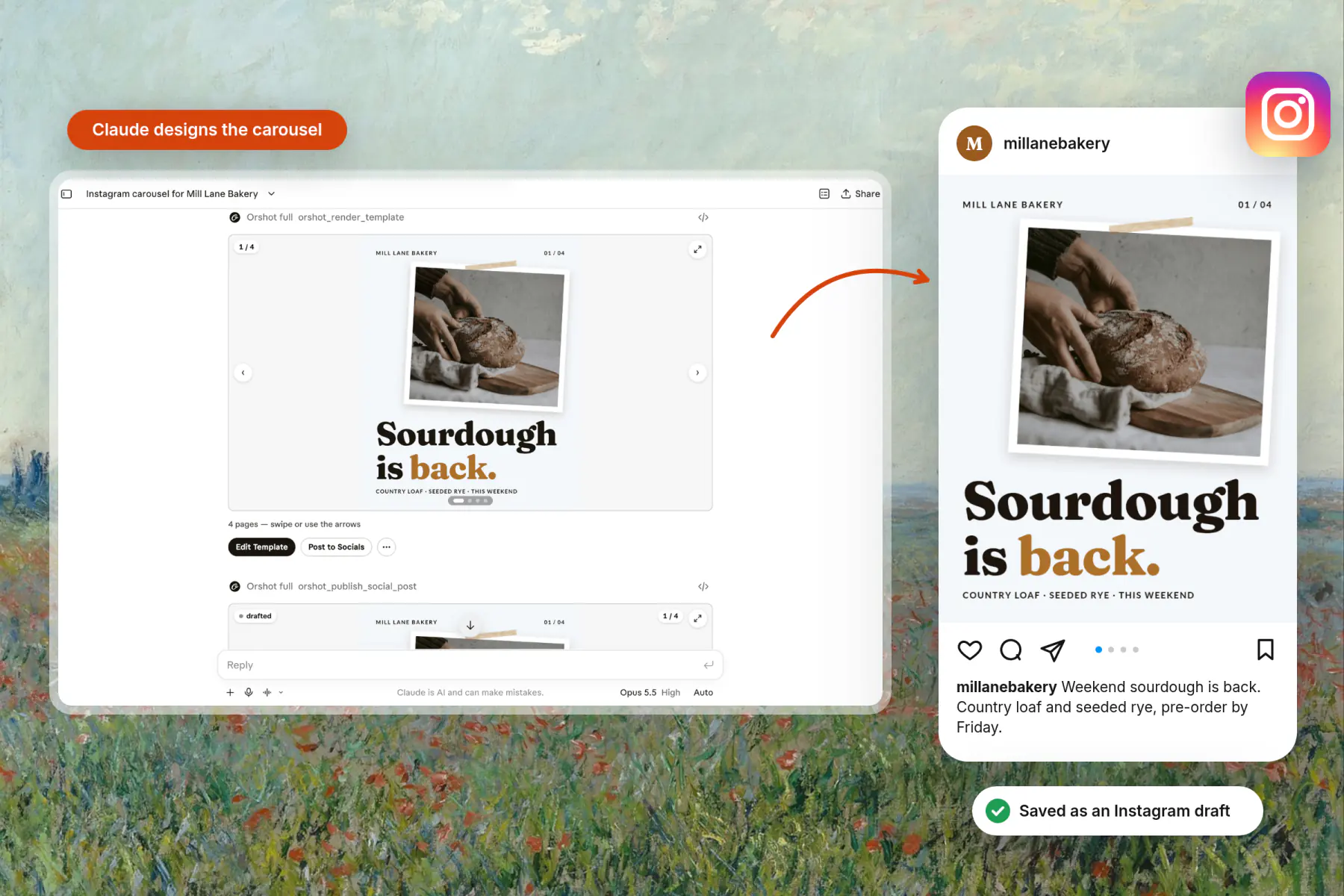
Step 4: Check the slides
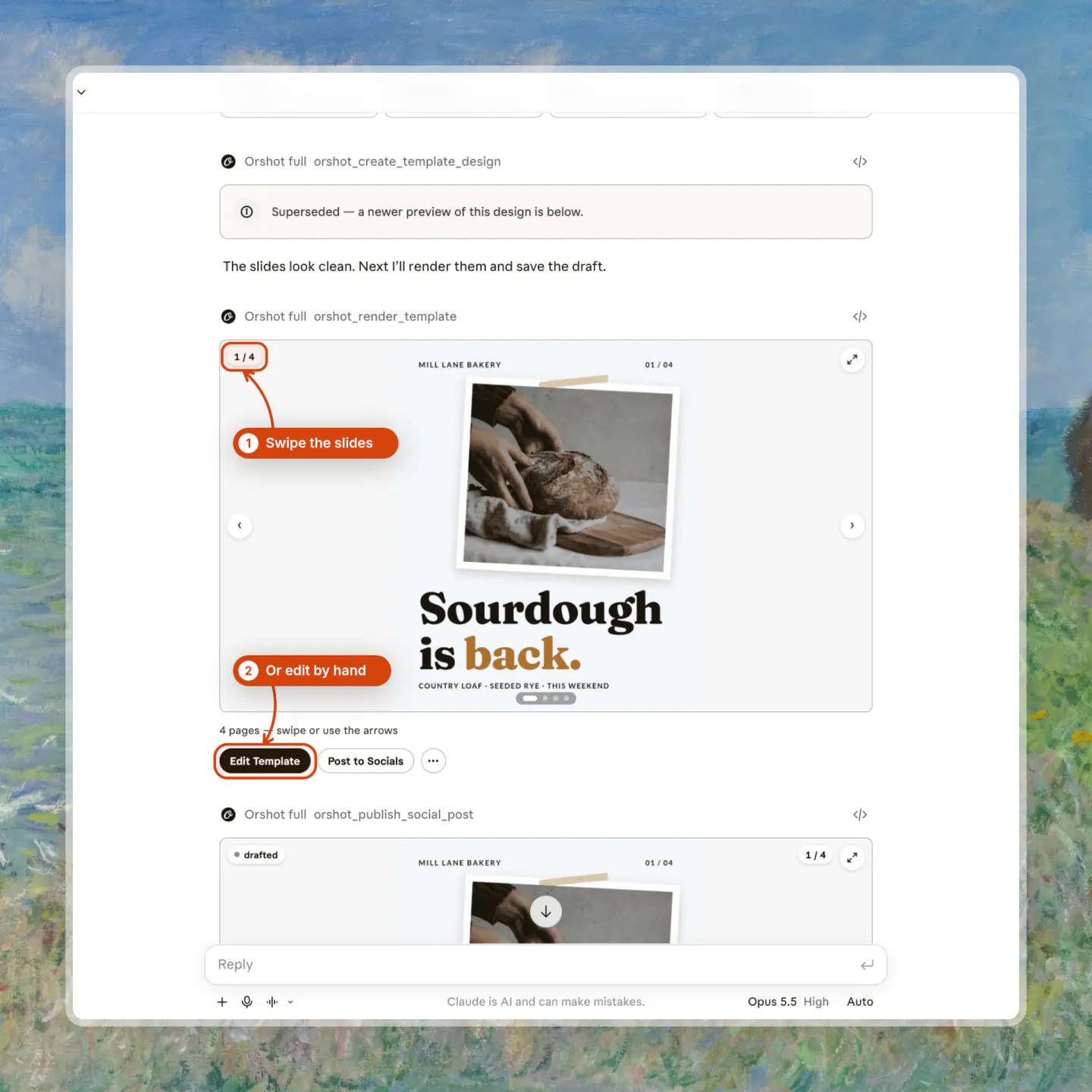
Claude plans the layout, builds the template and shows every slide in a card. In my run the design took about 2 minutes. Ask for fixes in plain words, like "use a rye photo on slide 3".
Step 5: Get the draft
Claude saves the carousel and caption as an Instagram draft in your Orshot workspace. Nothing posts until you say so.
The draft saves even with no Instagram account connected yet, so you can build a week of posts first.
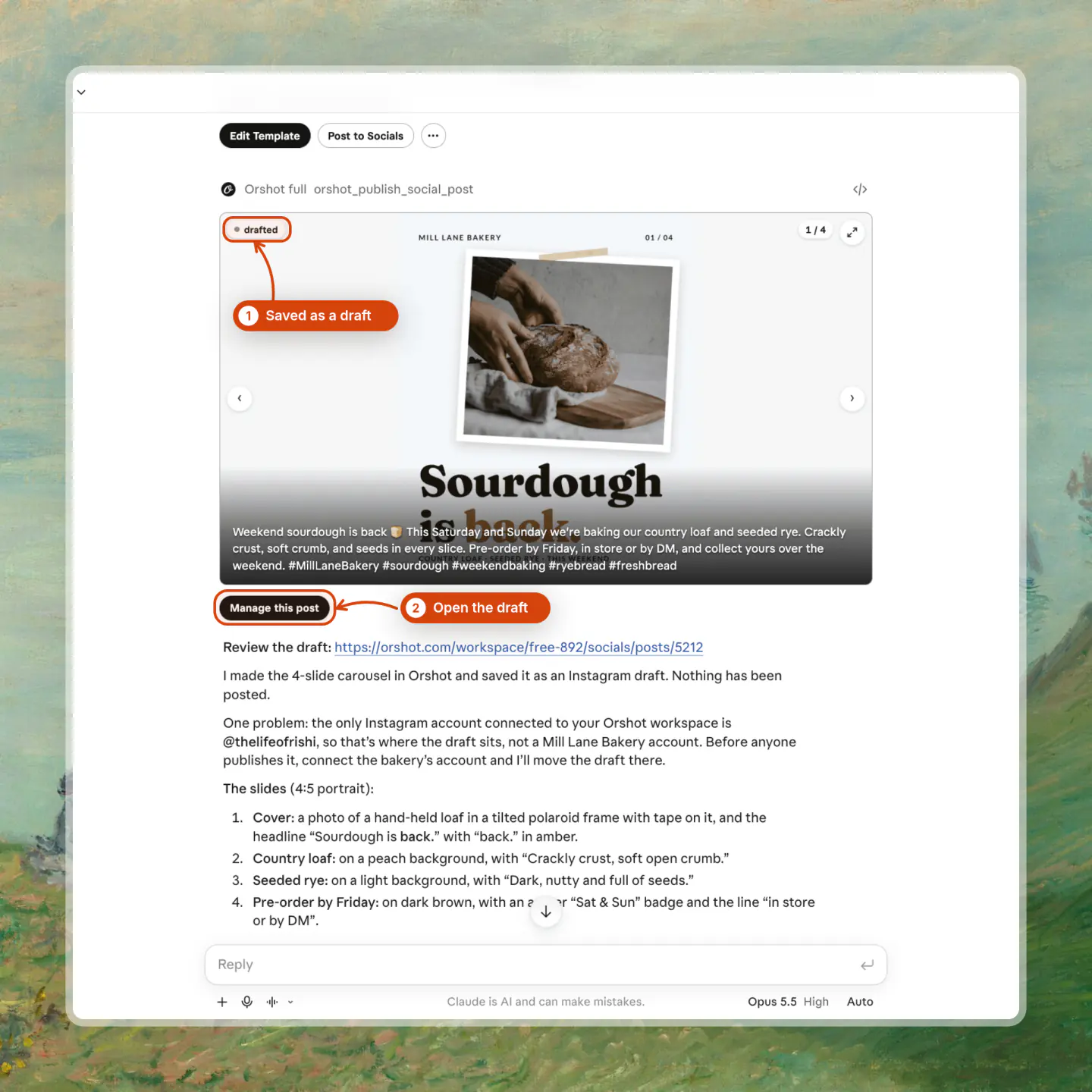
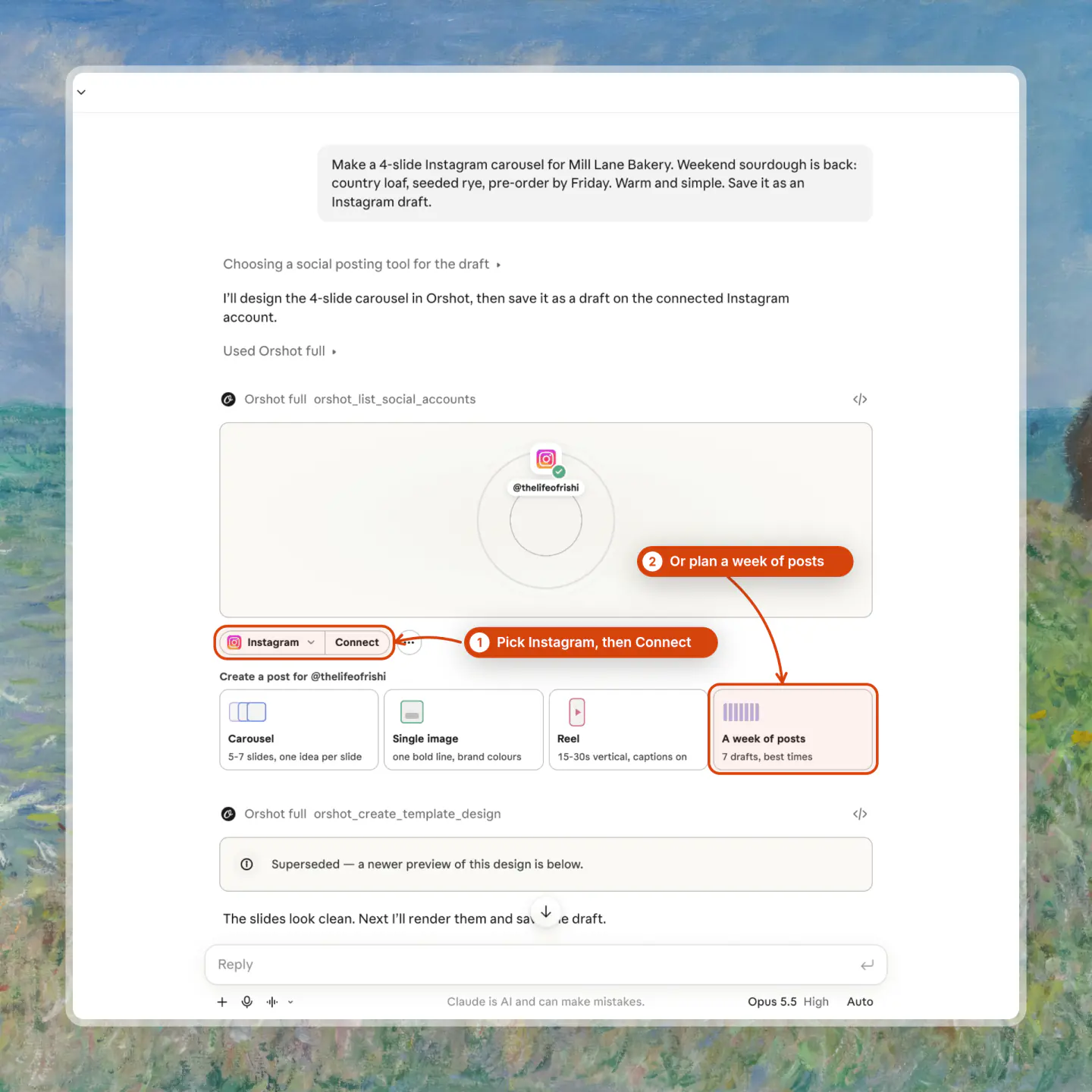
Step 6: Connect Instagram and schedule the post
Ask Claude to connect Instagram. It returns a link, and you log in to Instagram in your own browser, so Claude never sees the password.
Then ask for a day and time, like "schedule it for Friday, December 4 at 9am". Claude moves the draft to scheduled and it goes out on its own at that time.
Say "post it now" only when you want it live right away.
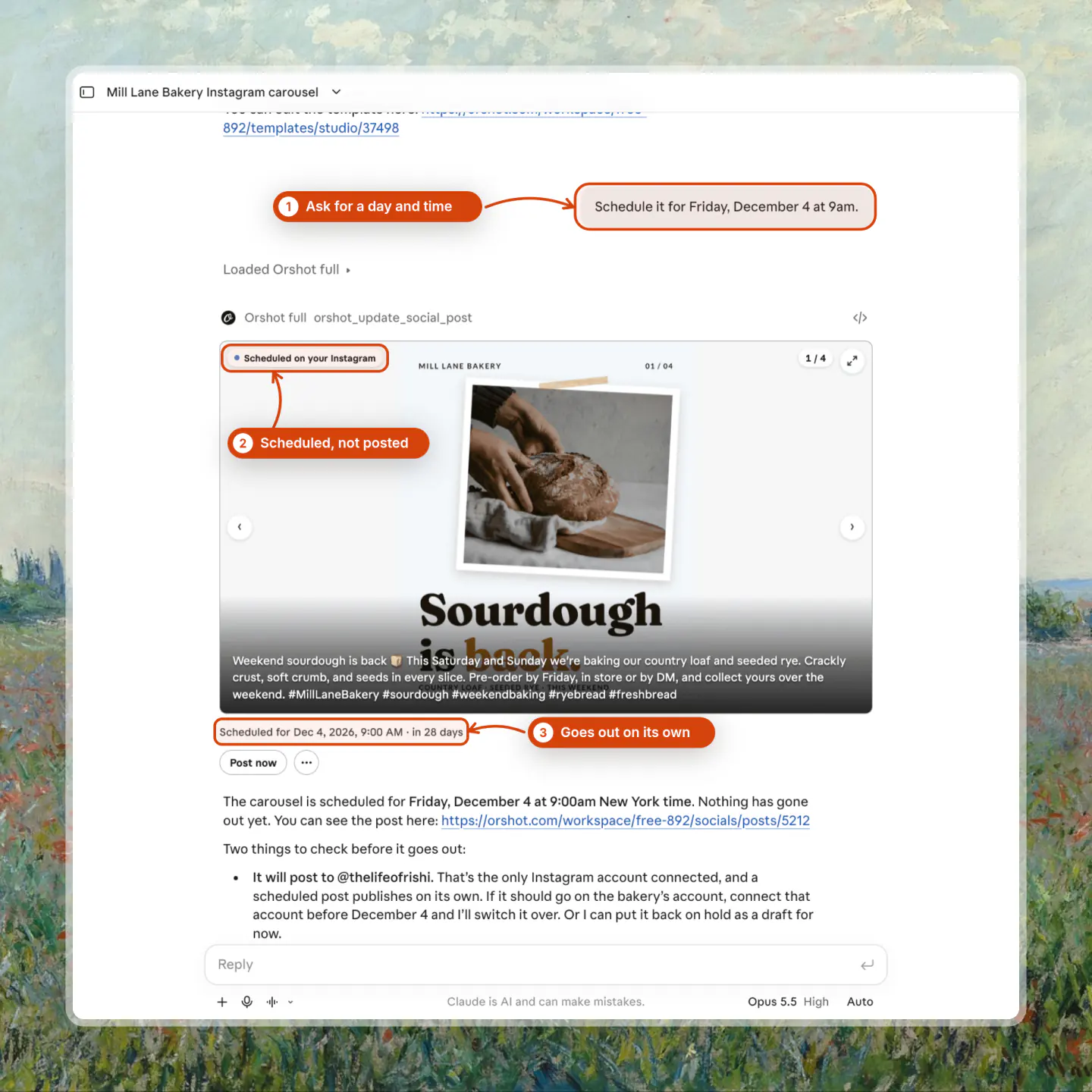
I cancelled this one after the screenshot with "discard it", which works for any scheduled post. Instagram only allows Business or Creator accounts, and connecting one needs a paid Orshot plan.
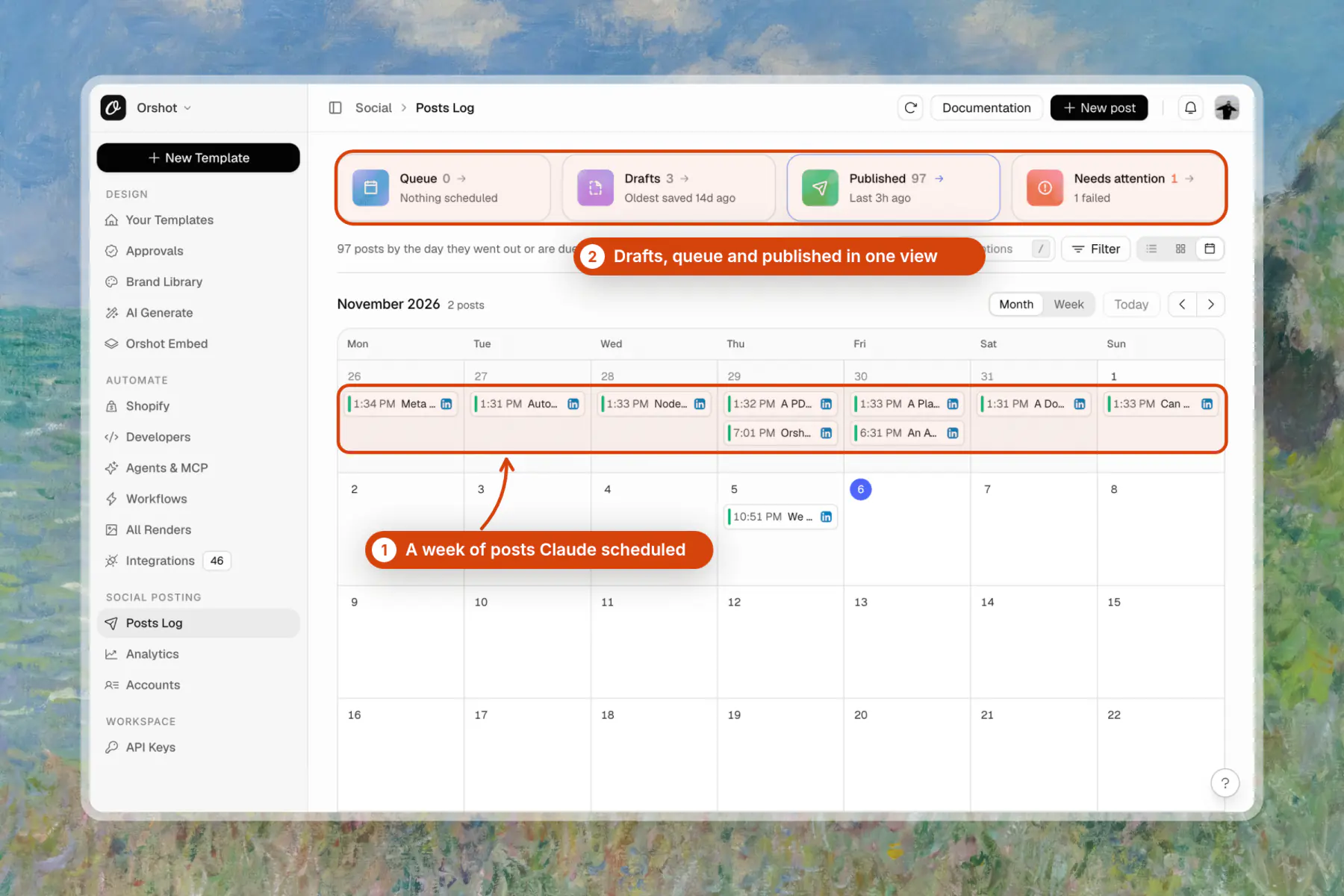
Step 7: See every post in the Orshot calendar
Every post Claude saves also shows up in Orshot's posts calendar. Drafts, the queue and published posts sit in one view, so you can check the week, edit a caption or reschedule without asking Claude.

Make an Instagram Reel from the Same Chat
Claude can make an Instagram Reel with Orshot the same way: a vertical video template with music, rendered as an MP4 and saved as a Reel draft. Ask in the same chat, and name Orshot so Claude uses the connector:
Now make a 15-second Instagram Reel of this with Orshot, with music.
Save it as an Instagram Reel draft.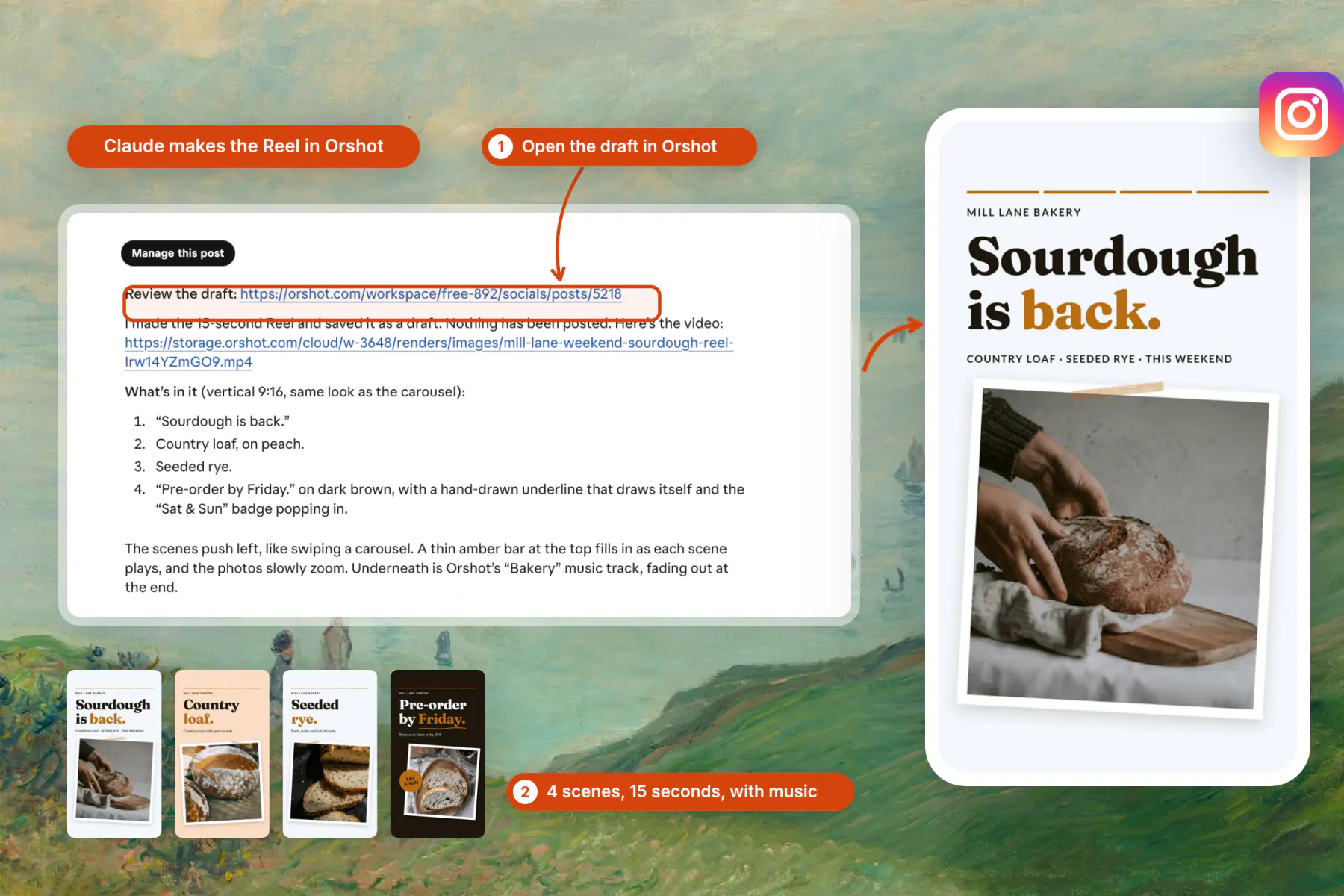
The Reel took one message. Claude reused the carousel's look, added a music track from Orshot's stock library and saved it as a draft, so nothing went live.
Check that the Orshot connector is on in the chat before a video ask. In one chat it was off, so Claude made its own animation instead, which you have to export and upload yourself.
See Which Posts Work
Claude can also read your numbers through Orshot. Ask "which of my posts got the most engagement this month?" and it returns impressions, likes, comments, shares, saves and clicks per post.
The numbers cover posts on your connected accounts, including ones you posted outside Orshot. Ask for the best time to post too, and Claude can schedule next week's posts for those slots.
Or Run It from Claude Code
To connect Claude Code to Instagram, add the same server with one terminal command:
claude mcp add orshot --transport http https://mcp.orshot.com/fullStart claude, type /mcp, pick orshot and choose Authenticate. Orshot opens in your browser, where you log in or sign up free.
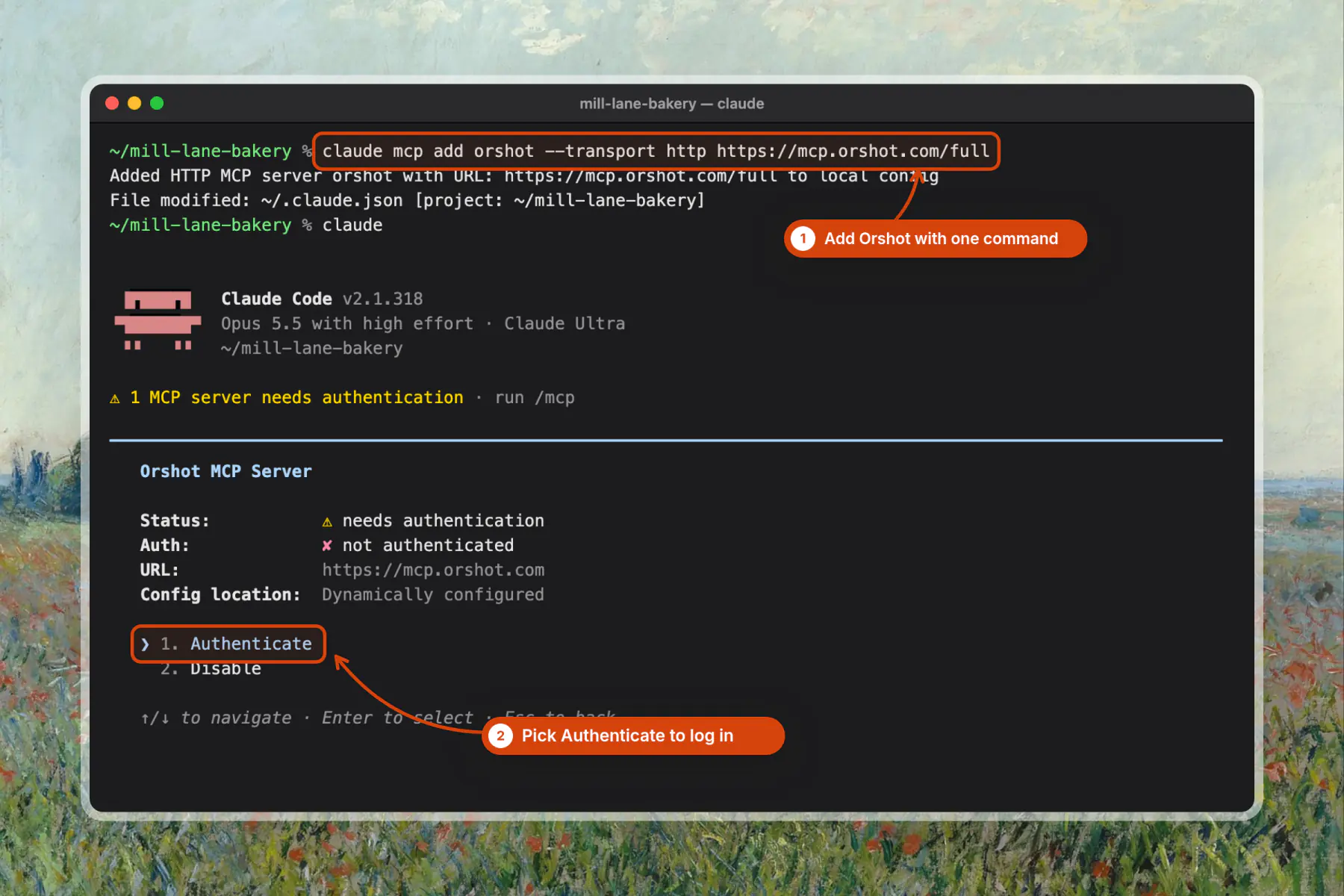
Or skip the command: paste the prompt from the top into Claude Code. Claude Code installs Orshot itself, asks you to log in, then reads this post for the rest of the flow.
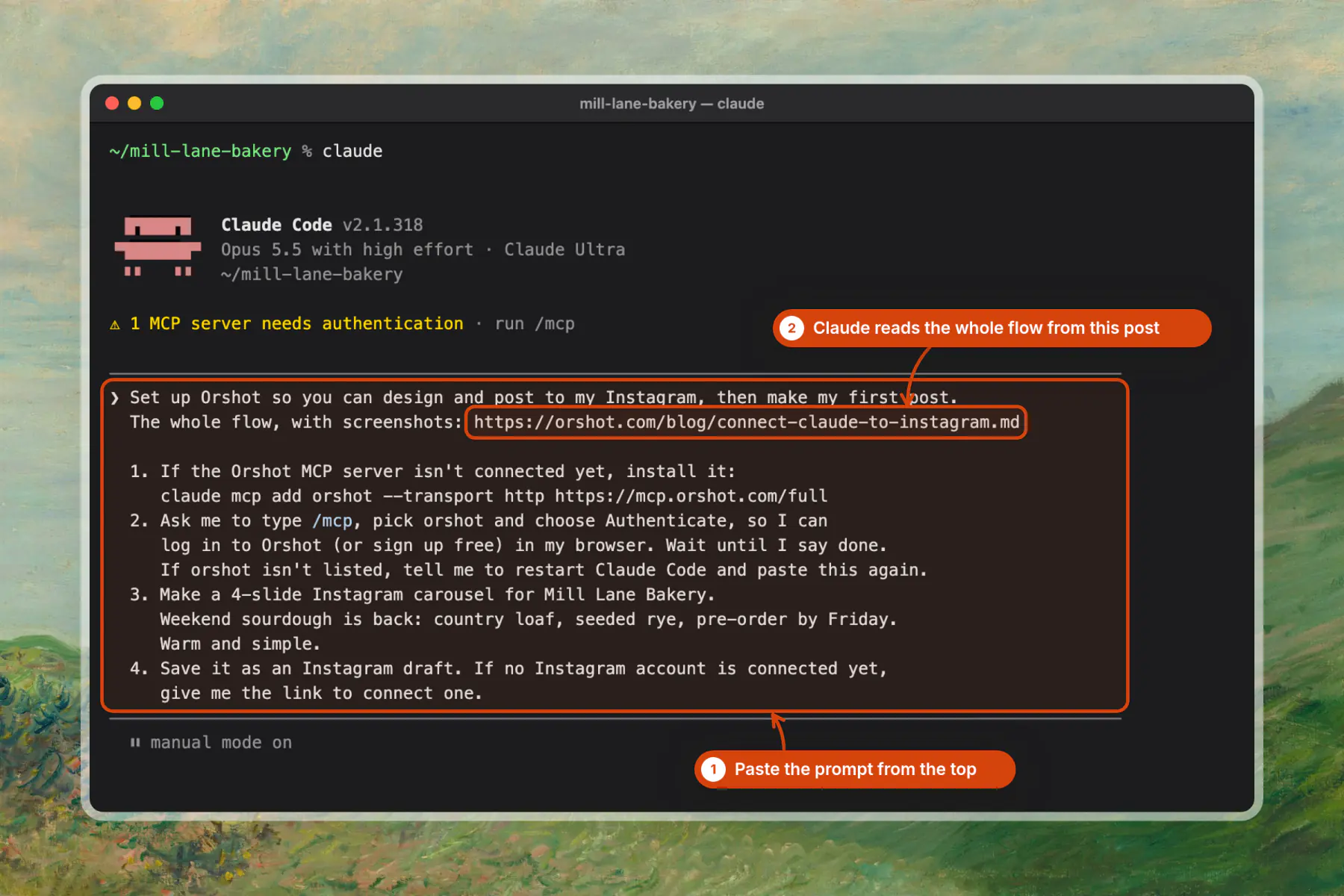
In my Claude Code test, prompt to rendered slides took about 70 seconds.
The Orshot MCP server docs list every tool the /full URL adds.
| Claude app | Orshot URL | What you get |
|---|---|---|
| Claude Code | https://mcp.orshot.com/full | Design, render, Instagram posts, AI images and video |
| claude.ai or Claude Desktop | https://mcp.orshot.com/full | Design, render, Instagram posts, AI images and video |
| Claude connector directory | https://mcp.orshot.com/mcp | Design, render, Instagram posts, no AI tools |
Post Again Next Week in 1 Second
Next week's post is a re-render of the same template, not a new design. My week-2 version rendered in about 1 second because only the headline, meta line and photo changed.
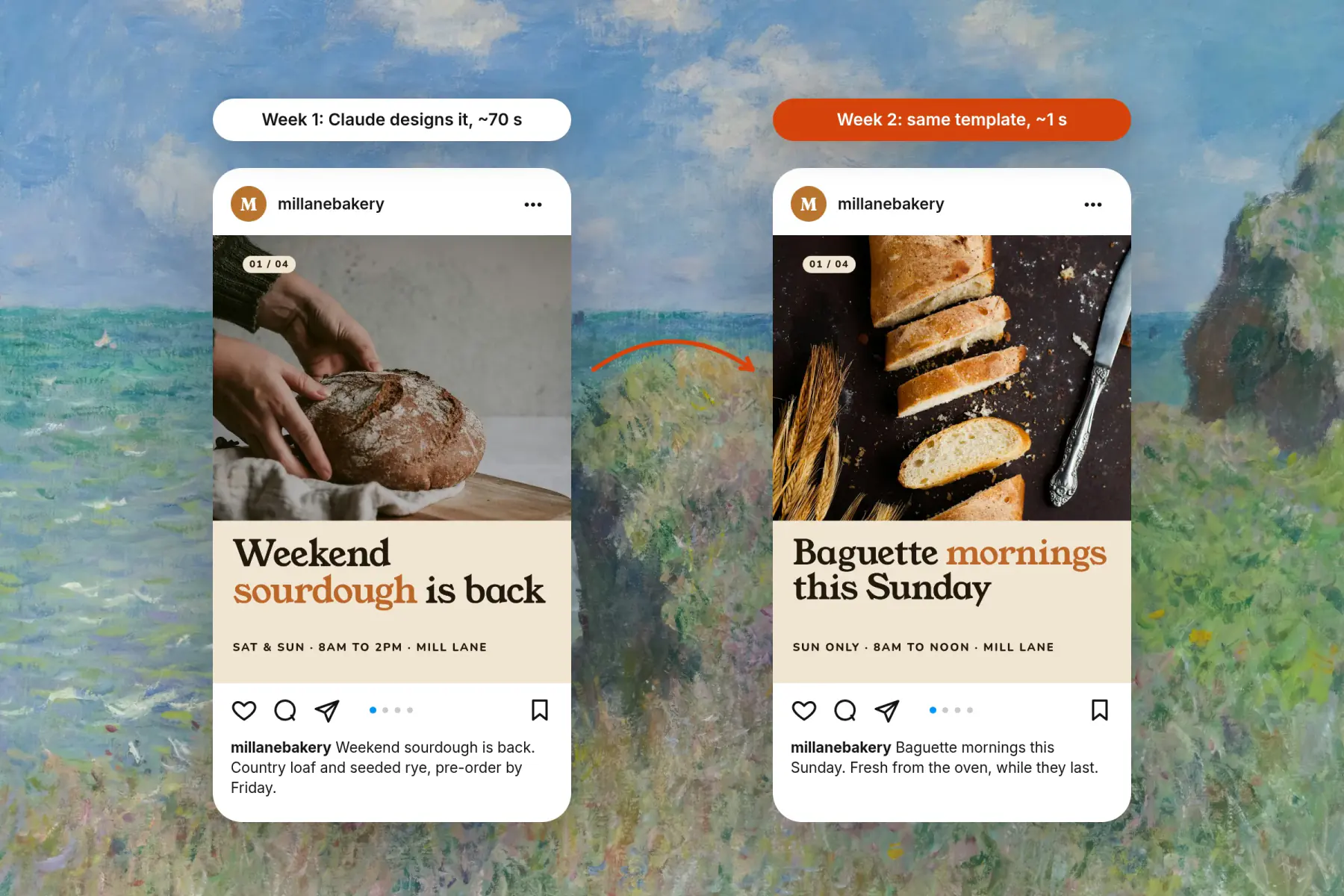
Ask Claude "make next week's post: baguette mornings this Sunday". Or render the same template from a cron job, n8n or a Google Sheet through the API, like the Instagram carousels from Google Sheets tutorial does:
curl -X POST https://api.orshot.com/v1/studio/render \
  -H "Authorization: Bearer $ORSHOT_API_KEY" \
  -H "Content-Type: application/json" \
  -d '{
    "templateId": "<YOUR_TEMPLATE_ID>",
    "modifications": { "page1@headline": "Baguette mornings this Sunday" },
    "response": { "type": "url", "format": "png" }
  }'
Posts We Sent from Claude Code
We post Orshot's own launches this way. On November 5, 2026, Claude Code rendered our Black Friday promo video from an Orshot video template and posted it to our X and LinkedIn in one call.
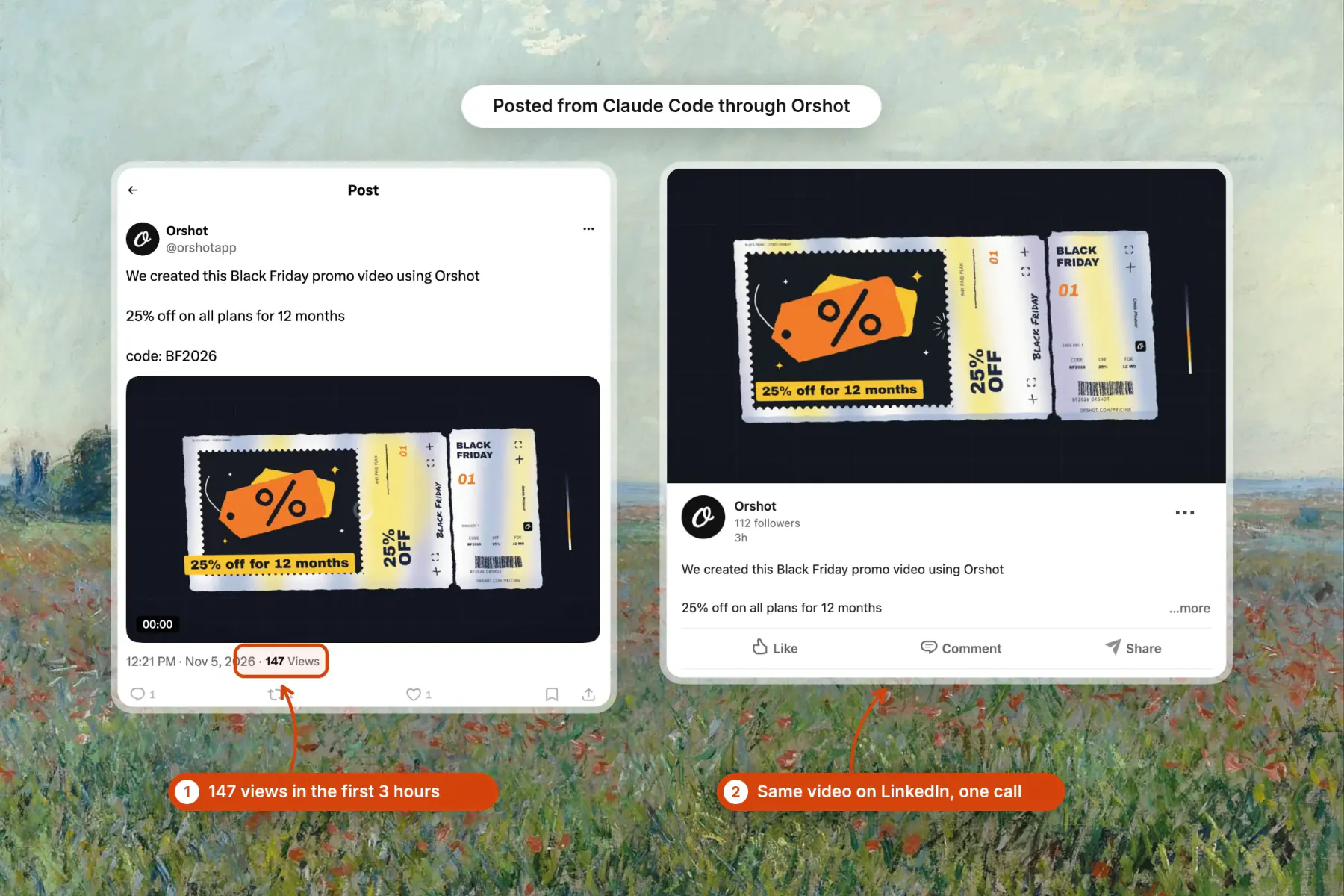
One request sent it to both accounts, and Orshot reports each post's numbers back to Claude. The video is the same kind of template as the Reel above.
Who Posts This Way Already
Cashew.sg, a mortgage advisory in Singapore, runs its Instagram this way. Claude asked for 871 of their 875 renders in their first seven weeks, as the Cashew carousel story shows.
Orshot turned content production from an hour-a-piece design exercise into something that runs off our existing workflow.
Consistent, on-brand, and fast enough that we actually ship daily.
 Roshni MahbubaniGrowth Marketer, Cashew.sg
Instagram Limits to Plan Around
Instagram caps what any connector can send. These limits are from Orshot's social posting guidelines, checked November 5, 2026.
| Limit | Value |
|---|---|
| Images per carousel | 10 |
| Recommended size | 1080 × 1350 px (4:5) |
| Caption length | 2,200 characters, first 125 visible |
| Posts per day | 100 in a rolling 24 hours |
| Account type | Business or Creator only |
Can Claude post directly to Instagram?
Does Claude make Instagram posts?
How can I connect Claude to social media?
Can Claude see my Instagram analytics?
Is connecting Claude to Instagram free?
Does it work with a personal Instagram account?
Can I post images I already made in Canva?
Can Claude schedule a week of Instagram posts?
What is Orshot?
Make Your First Instagram Post from Claude
Copy the prompt at the top, swap in your business and save the carousel as a draft. The setup for every Claude app is on the Orshot for Claude page.
Sign up free to make the draft, then connect Instagram when you're ready to post.