Automated Creative Translation is live in Orshot. Add "translate": "el" to a render request and every text layer in your template is translated before the image, PDF or video renders.
Until now, marketing translation and content localization meant a copy of each template per language, or a translation step bolted onto your n8n or Make workflow. Now it's one field, and it costs 1 AI credit per 100 source words.
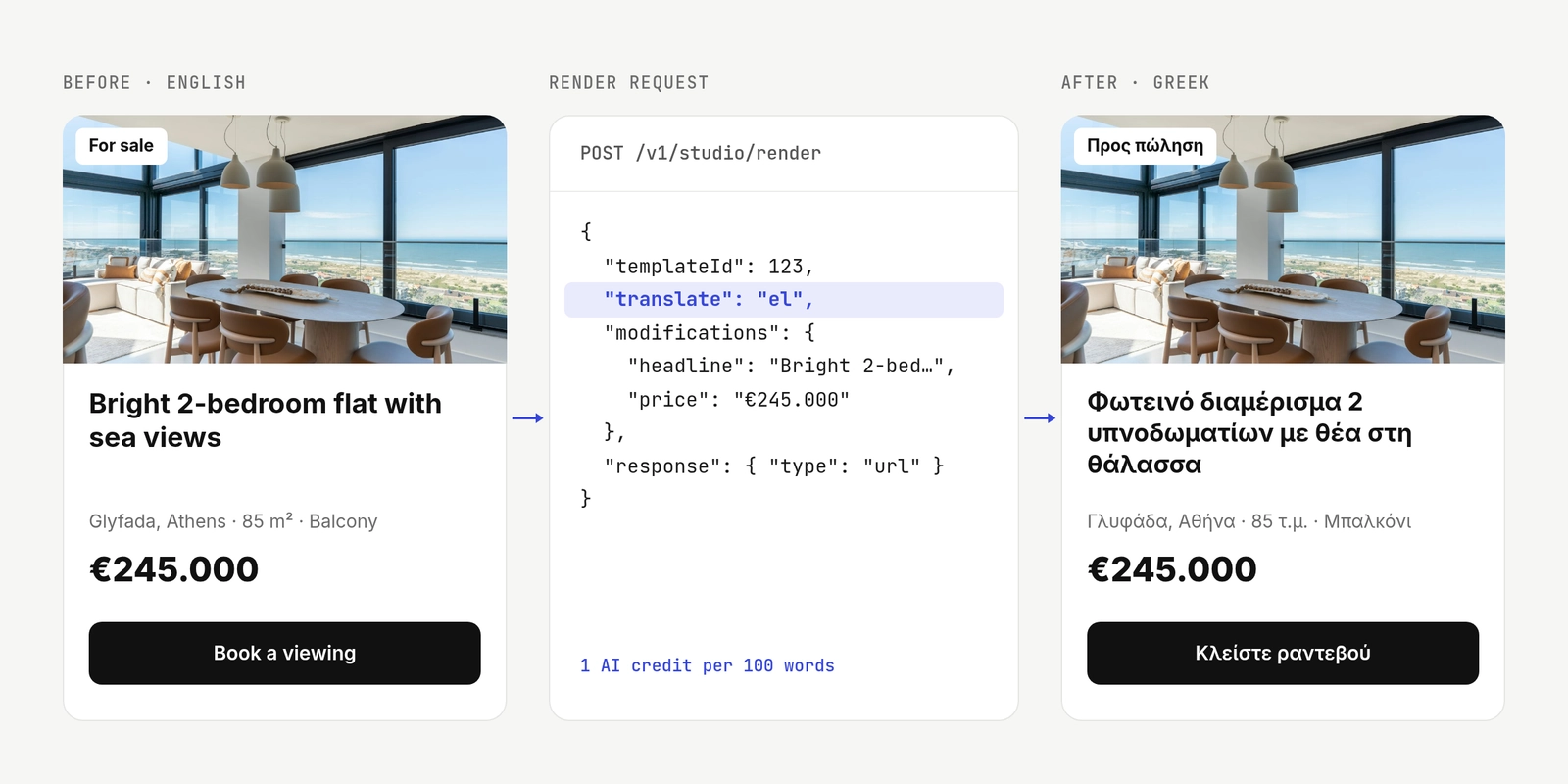
Translate a Listing from English to Greek
My main test was a 95-word real-estate listing, rendered from English into Greek. This is the request:
{
  "templateId": <TEMPLATE_ID>,
  "translate": { "to": "el", "from": "en", "context": "real estate listing" },
  "modifications": {
    "headline": "Bright apartment with sea views",
    "price": "€245.000",
    "agent_name": "Maria Papadopoulou",
    "agent_name.translate": false
  },
  "response": { "type": "url", "format": "png" }
}
The listing came back in Greek with its formatting intact, the price untouched and the agent's name as written. 95 words cost 1 AI credit.
I ran the same listing into Spanish, German, Japanese, Hindi and Thai, and all six kept their formatting.
Translate in the Studio in Three Steps
The Orshot Studio editor has the same translation, for when you want a translated copy to edit by hand.
- A few layers: select text layers, right-click and choose Translate to and a language.
- The whole design: open the template menu and choose Translate Template. It covers every page, the confirm step shows the word count and AI credits before anything is spent, and your last saved version stays in Version history.
- Undo if needed: ⌘Z undoes the whole translation in one step.
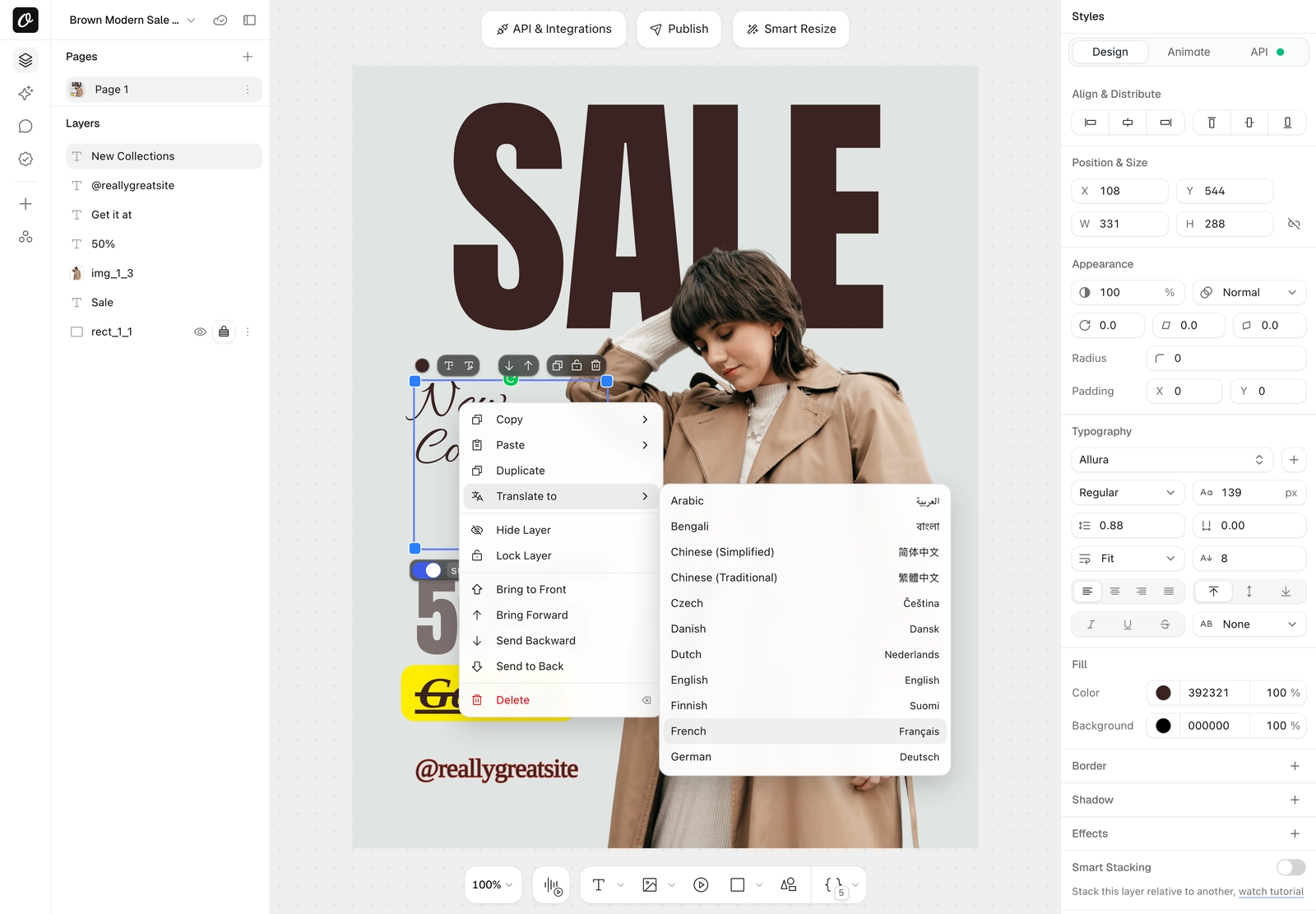
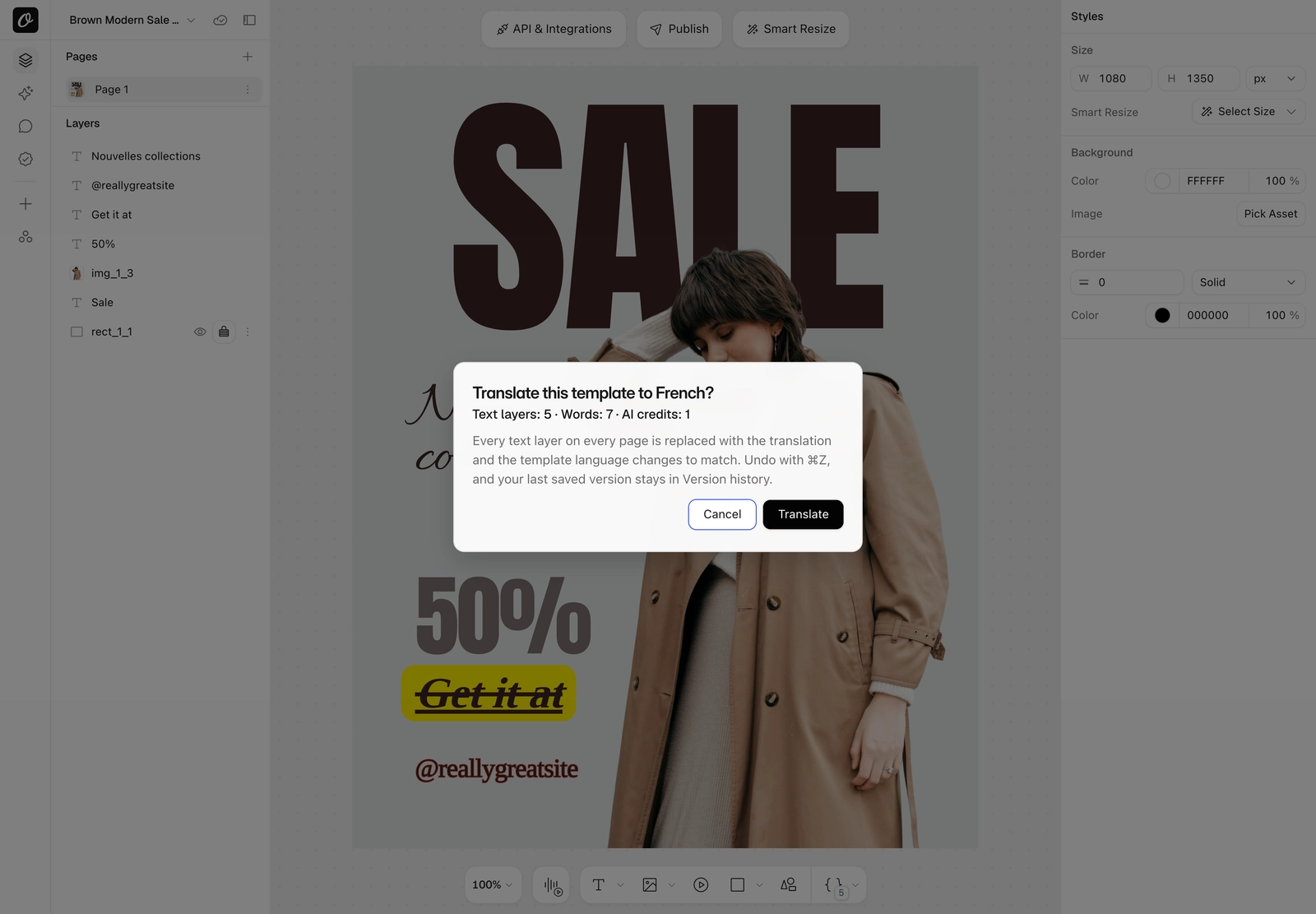

Embedded editors get Translate to too. It spends the workspace's AI credits, so you can switch it off per user or session. The step-by-step guide has screenshots of each step.
Control Translation per Layer in the API
The translate field on POST /v1/studio/render translates every text layer. Per-layer keys in modifications change that for single layers:
| Key | What it does |
|---|---|
"price.translate": false | Keeps that layer as written |
"subtitle.translate": "de" | Sends one layer to a different language |
"page2@title.translate": "hi" | Targets a layer on page 2 |
The object form adds to, from, a context line for industry terms, a glossary and strict.
Regional variants work too, so "to": "es-MX" with "glossary": { "walk-in shower": "regadera tipo walk-in" } gets Mexican Spanish with your wording. Every field is in the translation docs.
Each response adds what the translation used:
"ai": { "type": "text:translate", "words": 142, "wordsCached": 30, "credits": 2 }Layer keys already work as extra modifications in n8n and Make, and agents can pass them in modifications through Orshot for agents. The top-level translate and lang fields arrive with the next integration release.
Set the Text Language Without Translating
lang tells Orshot what language the text is already in, so it renders the way that language writes. Greek capitals drop their accents, Turkish i becomes İ, and Chinese and Japanese use their own character shapes.
Use "lang": "tr" for the whole template or "headline.lang": "tr" for one layer. In the Studio, it's Template Language in the template menu, or the Language setting in a layer's API tab. lang never translates and costs nothing.
What Automated Translation Costs
Orshot charges 1 AI credit per 100 source words, counted across every layer and page of a render, with a minimum of 1.
| What | AI credits |
|---|---|
| Up to 100 words | 1 |
| Each further 100 words | 1 more |
| Same text into the same language again | Free (cached) |
| A translation that fails | Free |
The $39 plan includes 300 AI credits a month, which covers 300 renders of a 100-word ad.
Orshot Studio Now Speaks Greek
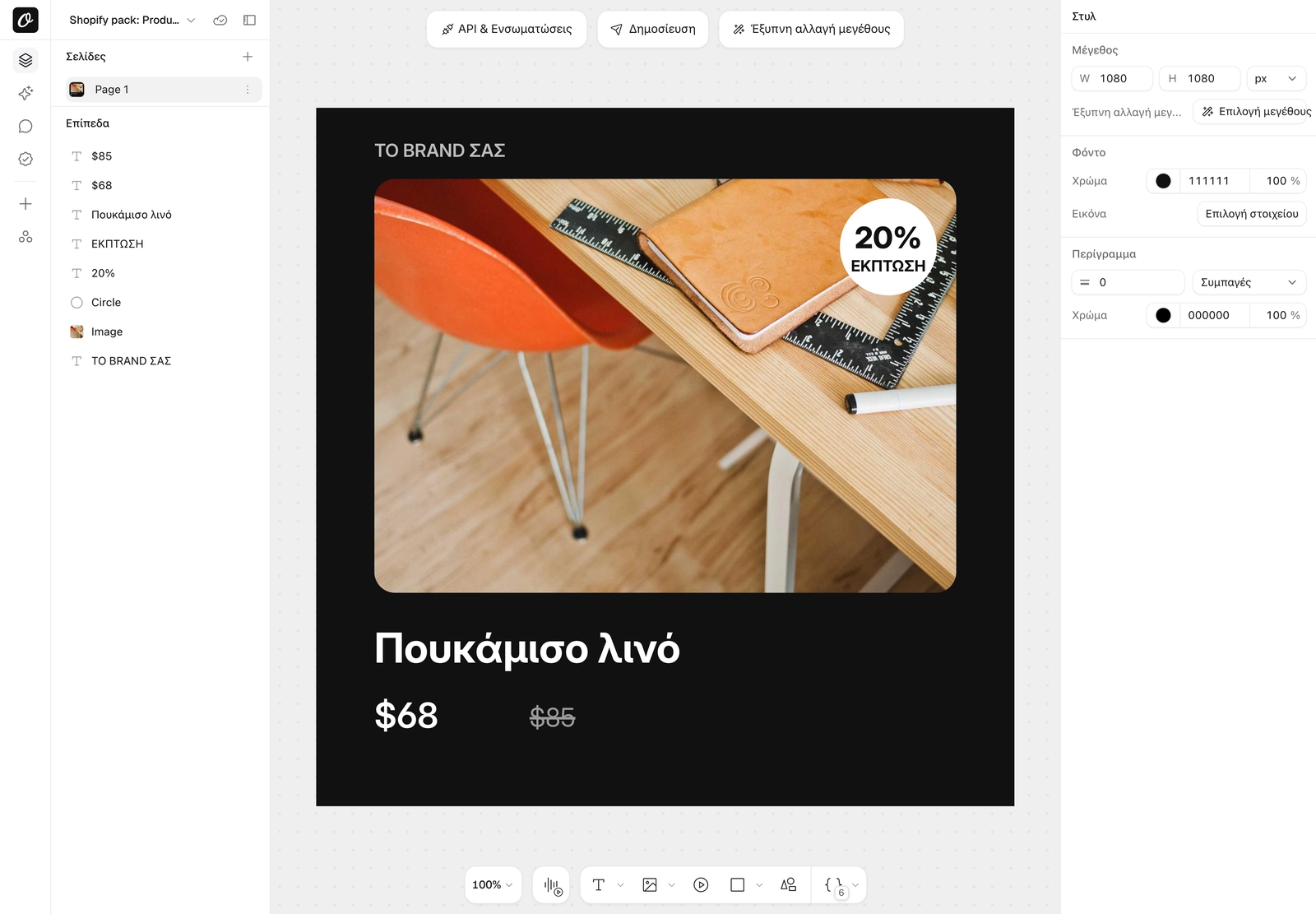
Greek is now the seventh Studio interface language, next to English, German, Spanish, French, Portuguese and Russian. Pick Ελληνικά under Language in the template menu, or open an embedded editor with ?lang=greek (embed language options).
We used the feature on ourselves first. Translating all 1,579 editor strings into Greek cost $0.58.
Where to Be Careful
- Dynamic URLs don't translate. They're public links, so
translatekeys are ignored there. Render through the API or translate in the Studio. - Translations run longer. German is often about 30% longer than English. Set long layers to Fit text mode so the text shrinks to its box, and watch for the render warning when a layer may not fit.
- AI-written layers stay as they are. Layers that use
.promptaren't translated, so write the prompt in the target language. - Read the first render. The model keeps HTML formatting, inline params, numbers, prices, URLs and brand names, but a native speaker should still check a new campaign once. Add any term they fix to the glossary.
Translate Your First Template
Ecommerce teams running ads in several markets, real-estate listings in local languages and agencies with multi-market clients are who I built this for. If your renders already run on a schedule, Automated Creative Translation is one field away.
Sign up, open any template and right-click a text layer, or add translate to your next API call.