Most Orshot templates end up wired into something that runs without anyone watching: an n8n workflow, a Zapier zap, a nightly API job. That's the point of them.
It's also why a wrong logo or an unchecked claim in a template never stays one mistake. It goes out in every render until someone notices.
Approval flows put a review between the design and the automation. Edit and preview a template as much as you like. The API renders it only once the right people have approved it.
How it works
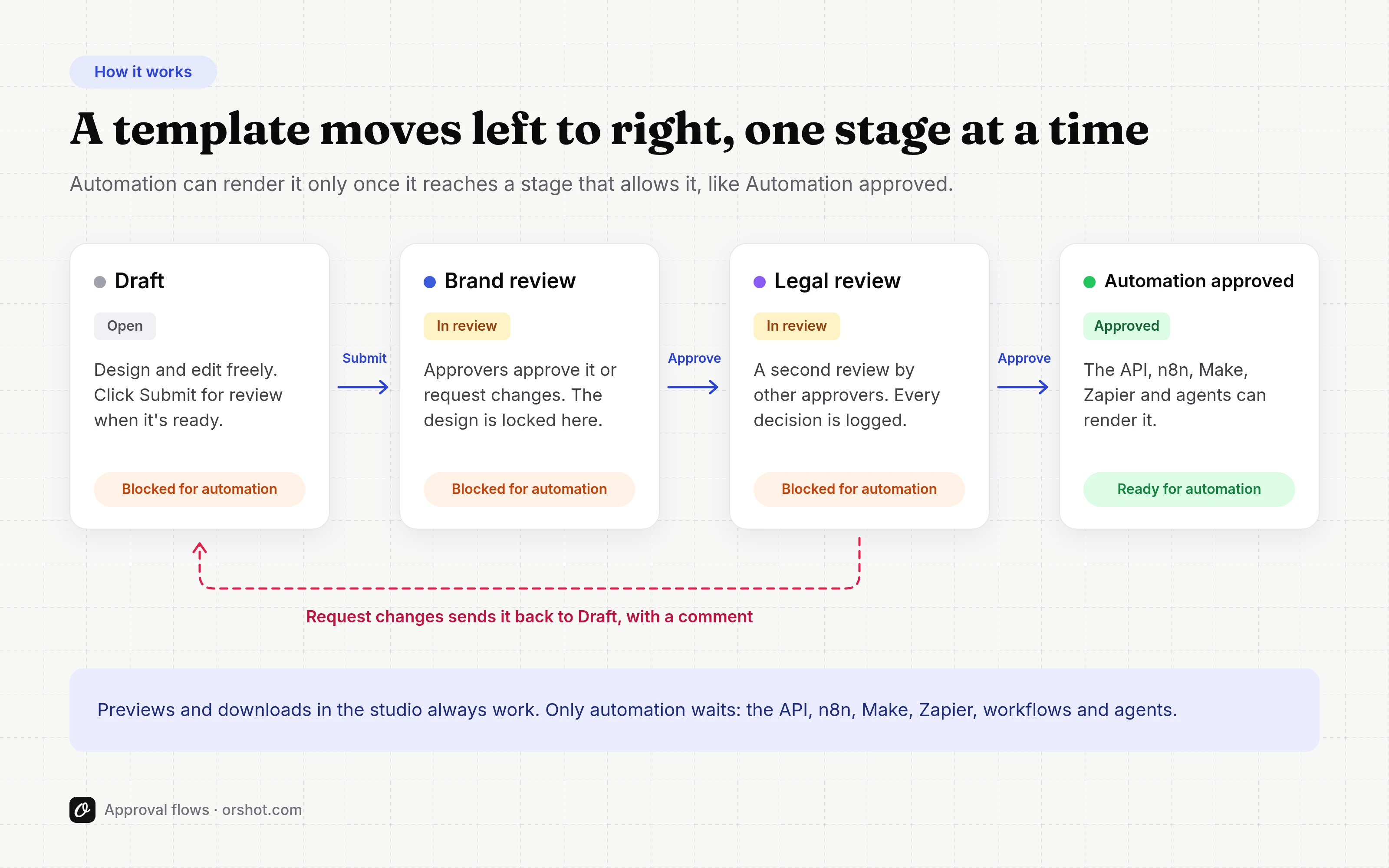
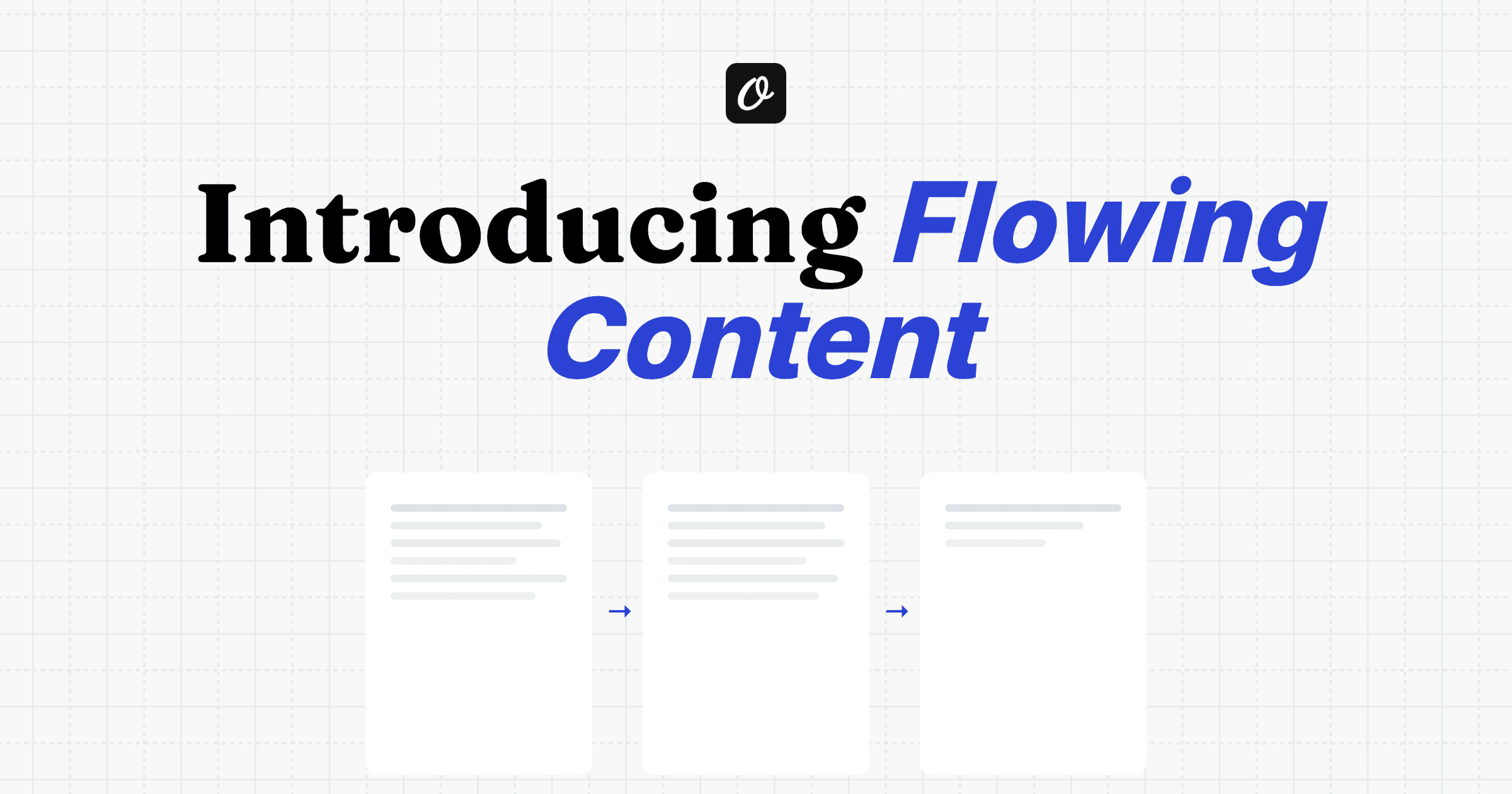
An approval flow is a set of stages. A template moves left to right: Draft, then one or more reviews, then Automation approved.
In a review, approvers approve it or request changes with a comment. A change request sends it back to Draft, and earlier approvals stop counting.
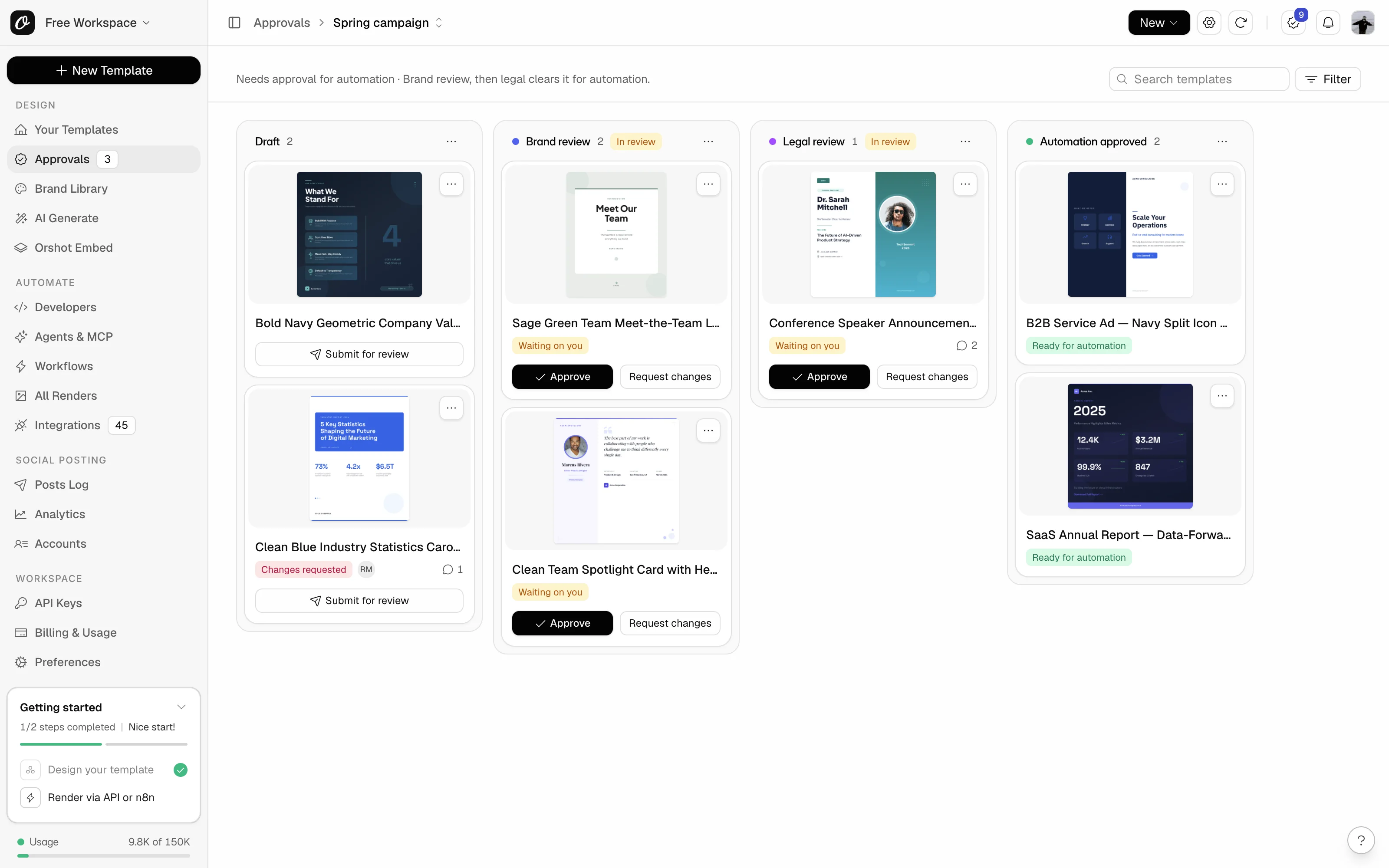
Each flow is a board with a column per stage. Cards say what they're waiting on, and the ones waiting on you have Approve right on them.
Start from a preset (Simple approval, Brand and legal, Agency and client or Marketing production), rename anything, then add templates. Set up your first approval flow walks through it.
What your automations see
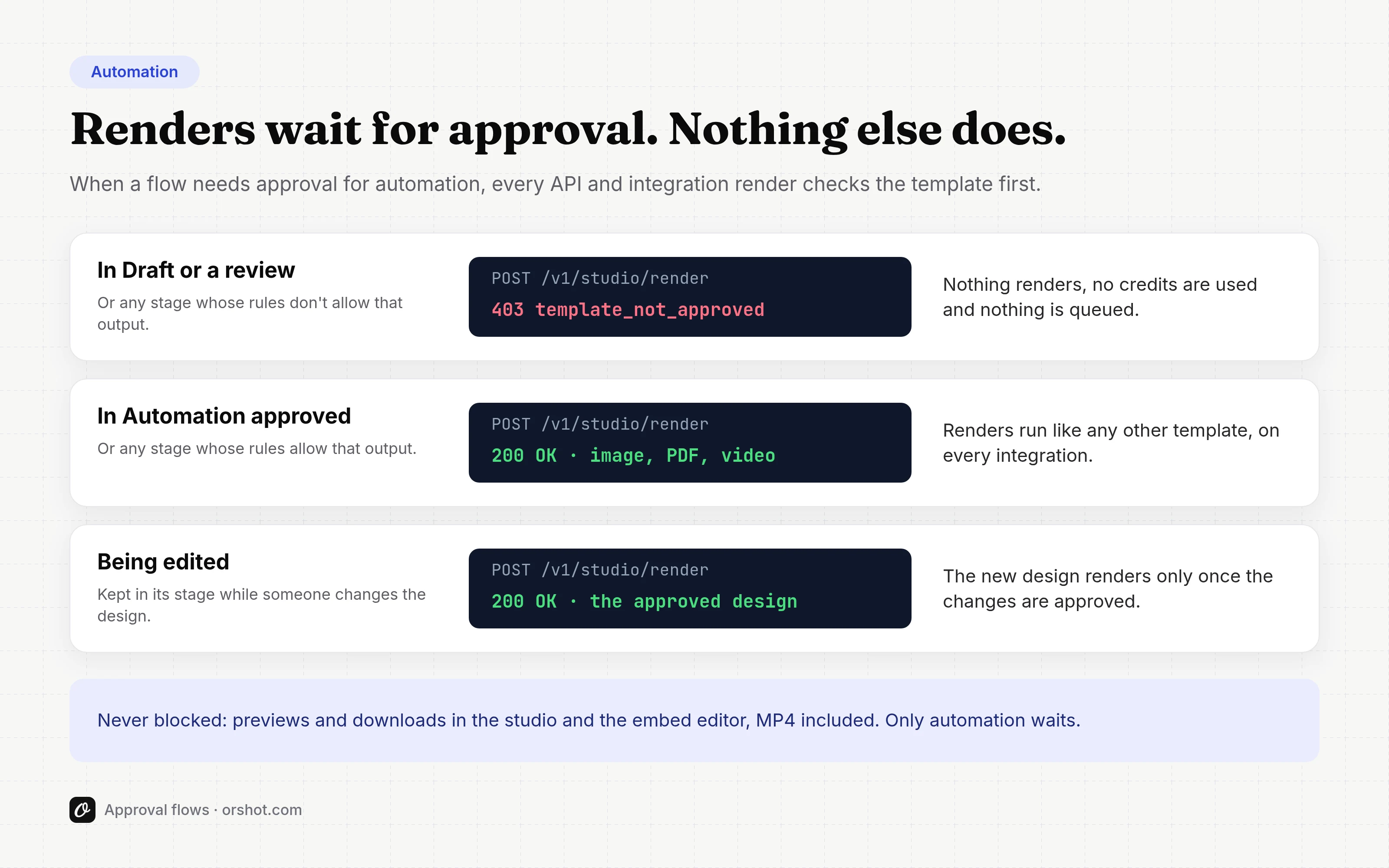
While a flow needs approval for automation, every render through the API, n8n, Make, Zapier, workflows and agents checks the template first.
Until it's approved, the render returns 403 template_not_approved. Nothing renders, no credits are used and nothing is queued.
An approval covers the design people looked at. Editing a template that's ready for automation starts with a choice: keep it live and approve your changes when you're done, send it back to review, or send it to Draft.
While you edit, automation keeps rendering the approved design, so a half-finished change never reaches production.
Previews and downloads in the studio are never blocked. More in how to require approval for automation.
Stages have types and rules
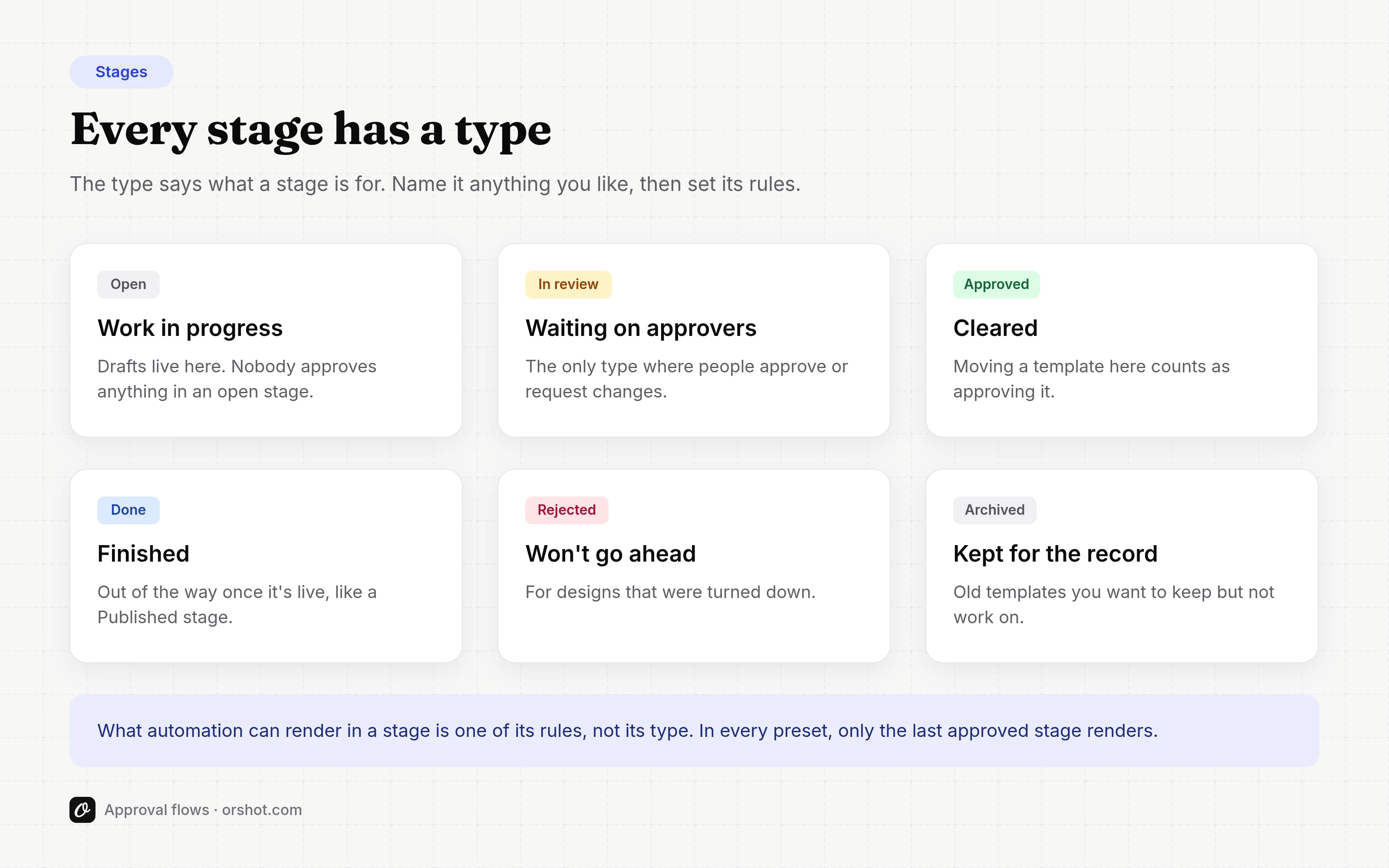
Every stage has a type, and its own rules: whether the design can be edited there, what automation can render, how many approvals it needs and where the template goes next.
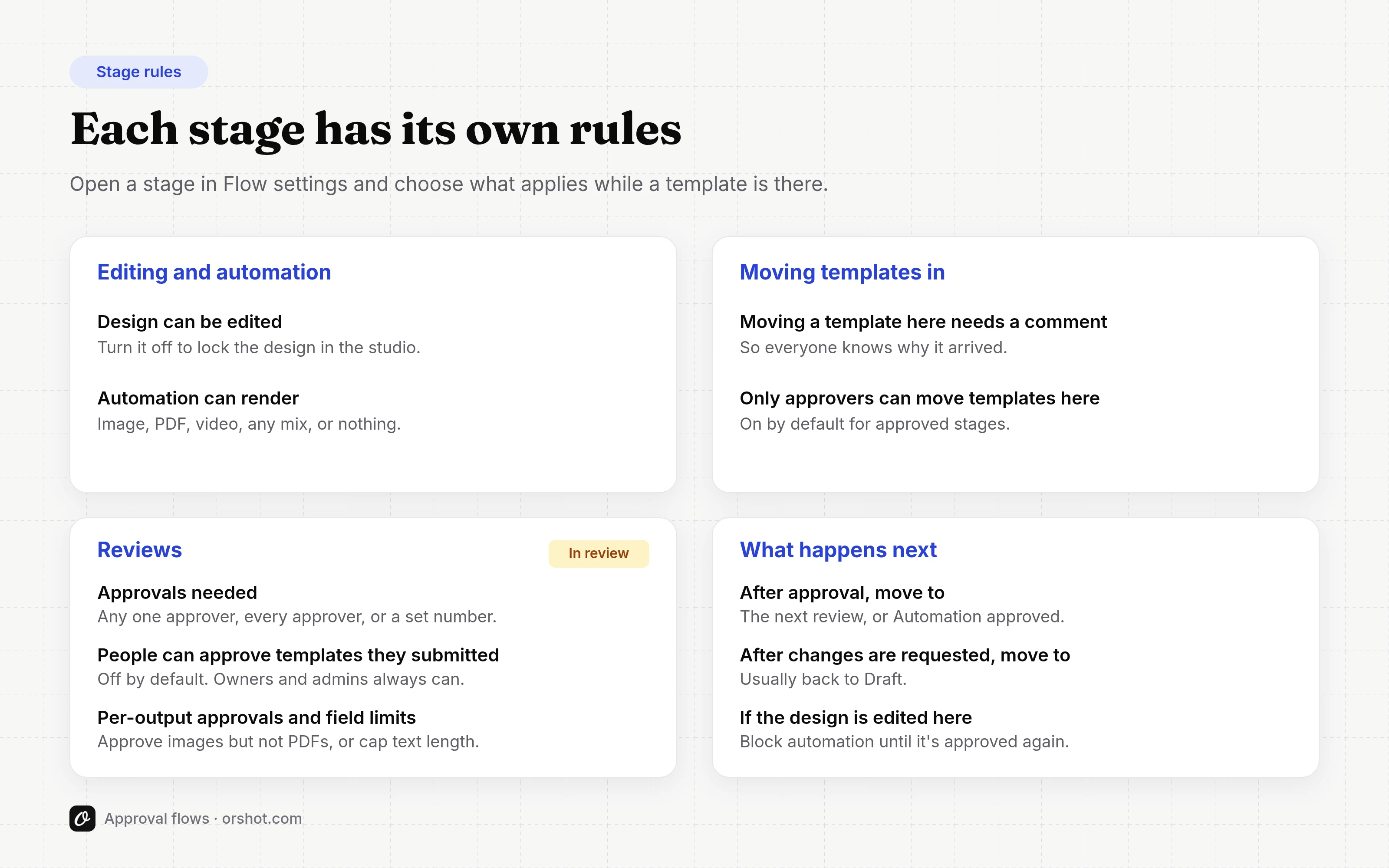
Every rule is explained in Approval flow key terms.
Approve from the board or the studio
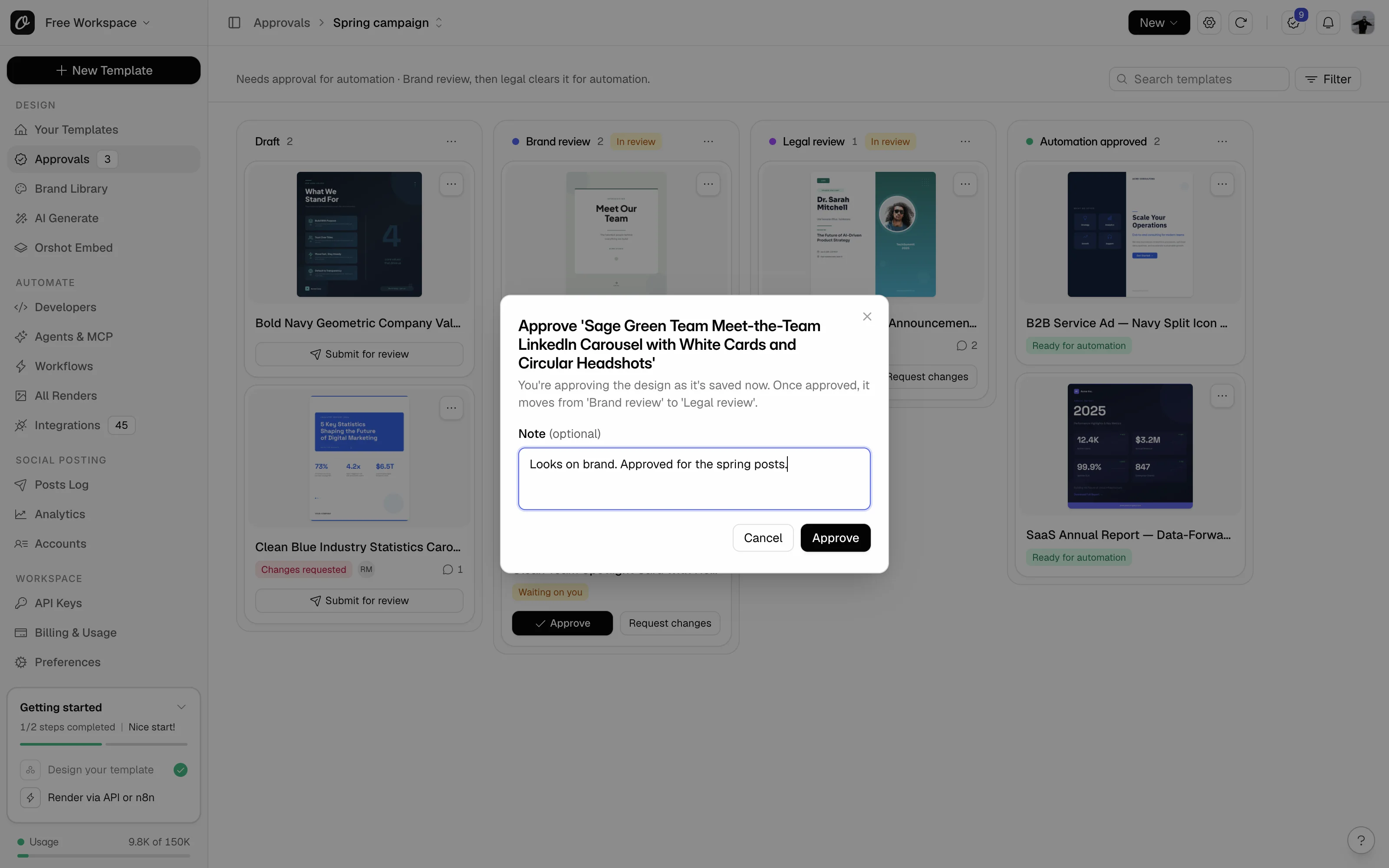
Approve from a card, or open the template in the studio. Its Approvals menu shows the stage, what it's waiting on and what you can do.
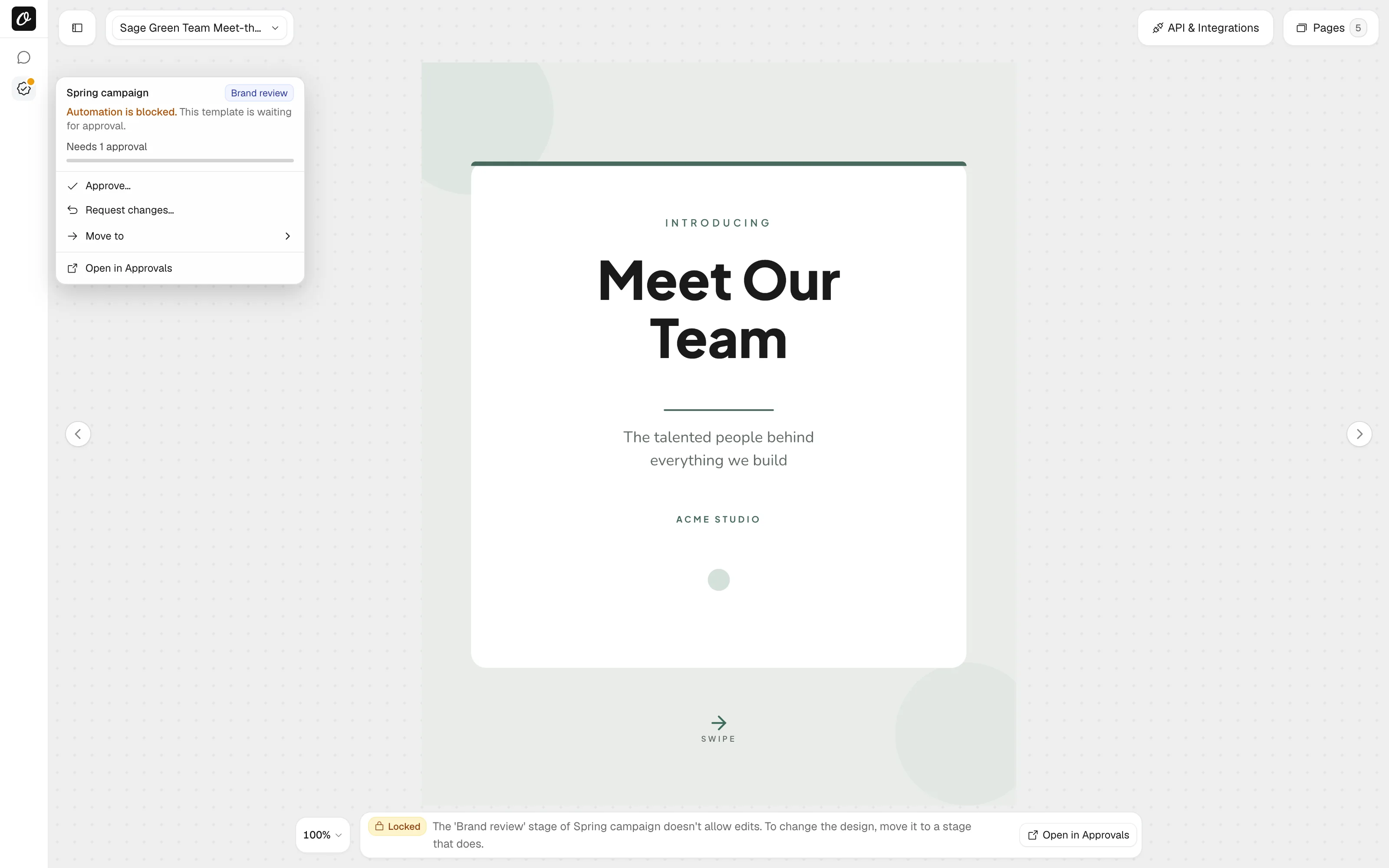
Comments with @mentions sit next to the design, and the Activity tab keeps every move and decision. Step by step: how to approve or request changes.
Who can approve
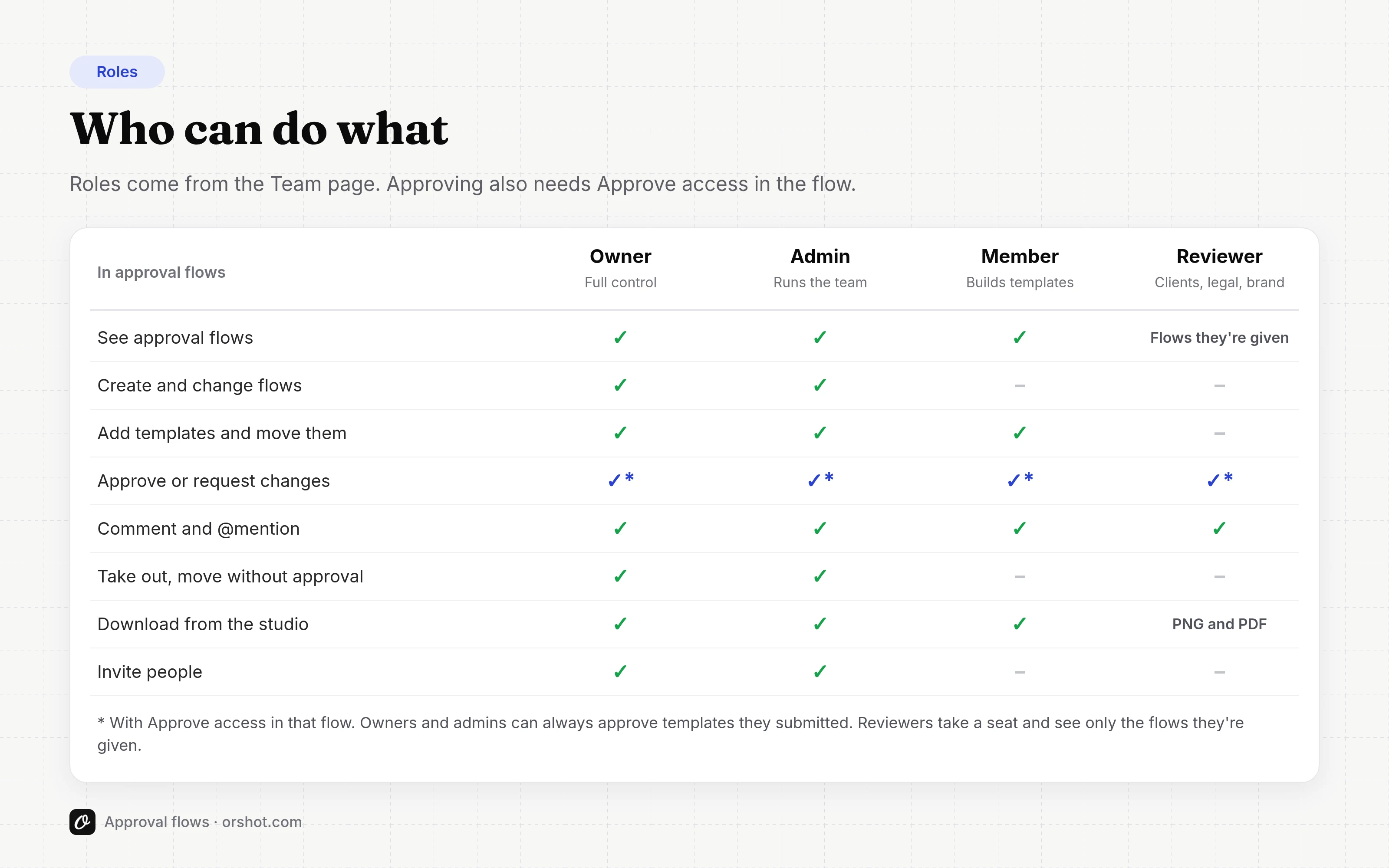
Owners and admins set flows up. Members add templates and submit them.
Reviewer is a new role for people outside your team, like a client or your legal team. They see only the flows you give them, and they can comment, approve and download PNG or PDF.
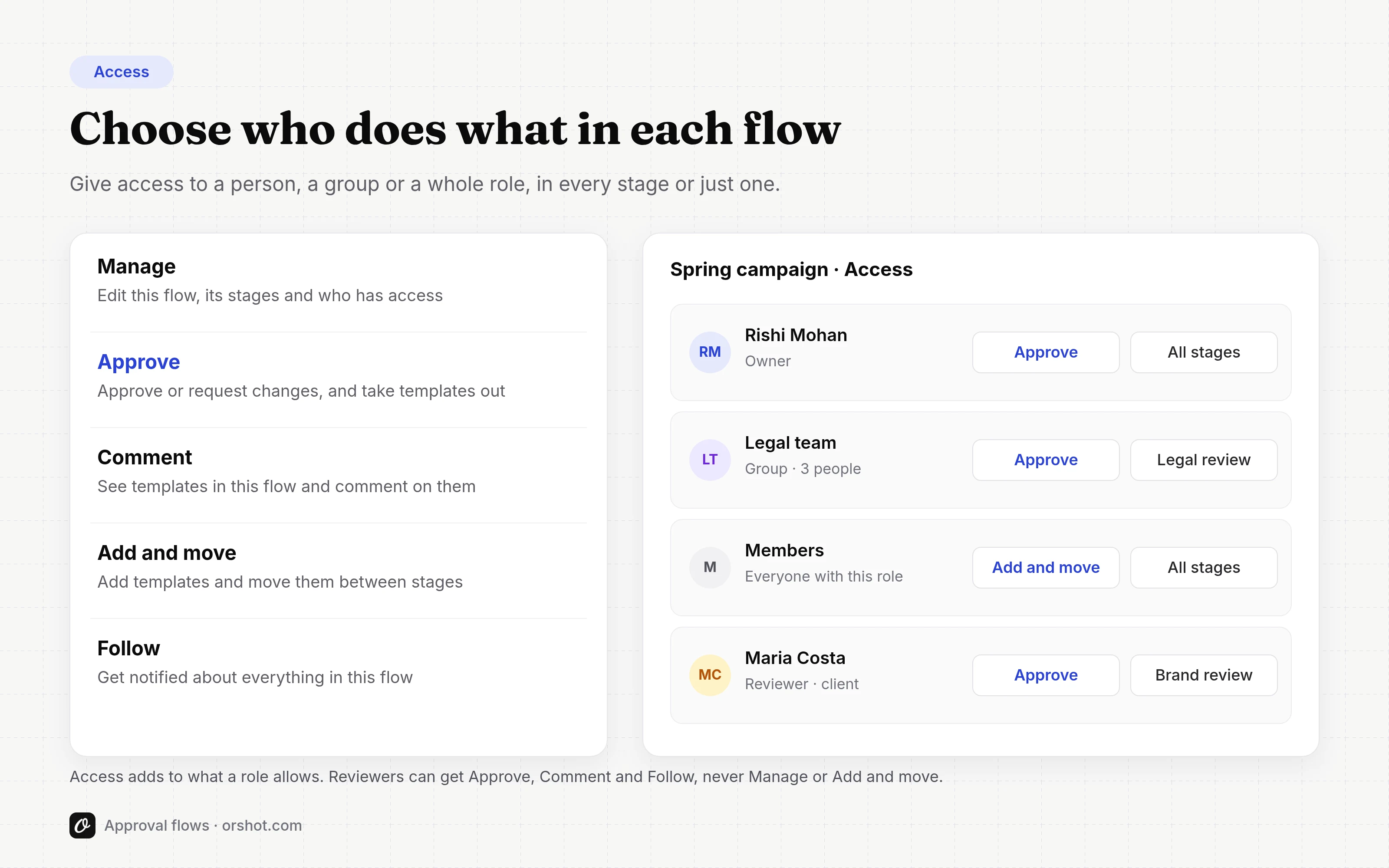
Approving always needs Approve access in the flow. Give it to a person, a group or a whole role, in every stage or just one. See roles and access, or invite a client to approve.
For agents and the API
Approvals come with their own tools for Orshot for Agents, so Claude or ChatGPT can submit a template, check where it stands or leave a comment for you. The Approvals API is available on Enterprise. Details in how to use approvals from the API or an agent.
Try it
Approval flows are in every Scale and Enterprise workspace today, under Approvals in the sidebar. The full guide starts at What are approval flows?
The pricing page lists how many flows and stages each plan includes. Tell me what your review process looks like and I'll help you map it.