Orshot can now run your whole visual pipeline, not just the rendering step.
Workflow Automations live right inside your workspace: pick a trigger, connect a data source, choose a template, and tell Orshot where to send the results. From then on it runs by itself, on a schedule, on a webhook, or the moment new data shows up.
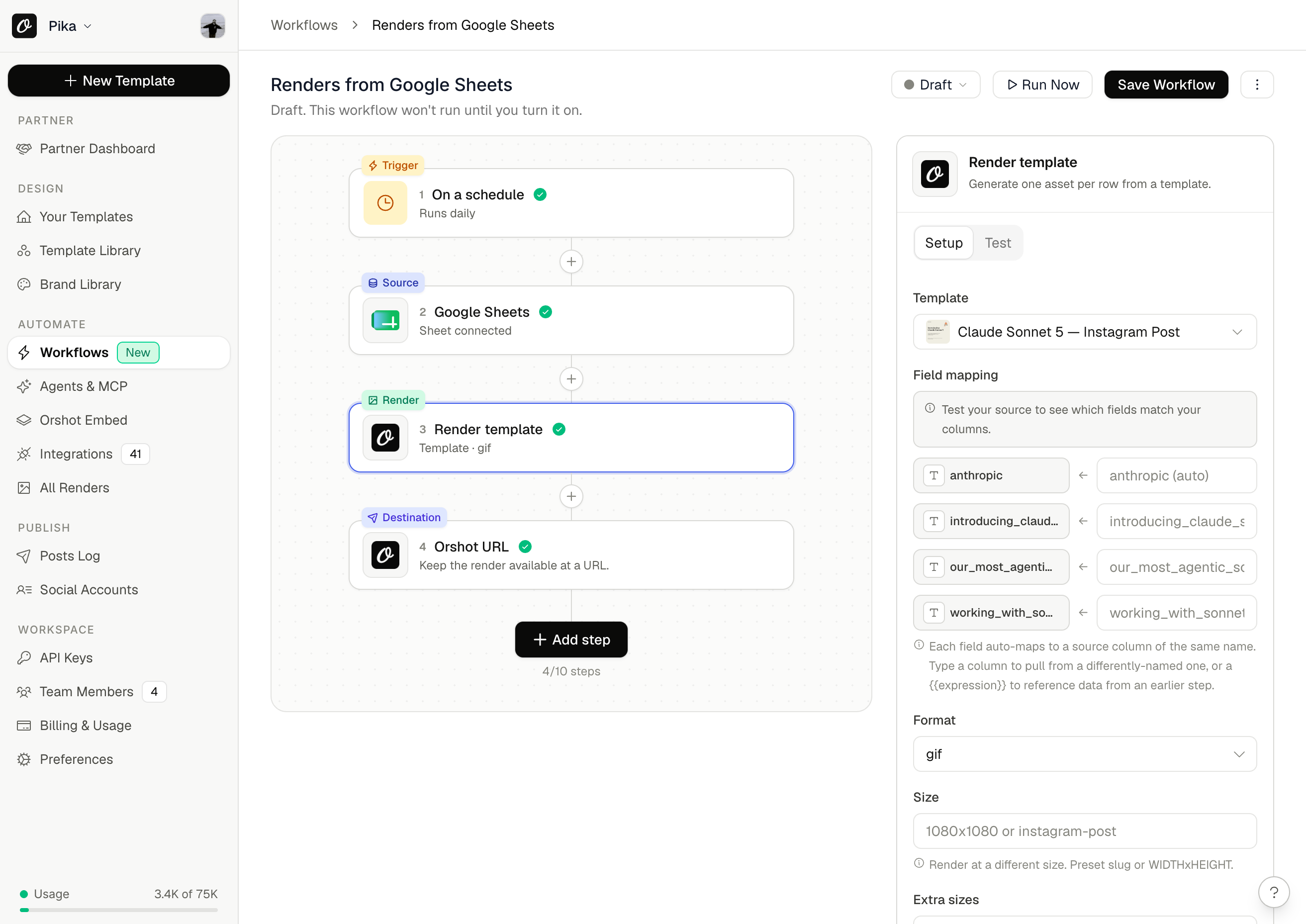
What a workflow looks like
Every workflow is the same simple shape: trigger → data → render → deliver.
- Trigger: on a schedule, from an incoming webhook, manually, or when new rows appear in your source
- Data: rows from Google Sheets or Airtable, files from Google Drive, or the webhook payload itself
- Render: any Orshot template, one image, PDF, or video per row, with columns mapped to template fields
- Deliver: write links back to your sheet or base, save files to Drive or Dropbox, post to Slack or your social accounts, push to S3 or WordPress, or just keep a URL
One run can process a whole batch of rows, so a single workflow covers anything from a daily quote graphic to a few thousand certificates.
What you can plug together
| Building block | What you can use |
|---|---|
| Triggers | Schedule Incoming webhook Manual run New Sheets row New Airtable record New Drive file New HubSpot contact New deal New company |
| Data sources | Google Sheets Airtable CSV from a URL JSON from any API Webhook payload |
| Transforms | Filter Sort Limit Dedupe Merge Delay |
| Destinations | Sheets write-back Airtable write-back Google Drive Dropbox Slack S3 / R2 WordPress HubSpot Outgoing webhook Hosted Orshot URL |
| Social publishing | Instagram LinkedIn X TikTok YouTube Pinterest and more |
First-class Google Sheets and Airtable
Both integrations now connect with one click through OAuth. No API keys to create, no tokens to paste. Once connected, the builder shows your actual spreadsheets, bases, and tables in live pickers, previews your columns, and can write render links back to the same row when a run finishes.
Steal a working setup
Every template below is a public workflow you can copy into your workspace and turn on:
- Post daily quote graphics automatically
- Turn spreadsheet rows into Instagram carousels
- Create product marketing images from your catalog
- Issue certificates for everyone on your list
- Give every blog post an on-brand share image
Here's what one looks like. This is the live Sheets-to-carousels workflow; hit Use this workflow and it lands in your workspace with every step in place.
Browse the full gallery at orshot.com/workflows.
Included in every plan
Workflow runs use automation credits, and every plan includes a monthly allowance. The free plan comes with 15 runs to try it out, and one credit is only spent when a run actually produces something. Idle checks are free.
Get started
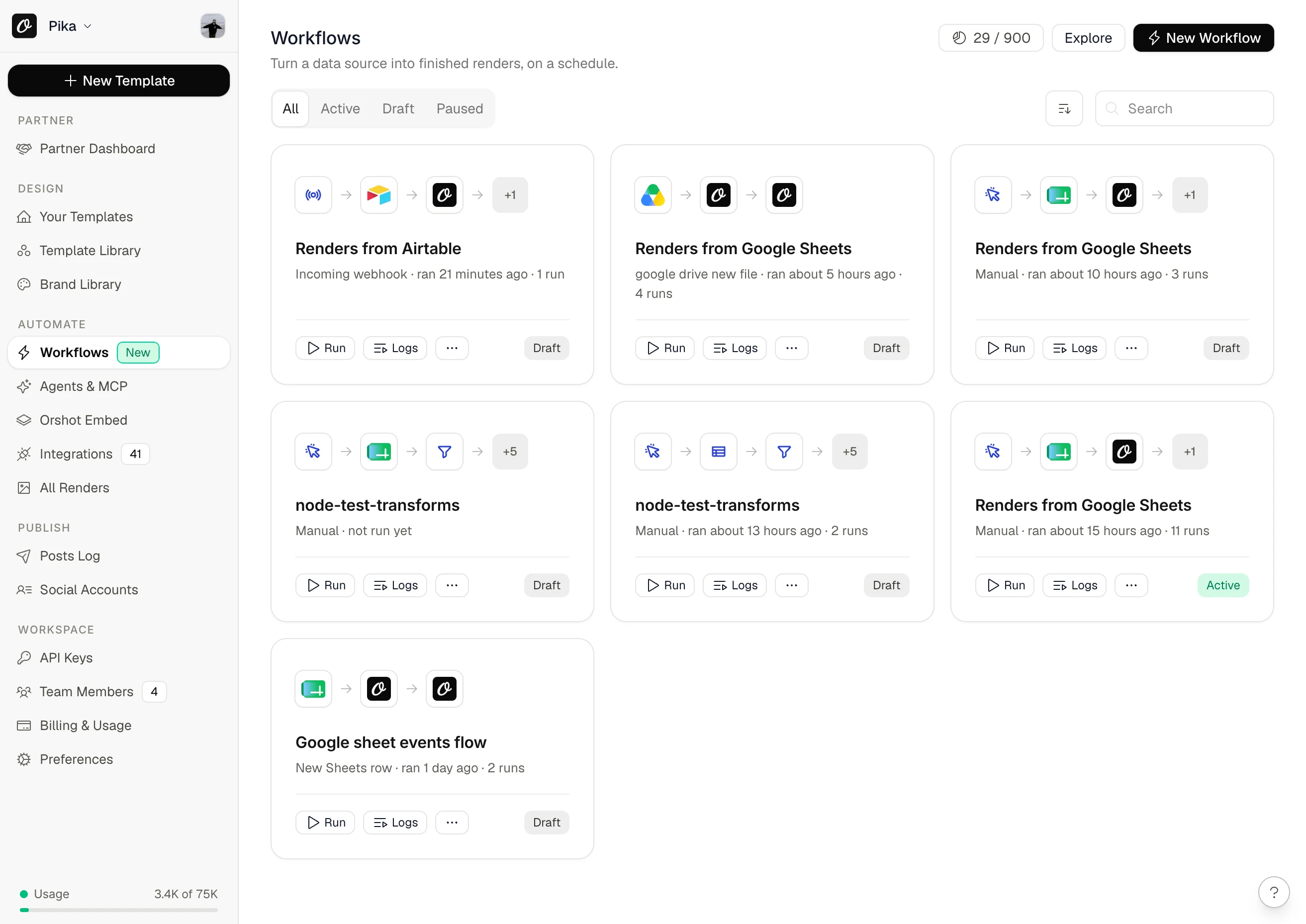
Open Workflows in your workspace sidebar and hit New Workflow, or start from a ready-made template. Workflows are also fully supported in the Orshot MCP server: agents like Claude can discover the building blocks, create and validate workflows, run them, and check their logs for you. If you can design it in Orshot, you can now ship it on autopilot.